Launching today

Parrot
Smart Meeting Assistant for Mac that helps during the call
30 followers
Smart Meeting Assistant for Mac that helps during the call
30 followers
Parrot is a free, open-source meeting recorder for Mac that helps during the call, not after it. No bot joins: it records what your Mac hears and transcribes on device. When a client asks something your pricing sheet or FAQ covers, the answer appears with the file it came from. After the call you get a report of promises made and questions missed, and you can chat with all your meetings. Use Claude, a free local model with Ollama, or your own server. No account, no subscription.





Hi Product Hunt,
I'm Uygar. I run my businesses on calls: clients, partners, suppliers. I paid for the usual meeting recorders, and each one either sent a bot into my client calls or kept the audio in someone else's cloud. And they all helped after the call, when it was too late to change how it went.
So I built Parrot, mostly at night after work. I'm not a full-time developer; Claude was my coding partner the whole way. Six months, 30 releases and about 24k lines of Swift later, here it is.
What it does:
• Records what your Mac plays and hears. No bot joins the call.
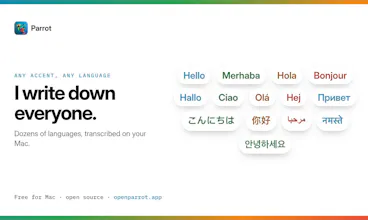
• Transcribes and tells speakers apart on your Mac.
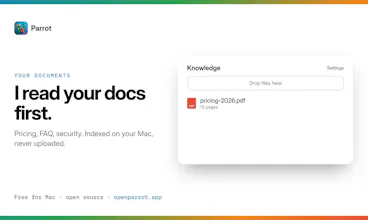
• A live Assistant: when a client asks something your pricing sheet or FAQ covers, the answer appears with the file it came from, while they're still talking.
• When you hang up, the report is ready: what was promised, which questions you handled or missed.
• Ask Parrot about any past call, or use your meetings in Claude, Cursor and Codex.
You pick the AI: Claude with your own key, a free local model with Ollama (it works with the Wi-Fi off), or your own server. Free, open source (GPL-3.0), no account. Mac only for now.
I'd love your honest take: try it on your next real call and tell me what felt confusing or missing. I read every comment and ship fixes fast.
I wonder how well the live answers work when a client asks something that isn't covered directly in the uploaded documents.