Launching today

MinkNote
Private macOS notes built on plain Markdown files
81 followers
Private macOS notes built on plain Markdown files
81 followers
MinkNote is a native macOS notes and journal app built on plain Markdown files you own. No database, no account, and no vendor lock-in. Organise work with projects, journals, tags, fast search, rich text or Markdown editing, and automatic image organisation in one private, local-first workspace.


Hey Product Hunt, I'm Demian, the maker of MinkNote.
MinkNote came about because I spent a long time trying to find the right notes app for my own work, and never could.
I loved parts of Obsidian, Day One, and Bear, but none of them ticked all the essential boxes. Obsidian gave me files + folders, strong search, and project separation via multiple vaults, but I still wanted something that felt more native on macOS, and less reliant on plugins. Day One was beautiful and polished, but I wanted direct access to the Markdown, better search, folder-based organisation, and notes that weren’t stored inside a database. Bear came close as the editing experience is amazing, but its database-backed storage and tag-first organisation never quite clicked for me.
So I ended up building the app I wanted to use every day.
MinkNote is a native macOS notes and journal app built on plain Markdown files that you own. There is no database, no account signup, no vendor lock-in. The focus is on a fast, polished writing experience based on simple files and folders you can reveal in the Finder at any time.
A few things it focuses on:
native macOS feel
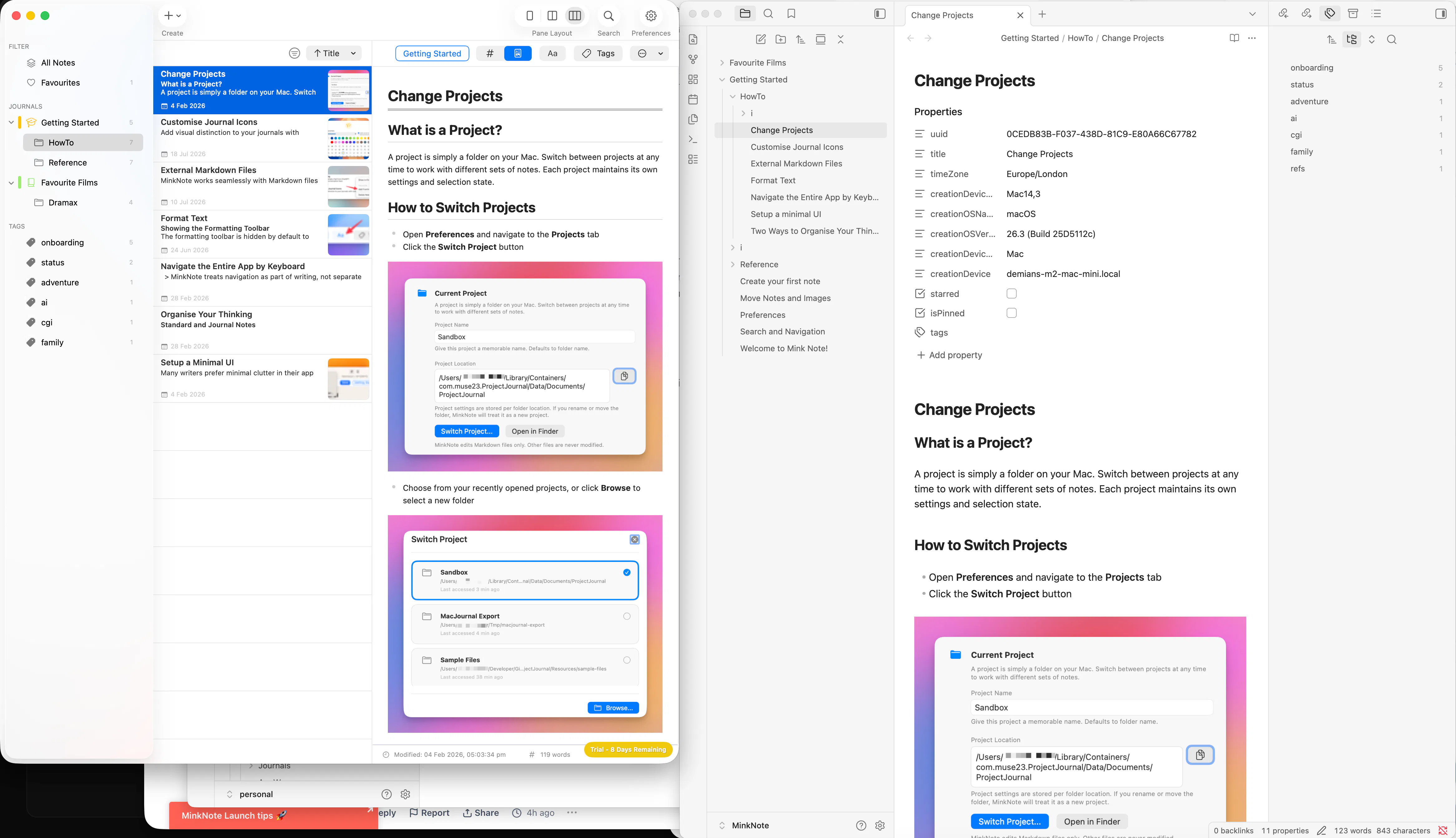
plain Markdown files in folders, you can hit the Reveal in Finder to see what's going on
projects, journals, tags, and fast search
rich text, MD, or split view editing: the MD is not hidden from you
images organised automatically alongside your notes: drag a note to another journal and the images move too
no AI intrusion: your projects are just text files so you can point your agent there later if you want
privacy as a fundamental part of the design
I built MinkNote for people who care about writing, privacy and long-term ownership: your notes stay readable outside any one app.
If that sounds like your kind of tool, I'd love to hear your feedback! Especially if the mix of simplicity, privacy and ownership feels right.
Try it now: the app's a free download on the Mac App Store, no signup required
@thys_beesman thanks for your feedback, important questions:
filesystem and app sync
currently MinkNote has a basic implementation: if you move notes, the images move along with them (links update), to new folders or new journals (collection).
I haven't yet implemented a filesystem watcher that syncs outside filesystem modifications back to the app, but plan on putting this important feature in the next month or so (it's on the roadmap).
Currently, if you change a folder name in Finder, it's picked up in the next app restart. The folder rename does not break the image links.
AI intrusion: "are you just leaving room for people to point their own agent at the plain files later while keeping the app itself free of any built in AI features"
exactly
I am thinking about adding some small details with local models, opt in only, like suggesting an appropriate icon for a journal based on name, maybe generating a note summary: will look for user feedback
I can't see every app having it's own AI service, people want their models to be personalised and have context across projects, I think we're moving towards a BYO-AI
Really like the plain-Markdown + no-database direction here. The part that stands out is not just portability, but keeping the app native enough that files and folders still feel like a feature instead of a compromise. One thing I'd be curious about as a heavy-note user: do you expose a lightweight conflict or duplicate-file recovery flow for people who also touch the same notes in Finder, iCloud Drive, or another editor? That edge case matters a lot in local-first tools.
Hi @sergbmw - thanks for the praise and thoughtful feedback!
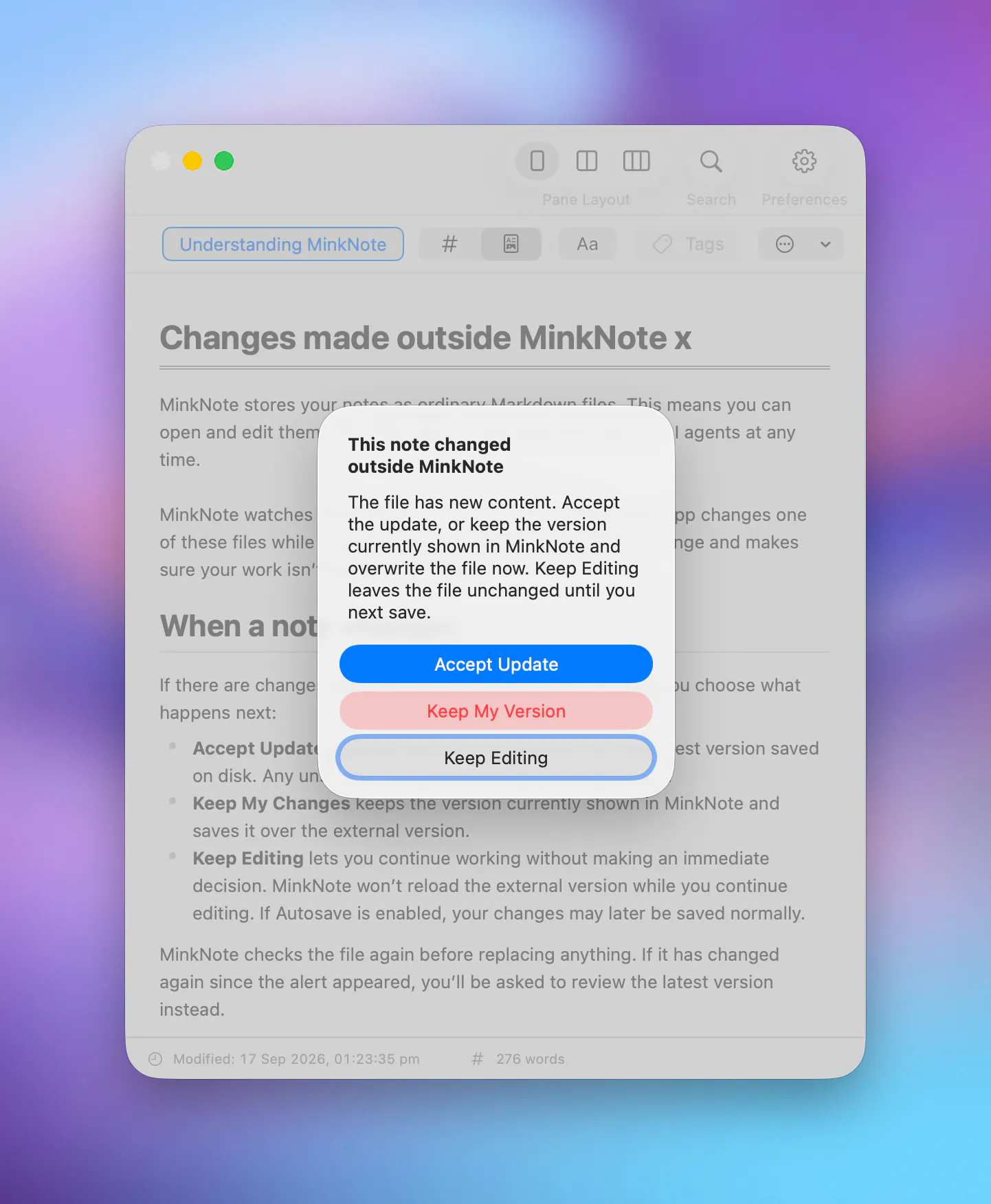
Great question about how MinkNote deals with edits made outside the app. Also the most common theme in today's comments. Short answer is a filesystem watcher is not implemented yet in the current version of the app, but it clearly needs to be at the top of the priority list. It's on the roadmap and after today's feedback I'll be moving it to the top.
My plan is to detect changes to the currently selected note and show a dialog when there’s a conflict, so you can choose between the external version and the current MinkNote version. For notes that aren’t currently open/selected, external changes will just be picked up automatically when you select them. That's the way Sublime does it and I think it'll work well for an initial version.
I agree this edge case matters a lot for a tool built around files you own, so thanks for calling it out so clearly.
Moving notes between folders and having the attached image assets automatically move alongside them is a massive quality-of-life detail that most plain-text Markdown editors mess up. Congrats for launch👏 Usually, you end up with orphaned media files scattered everywhere. qq Does MinkNote use relative pathing inside the Markdown syntax so those links stay intact if opened in another text editor like Nova or VS Code?
Thanks so much@vikramp7470 :-)
Yes I also experienced a lot of orphan files when using other apps so made sure this works right in MinkNote. The app also handles duplicate file and image names fairly gracefully.
So far MinkNote only supports linking to external resources, but top of the priority list is to implement inter-file linking. It will be easy to link directly to other files with something like minknote://{UUID} but ideally I'd like to support wiki links too. Am looking for community feedback especially on this point: what have folks used and what works well. I'll look at the Nova or VS Code implementations more closely.
The plain Markdown files with no vendor lock-in is the right call for anyone who has been burned by app-specific formats. Curious about the image handling — are embedded images stored as separate asset files in a subfolder next to the Markdown, or does MinkNote embed them as base64 inside the note itself? That detail determines whether the files stay readable in any other Markdown editor after you stop using MinkNote.
@hi_i_am_mimo Thanks Valeria :-) Yes I've been burned many times too by various vendors, that's why I insisted on this "feature". And I find the MD exports of all the top apps actually leaving something to be desired. All sorts of glitches become apparent, especially if you have code snippets and slightly complex MD in your notes.
You got it exactly right: embedded images are stored as separate asset files in a subfolder next to the Markdown file. I often switch between MinkNote and Obsidian for viewing projects or "vaults" and it's seamless, based on the way I setup Obsidian.
MinkNote's image folders are currently named "i" by default but I could easily make that configurable.
Congrats! Your pitch hit me. I already keep notes and projects in plain Markdown-folders.
Can you point MinkNote at an existing folder with Markdown-files you've already got? Or will the app own it's own folder structure? And can it handle that my files are edited externally (another editor, script) while it's open? Meaning, will it pick up the edits?
Thanks for commenting @firecalculatorhq! You sound like the ideal user for MinkNote :-)
Yes absolutely you can point MinkNote at an existing folder of Markdown notes on your disk. Each folder/collection is treated as a project, and there’s currently a projects switcher in Preferences. I probably need to move this to the main UI and some users switch a lot.
For external editing: today, MinkNote picks up changes after folder switching. A filesystem watcher is near the top of my priority list so edits from other editors/scripts can be reflected immediately.
Today’s launch is very much about getting the MVP in front of users after almost a year of development, so feedback like this is exactly what helps me prioritise the next pass.
Congratulations on the launch, and great product. The "no lock-in" pitch is a bit undercut by the app itself being closed source, that's the part people actually worry about long term, not just the file format. Open sourcing even just the editor/sync layer would make the durability claim a lot more credible!
@aidan_codefox Thanks Aidan for kind words, appreciate it :-)
I agree Open Source can make long-term trust easier, especially for local software tools. For MinkNote, the main longevity/durability promise is that your notes are plain Markdown files in folders you control, so even if the app disappeared tomorrow, your work does not.
I ran a fairly popular FOSS project between 2003-10 and learned that it can be a huge time sink and requires a different kind of guidance and focus. For this product I’m aiming to keep the app sustainable as a commercial Mac app while making sure the users' data stays portable and independent of MinkNote.
That said, I’m already planning to open up some of the app’s components for sharing with other devs. For both myself and MinkNote users, it’s very beneficial to have community review of the work.