
Mina - Meeting Assistant
Your AI Teammate now responds and executes during your calls
1.4K followers
Your AI Teammate now responds and executes during your calls
1.4K followers
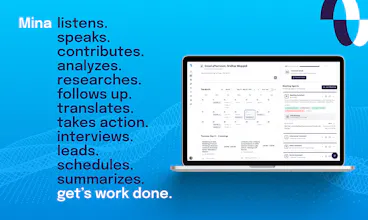
Mina is an AI meeting assistant that actively participates in meetings, responds in real time, pulls context from your tools, and helps move work forward while the conversation is still happening. Unlike traditional meeting tools, Mina can speak during calls, use skills, generate outputs, and support sales calls, interviews, standups, customer conversations, and team workflows before, during, and after meetings.





the shift from "records meetings" to "participates in meetings" is where this gets interesting. most AI note-takers are still just fancy transcription. the real test is whether Mina can handle the messy context switches that happen in actual calls, not the clean demo scenarios. curious how it handles situations where the right move is to say nothing.
@ozandag We've been using Mina in all our meetings, as well as with a small circle of beta testers, for the past couple of months, and it performs exceptionally well, moving seamlessly from one aspect of the conversation to another. Our orchestration layer has enough intelligence to know when it needs to perform deep reasoning on the entire conversation transcript rather than processing the response based on a rolling summary.
Something I've been wondering about with meeting agents is whether users actually want more automation or better recall.
Most founders I talk to don't struggle with recording meetings anymore—they struggle with remembering and acting on decisions weeks later.
What use cases are seeing the strongest retention for you?
@samyak_sanklecha Early days, but memory management skills have been an incredibly powerful thing. Being able to remember what happened in previous meetings, what the action items were for each individual. The other really powerful use case we have noticed is simple tasks. During the meeting, you don't want to have to remember to do them afterward. So you can basically say, "Mina, Why didn't you set up a meeting for all of us next week? Same group?" or "Why didn't you draft that proposal?" Things like that, or "do this research and send me all the important elements," so you can just get started on some of the work, or maybe even finish the work even before the meeting ends.
@sridharmuppidi That's interesting because we've seen a similar split in other agent workflows as well.
The memory side seems fairly intuitive—people want continuity across conversations. The task execution side feels harder because expectations shift from "help me remember" to "actually get work done."
Have you found users trusting Mina with progressively larger actions over time, or do most people still keep it in the assistant/co-pilot role rather than delegating end-to-end workflows?
@samyak_sanklecha So far, more on the smaller tasks like summarizing things or simpler requests, 90% of the people haven't realized the power of skills and how they can set up complex workflows. We've also seen a small percentage going all in on automation. As the product managers, this is a fun problem for us to figure out and solve. How do we educate people on all the cool things they can do with the system? We're learning.
@sridharmuppidi That resonates.
We've noticed a similar pattern where the technical capability often ends up ahead of user behavior. People adopt the first obvious use case quickly, but discovering higher-leverage workflows is much harder.
Have you found that users naturally graduate into those more advanced automations over time, or does it usually require explicit onboarding and examples to get them there?
Well, this is quite interesting. Imagine that someday instead of just having Mina as a meeting assistant, you give Mina a personality and face which is AI generated and she actually becomes a character on the meeting. It's not a must-have feature, but definitely a nice-to-have feature from the user experience perspective. :D
@himani_sah1 Great suggestions! At the moment, Mina does have a personality as long as you set it up that way. It can have a neutral tone or a more friendly, professional tone - it's totally up to you how you want Mina to behave.
How is Mina different from a product that released a few days back called @Shadow or @Littlebird?
@soni_karan Both are pretty awesome products, though they play in different spaces altogether from us. The 3-4 key differences are:
Mina actually attends the meeting. Its not hidden from other users in the meeting. That way, from a privacy standpoint, it's a lot more open.
You don't have to download or install any software on your computer. You just connect your calendeer, and it joins your meetings.
Mina responds to you using voice, so you can ask it questions like "Present the case study about our healthcare product," and it can just do screenshare while you are in a meeting. Or you can ask specific questions like "What is our price for a 50-seat account?" and it can respond with information during the call for everyone else to hear.
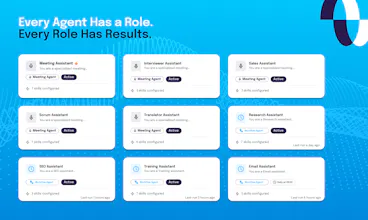
Biggest thing is the flexibility. You can literally create any kind of integration, any kind of workflow. It has two kinds of agents:
Meeting agents, which exist within the meeting
Workflow agents, which are outside the meeting and can do any task you see fit
Both of them are supported by a sophisticated skills engine.
@sridharmuppidi Got it, thanks for a detailed reply.
@sridharmuppidi congrats on a highly successful launch! two thoughts - a question and a point of feedback:
How do you avoid Mina piping up when you don't want her to?
I'm sure you guys have been heads down and way more focused on the product than the branding/marketing, which totally makes sense, I'm a big PLG guy myself. With that said - and I mean this with the utmost respect... your product is good enough that it deserves a vastly better logo/website/explainer video (especially)/branding more broadly.
Regarding my second point, maybe it makes sense to work on the product and then launch new branding with v2, but, I'm just left with the feeling that the copy/imagery/branding/visuals/video at the top of the site don't suitably convey the excitement/capabilities. I think this is one of the few products I've seen recently where a more narrative - cinematic, even - approach is warranted. Something very luxe and engaging.
Just food for thought - I think some tweaks to positioning and GTM approach could make a huge difference... but then again, you've dominated PH on a Monday - no small feat - so, what do I know? :p - congrats again.
@sridharmuppidi @grey_seymour Hi Grey! Thanks for you kind words! To answer your first question, it depends on whether your Mina is set up to be proactive or reactive. If it's reactive, it'll remain quiet and won't pipe up unless you specifically direct a question or instructions to it. Something like, "Hey Mina, can you check..." or "Please set a reminder for X task," etc. If it's proactive, it is looking for tasks to do without you specifically prompting it, but in that case it depends on what those tasks are if that makes sense. Also, thanks for your feedback regarding the branding and marketing! Really appreciate the input and it's extremely helpful to know what others think :)
@grey_seymour Thank you. We will definitely look into the branding. appreciate the feedback.
Nice. Is there a memory or bank to be able to track what Mina knows?
@joseph_adeola You can set one up based on your needs - there is default memory management skill. Pre-meeting, it loads the memory. Post-meeting, it transcribes the meeting into short summaries and adds it into the memory, but you can actually customize the memory management based on the type of assistant you are creating. And all of it gets stored in your Google Drive.
This feels especially useful for sales calls and customer success reviews. Will give it a spin.
@ragsyme There are a lot of awesome use cases. You can build yourself an offline sales coach who could be guiding you through Slack while you're in sales call - things like, "Hey, you've been talking too long." Things like, "You know, there was an opportunity to ask more questions." There are aspects in our CRM that aren't filled in; can you find out more information about the state stakeholders' decision-makers? So it could nudge you while you're on the call, So that's one way to do it. The other is obviously inside the call; it can fetch you information, make presentations, so sales is an amazing use case for this assistant.