
MagiCrew
Give everyone their own AI workforce in one platform
619 followers
Give everyone their own AI workforce in one platform
619 followers
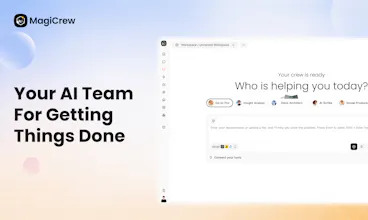
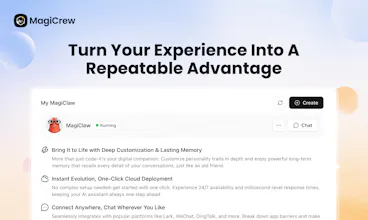
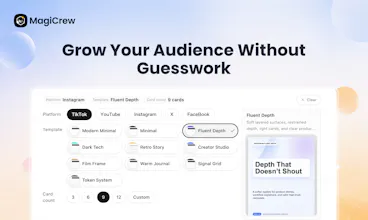
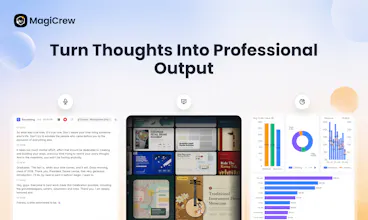
MagiCrew is an open-source AI Agent platform that gives everyone their own AI workforce. Instead of simply chatting with AI, deploy specialized digital workers that research, analyze, create reports, generate presentations, and complete real business tasks. With multi-agent collaboration, enterprise controls, and deliverable-ready outputs, MagiCrew helps teams turn AI from a tool they use into a workforce they can manage.



Congratulations on your launch! The "Costco of AI" line stayed with me, curating rather than dropping everything possible on users makes sense.
Congrats on this launch!
@peng_wood 😊 thank you!
Great question. The short answer: the user doesn't have to decide — the main agent does.
Here's how it works in practice:
Super Magic has a generalist main agent that receives your request first. It handles most tasks on its own — research, writing, data analysis, code, file operations — because switching agents has a cost (context, latency, coordination overhead). So the default bias is: do it yourself unless there's a good reason not to.
The main agent delegates when:
A task needs a specialized capability it doesn't have — e.g., slide design, canvas generation, or interacting with a specific platform API (Lark, DingTalk, etc.). These are handled by dedicated sub-agents or skills with domain-specific tools.
Independent subtasks can run in parallel — e.g., "research competitor A, B, and C" can fan out to multiple agents working simultaneously instead of sequentially, then merge results back.
The user explicitly asks for it — you can @ mention a specific agent to force-route a task.
The key design choice is that all agents share the same workspace filesystem. So when the main agent delegates to a sub-agent, it doesn't need to serialize the full context into a prompt — the sub-agent can just read the files. And when the sub-agent finishes, its output is already in the shared workspace for the next step. No "handoff summaries," no lost context.
Think of it less like "which tasks need collaboration" and more like one person deciding when to ask a specialist vs. doing it themselves — except the specialist already has access to everything on your desk.
Thanks for the kind words! 🙌
congrats on the launch. the "shared workspace so context carries between agents" bit is the interesting part to me, most multi agent tools I've tried just re-explain everything at each handoff. since it's open source, can I bring my own LLM keys and self host, or is the open part just the agent definitions while the platform itself stays hosted? asking because running several specialized agents per workflow instead of one chat could add up fast on the LLM bill
@galdayan Thanks! You nailed the part we care about most — the shared workspace is the whole point. Every agent reads/writes the same filesystem and sees the full conversation context, so there's no "here's what the last agent did" summary step. It's less like a relay race and more like coworkers sharing a desk.
On the open-source / self-host question:
The platform itself is fully open source (Apache 2.0 with some additional terms), not just the agent definitions. The full stack — is all on GitHub (dtyq/magic). You can git clone → docker compose up and run the whole thing locally.
Yes, bring your own keys. You configure your LLM provider via .env — it works with any OpenAI-compatible API, so Claude, OpenAI, DeepSeek, Qwen, or whatever you're running behind a local gateway like LiteLLM. That's exactly the setup for people who, like you said, want to run several specialized agents per workflow without the per-seat cloud bill adding up.
The cost concern is real. Our take: the shared workspace actually helps with token spend too — agents don't burn context re-explaining state to each other, they just read the files. Shorter prompts, fewer wasted tokens.
Happy to answer anything more specific if you dig into the repo.
@enzy_magicrew that's a thorough answer, appreciate it. the "agents read files instead of re-explaining state" point is a good one, hadn't thought about shared-workspace as a token optimization rather than just a UX nicety. going to pull the repo and try wiring it to a local model, thanks.
Do you have plans for connecting these agents directly with tools like Slack, Notion, or Google Drive?
@mercy_james3 Great question! Yes, absolutely — third-party integrations are very much on our roadmap. We're actively building a Connector framework right now to link up with tools like Slack, Notion, Google Drive, and more. It's not live just yet, but it's coming soon. The goal is to let your agents pull from and push to the tools you're already using, so everything stays in sync. Stay tuned — we'll share updates as we roll it out! 🔔
Curious! How this actually handles replacing between agent types without it feeling awkward, that's normally where these tools fall apart for me.
@colton_drake Totally get that — clunky transitions are a dealbreaker. With us, you do switch between specialized agents, but the key difference is they all work in the same shared workspace. So when you move from a research agent to a slide-building agent, all the context, files, and progress are already there — no re-uploading, no re-explaining. It's like handing off a project to a teammate who's already been in the room the whole time. The switch is intentional, but the continuity makes it feel smooth. Give it a spin and let us know how it compares! 💪