Loop Email

All-in-one collaboration, right in your inbox.

16 followers

Manage email accounts like sales@, support@ or info@ as a team with Shared Inbox. Loop Email integrates with your Gmail, Outlook or IMAP account and helps your team become more effective when dealing with emails from customers.
This is the 2nd launch from Loop Email. View more

Loop Email 2.0 💌 🚀

Your team's new inbox 👨🏻‍💻👩🏽‍💻
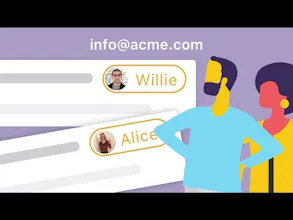
Loop Email’s Shared inbox makes team work on public email accounts such as info@ or support@ simple and painless. Share the workload by assigning incoming emails, discussing emails with your team via side-chat and have an overview of all conversations.


Loop Email 2.0  💌 🚀 gallery image
Launch tags:EmailProductivityMessaging
Launch Team
Vy - Cross platform AI agent
AI agent that uses your computer, cross platform, no APIs
Promoted

What do you think? …

Andrej Talajic
We're currently using an email client set by our company ages ago. Our team is fast growing and it has become really expensive for us to maintain it. Do you guys support IMAP, as this is the background of our client.
Jernej Pavlič
@ulverbite yes, we support IMAP as well. Simply login here and try it out. Let me know if you like it! https://www.intheloop.io
Andrej Talajic
@jernej_pavlic perfect, thank you!
Jernej Pavlič
Hi Product Hunt! Thank you for having us again and thanks @bramk for hunting us! We’re excited to be back with a fresh solution for all teams who are overwhelmed with emails. All the feedback we got during our last launch was invaluable and helped us develop an app we believe will make teamwork on email easier and more efficient. Loop Email’s Shared Inbox is a place where all your team communication (external and internal emails, chats and attachments) lives. Now it comes with an added bonus - you can work together on emails in public accounts (such as info@, support@, sales@...) with greater clarity, complete control and much, much less mess. All that is packed in a single, user friendly app you can use on desktop or on mobile. Loop Email Shared inbox in a nutshell: It lets you assign emails to people (aka no more shouting “Who’s answering this email?” across the office floor) As a result, you always know what’s going on in the inbox you share with others (aka say goodbye to “OMG, I thought we already replied to that client” panic attacks) You can chat about a specific email RIGHT UNDER it (aka no more switching between email and whatever chat app/collaboration tool) We’ve talked to numerous businesses and got valuable feedback on our Shared inbox and now, we would love to hear it from you, Product hunters! Let us know what you love, what you miss, and what we could improve in the comments section. We’re forever grateful! All the best, Jerry Head of Growth at Loop
Tilen Jarc

Will greatly recommend to all my friends and colleagues. Great work!

Pros:

Shared inbox! This feature saved me countless hours. And loops. You don’t know you need them until you’ve used them.

Cons:

Android version is still being developed to be on par with iOS one. More customizable sidebar. Other than that no complaints.

Jernej Pavlič
Thanks Tilen, great feedback, thank you. We are close to launching an Android app too - you can sign up on our website to get notified when we do.
Tjasa N
Hey, love the idea of chatting about emails. Is it possible to send pics, files, emojis, GIFs etc. in chat or is it text only?
Jernej Pavlič
@tjasa_novak ofcourse. The whole idea is to be able to take an email and have an internal, informal discussion about that email with your colleagues. To do that before, you had to log in from your email browser to something like Skype or Whatsapp, but now you can email and chat from one app.
Tjasa N
@jernej_pavlic Awesome, thanks for the reply. I'll give it a go!
Jernej Pavlič
@tjasa_novak perfect. Let me know how it works for your team. PS: What sort of inbox is your team working on together?
Tjasa N
@jernej_pavlic We're a small team of freelancers, joining forces for specific projects and we need a email solution that gives access to client emails to all of us. At the moment we're scattered around multiple apps (Slack, Messenger, Asana, Trello etc.) and it's getting a bit crazy trying to keep track of everything. So combining email and chat in one place, accessible to a team of people sounds great. Are you planning on adding any project management tools into the mix, connecting your app with them?
Jernej Pavlič
@tjasa_novak we have integrations with productivity and collaboration tools coming up - mostly to help people stay with their workflow within email. Like you said, you currently have to move between different apps. We believe thats mostly due to the fact that conversations with clients on email and internal conversations happen everywhere else. Loop Email brings the two together - and the shared inbox can be a great entry point for the company to start transforming the way the company works with clients over email.
JKaja

I can just look at my shared inbox and know what I have to deal with instantly instead of checking (or sometimes not checking) with my coworkers who is on top of what. And the chat around email feature saves me from forwards on top of forwards.

Pros:

The assigned to me feature is amazing! I instantly know what is assigned to me.

Cons:

There is no snooze.

Jernej Pavlič
@jkaja thanks for the feedback! Snoozing is actually one of the most requested features from our existing users and is already in our product roadmap. It should be coming out in a couple of weeks.
Tilen Krivec
Love the concept, but how is this better/different than Front?
Jernej Pavlič
@tilenkrivec great question, thank you. We started Loop as your personal email client and further developed it into a team inbox. That said - our biggest difference to Front is that it completely allows you to integrate Loop into your own personal working environment. Feature wise, with Loop you can have side chat discussions with other people on emails. For example: you get a new email inquiry about pricing from some customer. Since you need to talk about pricing with your manager, you don't need to forward the email to talk about it with other people. You can just share it by looping in a friend and initiate a conversation. No one on that particular email will be able to see your internal discussion.
Jakob Marovt
This looks like a nicely executed product + competitive pricing. Congrats!
Jernej Pavlič
@jmarovt thanks for the feedback - the whole team worked hard for this!
1234
Next
Last