
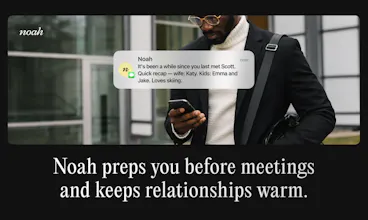
Noah is a proactive AI executive assistant for founders. Claude talks to you; Noah talks to your network. It's like Tesla Full Self Driving, and not cruise control- an autonomous AI EA that manages your calendar, relationships, and follow-ups across email, text, and WhatsApp - so nothing slips. Think of it as an always-on EA living in your SMS and helping you with meeting logistics.


What's great
proactive messaging (1)meeting scheduling (1)
I'm a co-founder at 2care AI building voice AI for healthcare. I'm constantly juggling customer demos, investor calls, hiring, and partner outreach -- all at once. I needed something that could handle the coordination layer without me babysitting it.
Noah does that.
I met 6 people at the Silicon Valley AI/Tech Summit. By the time I got home, Noah had sent warm intro emails to all of them, booked meetings, placed calendar holds, and scheduled 30-minute pre-meeting reminders. I just texted the names and emails. That was it.
What surprised me most is that it reads context. It used the fact that we met at an event in the intro. It referenced 2care AI's specific use case. It enforces my meeting window (8 AM to 12:30 PM) without me reminding it. It writes in my tone for each audience -- different for investors, customers, and partners -- without me configuring any of that.
This is not automation. It's judgment. It's the EA I always wanted but never had time to hire.
What needs improvement
it exceeded my expectations
vs Alternatives
 Calendly
 Cal.com
 Claude by Anthropic
I looked at Calendly for scheduling and tried managing follow-ups manually. Calendly handles booking but nothing else -- no outreach, no follow-ups, no context, no tone. And doing it manually at the pace I operate just doesn't work. Noah is the only thing that handles the full loop: outreach, scheduling, reminders, and follow-up, all from a text message.
Ratings
Ease of use
Reliability
Value for money
Customization
Report
155 viewsWhat's great
It allows me to offload my complex and nuanced scheduling needs while it is frictionless and professional to the outside.
What needs improvement
With unusual requests and edge cases, it doesn't always get it right the first time.
vs Alternatives
With Calendly, there are limits to the nuance and complexity of solutions it can handle, and non-standard configurations are complicated. Now I just explain what I want in plain English, and it understands the logic.
For example, when I have a big open time block, I don't want folks to be able to book a small meeting right in the middle, so I have Noah offer slots at the start and end of those blocks to maximize big contiguous spaces. This is just one among such situations.
Ratings
Ease of use
Reliability
Value for money
Customization
Report
139 viewsWhat's great
Congrats on the launch! Tried a quick session earlier and was honestly surprised by how well it kept track of context without needing me to repeat myself. Super promising stuff. Any plans for a dedicated iOS app soon?
What needs improvement
Mobile & Quick Access: Would love a dedicated iOS app or a home screen widget for even faster voice/text inputs on the go.
vs Alternatives
I looked at standard automated scheduling tools (like Calendly) as well as doing things manually over email/Slack. While booking links work for quick 1-on-1s, they feel transactional for higher-touch client meetings or busy internal teams. I chose Hey Noah because it actually acts like a human EA in the loop—handling the negotiation and context, rather than forcing the other person to dig through my calendar
Ratings
Ease of use
Reliability
Value for money
Customization
Report
184 views
Hey Noah
Hey Product Hunt! 👋 I'm Ashish, founder of Hey Noah.
I spent 14 years bootstrapping a $100M revenue company with 47 Fortune 500 clients. I had an executive assistant who didn't just manage my calendar — she managed my relationships. I had a system for managing my time and relationships.
So we put that playbook into Noah, a Chief of Staff in your pocket. 📱
Text Noah like you'd text a human EA:
"Set up coffee with Sarah next week." → Noah emails Sarah, negotiates times, and sends the invite
"I'm out Thursday and Friday." → Noah reschedules your conflicts and lets people know
Just CC noah on any email — Noah reads Calendly links, handles the back-and-forth, and acts like your true executive admin
Now imagine you're back-to-back in 8 meetings today. Noah connects to your calendar, Granola, Notion, Google Drive, and Slack — posts summaries and action items to the right channels, and knows not to post that private client conversation. At the end of the day, just text: "Noah, send me all the action items from today." Done. ✅
What makes Noah different:
💬 SMS-first — Noah comes to you, not the other way around
🔮 Proactive — surfaces what matters before you ask
📧 The only AI that talks to your clients — doesn't just draft emails, it sends them, follows up, and closes the loop
🧠 Learns you — 10-second setup and learns your meeting preferences, favorite spots, and which meetings to protect
Here's what we're hearing: "Noah is one of the top 9 pins on my iPhone SMS" — CEO of an $80M revenue company. That says it all.
We're a team of 8 in Palo Alto, bootstrapped, and obsessed with getting this right. 🚀
Free 30-day trial, no credit card → Try Noah
Drop questions below — I'll personally respond to every one.
@ashish_toshniwal1 Proactive is the word that makes or breaks these for me. Most founder assistants I have tried are reactive dashboards with a chat box bolted on. What does Noah actually do unprompted in a normal week, and how do you keep proactive from turning into noise I ignore by day three?
Hey Noah
@ashish_toshniwal1 @artem_fedorovich
Founding engineer here. A few things Noah does on its own:
- Follows up with people who haven't responded, and asks you what to do if they still go quiet
- Confirms reservations, actually calls the restaurant on the day
- Pulls your Granola notes before a meeting and briefs you on where you left off
- Chases stalled threads and flags scheduling conflicts before they're a problem
- Follows up after calls with notes and action items
On noise: everything's opt-out per category, defaulting off. Noah has to earn the right to interrupt you. It batches non-urgent stuff into one message instead of five, and stops sending a nudge type if you keep ignoring it. All of it's tuned per person, you just tell Noah your preferences.
@ashish_toshniwal1 I like that you're positioning Noah around outcomes rather than prompts. The examples make it feel more like delegating work to an assistant than interacting with another AI chatbot. Curious how users build trust before letting it send emails on their behalf?
Hey Noah
@ashish_toshniwal1 @ir3ne
Hey @ir3ne jumping in for Ashish. This is a fantastic question and one that we think about a lot.
Building trust is extremely important to us, and a unique challenge for an SMS/Email based product (there's very little UX to see, which makes it hard to see the extent of the product).
The general principles we try to uphold are to:
Start small and then build trust after value is proven (Noah does not access your email (only your calendar). It will send emails via Noah's own email address.)
Keep everything as transparent as possible (you are cc'd on every thread)
Build and adhere to preferences for each user (you can review anythign noah sends beforehand).
Reliability is key (we've done a lot of work to make sure Noah stays consistent and feels like an EA).
We'd love for you to check it out, and hear your thoughts on how it feels.
@ashish_toshniwal1
The reversibility framing here is the one worth keeping. Confidence looks like the natural signal for when an agent should ask, but the expensive failures tend to be the confident, wrong ones rather than the unsure ones. What stands out is how fast heavy users push past the reversibility gate once trust builds, they want it gone entirely instead of earned gradually every time. That's a different design problem than most teams plan for. Congrats on the launch!
Never guess is the right rule and the hardest one to actually build, because the model that's wrong is usually not the model that's unsure. Your escalation path covers the cases Noah knows it can't resolve, but the expensive ones are the ones it resolves confidently and incorrectly, and those leave under my name in front of a client. I'd want to see how many outbound emails you've sent and how many needed a correction afterwards. That number would sell this harder than the top 9 pins quote.
Hey Noah
@asadmalik901 great call out.
To date, Noah has sent roughly 17,000 meetings with our beta user base (all in live, real-world scenarios).
We've designed Noah to send email through its own account with you cc'd (operating just like an EA might for coordinating scheduling), so while we don't want errors, it helps our users mitigate against potential issues.
We know that any error with a client, however small, is how we lose trust. If anything surprised me building this product, it was that the agent work was actually fairly quick. The part that took the longest was building out the guards to protect against all of the small edge cases and nuanced scenarios to make sure Noah performs well in every scenario thrown its way.
@johnbeadle 17,000 is volume, not accuracy. The number I asked about is how many of those needed a correction after they went out, and that's still the one I'd put on the page. Cc'ing me is a decent mitigation but it turns me into the reviewer, which is the job I was trying to hand off in the first place. If the correction rate is genuinely low, say it out loud, it's the strongest thing you've got.
Hey Noah
@asadmalik901 Fair push. % needing correction is not a number we can define crisply enough to bring meaning to it. With humans making requests, what counts as "correct" gets inherently ambiguous, and what's considered accurate is often different for each user. (E.g., how do you resolve "let's meet Thursday, August 4th" if the 4th is a Tuesday? Which situations warrant a private escalation vs. handling in-thread?)
We did put a lot of work upstream of the send: every outbound passes a review layer before it goes out, and if preferred, is reviewed by the user before it's sent.
Nothing beats firsthand experience though, and we love stress-testing Noah against challenging scenarios. If you're still curious to give it a try, I'd love your personal take on how it performs.
@johnbeadle @asadmalik901 CTO and technical co-founder here. Fair push, and worth answering properly.
For a long stretch, every outbound Noah wanted to send went past a human first. Danira, our ops lead, sat in front of a queue and marked each one right or wrong before it left. That gate was the product for a while. We kept her judgments as labels, and those labels became our eval sets, so a correction was never just a fix, it was a regression test from then on. Manual QA on top of that.
What ended the gating wasn't hitting a target number. It was Danira approving essentially everything in the queue. Once the reviewer stops changing anything, the review is theater, so we took her out of the loop. She's still the domain expert we go to when something is genuinely ambiguous.
Now it's the eval sets running in Braintrust plus monitoring pointed at two things: unknown unknowns, meaning failure shapes we haven't seen before, and recurrence, meaning did a class of error we already fixed come back. Recurrence is the one I actually watch. A system that fails in new ways is learning. A system that fails in old ways is broken.
On the cc: you're right that it makes you the reviewer, and that's a real cost. It's a floor, not the answer.
The real test for AI assistants isn't scheduling meeting , it's earning enough trust to act on your behalf. Excited to see ho Noah handles that gap.
Hey Noah
@maxwell_dean let us know what you think!
Hey Noah
@maxwell_dean Building trust is crucial for an EA and the executive and we took it very seriously when building Noah. I've supported 10+ executives and it was the common denominator across all!
This looks good, but I would be nervous letting an AI send emails on my behalf. How do you handle that? What if it says something wrong to an important contact?
Hey Noah
@nihalshetty0 Honestly, this is where most of our engineering effort went. Noah earned autonomy gradually, you control what it can do on its own vs what needs your sign-off, and it's designed to know when something is high-stakes and loop you in over before acting.
As a founder it's easy to get tunnel vision on the mission and lose track of the relationships that actually make it happen. I felt that hard building my last company. Curious how Noah decides which relationships need attention vs. just logging everyone you've met? Congrats on the launch! Bootstrapping your last one to $100m is no small feat.
Hey Noah
@roamwardapp This is one of the most challenging actions for an AI - how to decide autonomously or ask. What is the right balance? We have put in a lot of work behind this - learning from explicit feedback Vs learning from implicit actions.
@ashish_toshniwal1 For what it's worth, the balance that finally worked for me (I run a few AI agents daily building my company) wasn't confidence-based, it was reversibility-based. Anything reversable, the agent just does and shows receipts. Anything irreversible: money, sends, deletes, production data, always asks, no matter how confident it is. And explicit beat implicit for setting those boundaries: we defined the "always ask" list once, out loud, and it's never been wrong. Implicit learning earns its keep after that, on style and preferences. Have you seen users trust Noah faster when it over-asks early on?
Hey Noah
@ashish_toshniwal1 @roamwardapp
Chad - good question, and there's definitely a sweet spot.
We've found that if we over-message users, even when trust is a concern, it becomes annoying and they will often build a habit of ignoring Noah altogether.
The sweet spot (or at least what we think is a sweet spot) is giving users the ability to update their preferences and decide what deserves escalation. So, for a particular user who wants to review everything, they have the ability to do so, once trust is there, they can turn back on auto-approval - very similar to how Claude Code works.
@ashish_toshniwal1 @roamwardapp CTO and technical co-founder here, building on what John said.
The reversibility framing is right, and that mode exists in Noah today. You can tell it to always give you the plan before it acts and it will hold there until you say otherwise. Same shape as approving a tool call.
What surprised us is where the heaviest users land. They don't settle at reversibility-gated. They push toward near-total delegation, and they get impatient with the gate sooner than we expected. The thing they're buying is not being in the loop, so every ask is a tax on the product they came for.
Which makes "when should it ask" the actual problem, not a setting. It's why we operate more like a research lab with a product attached than the other way around. Scheduling looks trivial from the outside, then you hit the real cases: an ambiguous date, a counterparty who half-commits, a preference the user has never stated but will absolutely notice if you get it wrong. Knowing when to interrupt someone and when to just handle it is where most of our compute and most of our people go.
The most important question: can it detect spam and ignore it?)
Hey Noah
@natalia_iankovych Great question! Noah only acts when you CC it on a thread, so it never touches anything you haven't handed to it. And if something looks off, it escalates to you instead of acting, just like a real EA would.
Hey Noah
@natalia_iankovych we have now added spam detection with high precision and low recall. we have also launched the inbox feature. please do try it out.
Mindra
Congrats on the launch!
I've been using Noah for the past month and I love it. I average about 8 meetings a day and manage a team split across two time zones, so scheduling used to happen in stolen minutes between calls, usually at odd hours. Now I text Noah the way I would text a human assistant, and the coordination just happens. Rescheduling when my day blows up, negotiating times with people ten hours ahead of me, and pulling all my action items together at the end of the day have quietly come off my plate. The SMS-first design is what made it stick for me, since there was no new app or habit to build. Rooting for you and the team!
Hey Noah
@zeynep_yorulmaz Thanks for the shout-out!