
Focusdim
A simple Mac app to enhance your visual focus
98 followers
A simple Mac app to enhance your visual focus
98 followers
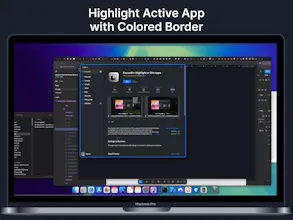
Professional focus enhancement for macOS. Dim/ blur background apps or highlight your active window with beautiful colored borders. FocusDim helps you maintain concentration by providing subtle visual cues about what's important on your screen.




Free
Launch Team / Built With


AWS Startup AdvisorPersonalized AWS guidance that meets you where you’re already building
Promoted
It think that something similar was there @focusedOS . What's the main differentiator of your tool?
I installed the app from the app store. When I opened it, I don't see any windows or top menu bar icons.
When I click settings, I see a blank page.
I'm on M2 Macbook pro 16 inch. Running Sequoia 15.5
@fauzim
@_kv Ouch, this is new, from all my early adopters, none of them experience this. Even I can't reproduce this issue since I am also uisng 15.5, but I will try to investigate more. Really appreciate the feedback.
Insane idea @fauzim esp during this time of constrant distraction, I'm going to be testing it out! Good luck and congratulations on the launch! :)
Congrats! I've been using apps like HazeOver for a while and this is a really clever evolution of that concept. For me, highlighting the active window with a border is way more effective than just dimming everything else. The blur is a nice touch, too.
Nice idea. How to make it work for multiple screens though?
No way, a Mac app that actually helps with visual focus? My eyes get so tired bouncing between windows—this could be a total game changer. Super curious if it works with multiple monitors!