
DaysSince
When did I last do this? Answer it with a photo.
2 followers
When did I last do this? Answer it with a photo.
2 followers
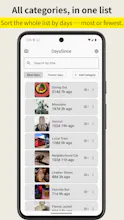
Most trackers ask you to build a habit: pick a date, set a reminder, keep a streak. DaysSince drops all three. You name a thing once, and after that the record is a photo - the shutter time is the timestamp. There is nothing to remember and nothing to check in on, so you look when you feel like looking. It never notifies you and there is no streak to keep. You can also bulk-import photos you already have; lined up under one item, they show intervals you never noticed.




Small update on Play yesterday (1.9).
You can pinch or double-tap to zoom a photo now, and drag around it while you're zoomed in. The fiddly part was the gesture handling. The viewer is a pager, so panning a zoomed photo and swiping to the next record were fighting each other. It now hands the swipe over to the pager only once you reach the edge of the photo, so you can stay zoomed at the same magnification and step through records to compare them.
The other change is smaller: premium status updates while the app is open, after a purchase on another device or when a subscription expires. It used to wait for a restart.
That's all that changed. If you've tried it and something felt off, I'd rather hear it than not.
What's new
- Setup on first launch. Answer three short questions, and DaysSince adds only the categories you picked. A short tour then shows you the camera, the list, and settings.
- Notes on records. Add an optional short note to any record, like "switched to the unscented detergent."
- Edit the date and time. Forgot to log something when you did it? Set the real date and time later.
- Undo delete. After you delete an item or a record, an Undo button appears.
- Sharper photos. Photos are now saved at up to 2560px on the long side (was 1920px), with higher JPEG quality.
- Categories remember whether you left them open or closed, even after you restart the app.
- Importing photos no longer ends with an OK dialog. A short message appears instead.
Fixes
- For records older than a year, the day count was shown in smaller text. It's now the same size as the rest.
- With a large system font size, the "Add category" button and some labels were cut off or covered. Fixed.
- Text on highlighted cards was hard to read in the Monochrome theme. Fixed.
- English plurals like "1 photos" now read correctly.
- The record menu option "Change category" is now "Move to another item", which is what it actually does.
The setup questions only appear on new installs. If you already use DaysSince, your data stays as it is.
Questions and feedback are welcome in the comments.