
Most devs manage servers from a spreadsheet of IPs and a terminal full of commands nobody remembers. CtrlOps gives developers AI-powered server management
without DevOps expertise.
● AI terminal that generates commands with your approval
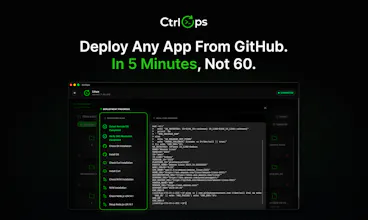
● One-click deploys from any GitHub repo
● Visual file manager
● Real-time monitoring
Because server management should not require a specialist.
100% local. Your credentials never leave your machine.
Mac. Windows. Linux.




the file manager feature is the one nobody talks about
but everyone needs. separate SFTP client is such a
pain when you just want to edit one config file.
CtrlOps
@abhishek_akbari exactly this. the SFTP client situation is one of those things where everyone has just accepted the pain for so long that they stopped noticing it.
I have 100 servers in production, can I manage them using this application?
CtrlOps
@janaki_vasani Yes, you can easily manage.
This gonna be the best experience for someone like me who don't like tinkering around CLIs 🫠
CtrlOps
@ayush_pandey15 Even without deep DevOps info we you can manage Linux servers, bro!
The approve before execute thing is what sold me.
Every other AI tool just runs stuff, and you find out
What happened after.
CtrlOps
@bhautik_kapadiya AI should not run blind, human is must be in the loop!
as a solo founder wearing the devops hat, this fills a gap i didnt know i needed filled. one dashboard to rule them all. solid launch
CtrlOps
@ruchita_italiya Glad it landed. One dashboard was always the goal, not another tool to add to the pile.
Congrats on everything you are building, and thanks for the support today.
ThemeSelection
The “spreadsheet with random server IPs and commands” line is too real 😂
Really like what you’re building here.
Making server management simpler without needing full DevOps knowledge is a big win for a lot of developers.
Congrats on the launch @parth_makwana07, @hiren_kalariya & @daxesh_italiya 🚀
CtrlOps
@ajaypatel9016 Thanks a lot for supporting always :)
WotNot
CtrlOps
@makadiaharsh thanks for the support today.