
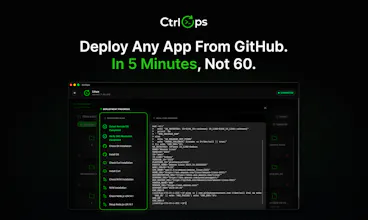
Most devs manage servers from a spreadsheet of IPs and a terminal full of commands nobody remembers. CtrlOps gives developers AI-powered server management
without DevOps expertise.
● AI terminal that generates commands with your approval
● One-click deploys from any GitHub repo
● Visual file manager
● Real-time monitoring
Because server management should not require a specialist.
100% local. Your credentials never leave your machine.
Mac. Windows. Linux.




The approval-heavy part of infra work is not just whether a command is allowed. It is whether the operator can see enough evidence before they approve the next step. For incidents that touch several servers or MCP-backed tools, I would want the run to show proposed action, why it is needed, what state changed after it ran, and the rollback note if it fails. That kind of receipt is what makes human approval scale.
CtrlOps
@keesan12 Completely agree, and the multi-server / MCP case is exactly where this gets harder. Approval for one command on one server is easy. Approval for a chain of actions across several hosts, where each step's context depends on the last one, is a different problem.
Right now: proposed action and why it's needed are shown before you approve. Post-execution, you see the output but we don't yet generate a structured "what changed" summary, and rollback notes aren't auto-generated either. If a command fails, you're reading the error and reasoning about the fix yourself.
The receipt model you're describing (action, reason, resulting state, rollback path) is basically the right shape for approval to actually scale past single-command cases. That's a gap, not a maybe.
Genuinely useful framing, thank you. Curious if you've seen this done well anywhere else, even outside infra tooling?
ok so the file manager sounds boring, I know. But I was doing everything through a separate SFTP client before this. separate login, separate window, separate headache every time.
now i just open it inside CtrlOps and edit configs directly. for someone managing multiple client servers, this is honestly the feature i use the most. more than the AI stuff even.
CtrlOps
@ga4p Thanks for giving it a try with CtrlOps and sharing your honest review!
CtrlOps
@tocza I literally don't want to see that stress again that's why we built CtrlOps
finally something that replaces my mess of ssh tabs and random bash scripts. the playbook feature is underrated, set up my common fixes once and now its just one click. great launch guys..
CtrlOps
@prakash_vasani Love hearing this 🙌
That exact “too many SSH tabs + random scripts everywhere” pain is what pushed us to build CtrlOps in the first place.
Really glad the Playbooks feature is saving you time already. Appreciate the support and kind words a lot 🚀
HR person commenting on a server tool, I know.
But whenever someone leaves the team, we need their server
access gone immediately. Before this it was a whole back and
forth with tech. Now I check SSH management myself and flag
it in 2 minutes. Offboarding got so much easier, honestly.
CtrlOps
@chandni_hr, this is actually one of the most underrated use cases
We heard while building it. The security risk of delayed Offboarding is real, and it always falls through the cracks
because it depends on someone from tech having bandwidth at exactly the right moment.
Glad SSH management is making that faster for you.
That visibility should not require a tech person in the loop.
ThemeSelection
This hits way too close to home. The "bash" and "bash (2)" terminal tabs alone gave me flashbacks 😅
The pain point you're solving is so real — server management has always felt like it was gatekept behind one person who "just knows" how everything works. The moment that person is unreachable, the whole team is paralyzed.
What really stands out to me is the plain-English terminal idea. Lowering that barrier means developers can actually own their environment instead of depending on a single DevOps hero. That's a huge shift in team dynamics, not just tooling.
The "named servers instead of IPs" detail is small but brilliant — it's the kind of UX decision that shows you built this from real pain, not from a whiteboard.
Congrats on the launch! Can't wait to see how teams adopt this. 🚀
CtrlOps
@anand_patel6 The "bash" and "bash (2)" situation is one of those things that is funny until it is 2 AM and prod is down, and you genuinely cannot tell which tab is which.
You put it better than we have in any of our own copy, honestly. The single DevOps hero problem is exactly what we kept coming back to while building this. It is not just a tooling problem; it is a team resilience problem. When one person holds all the server knowledge in their head, the whole team's ability to ship is tied to that person's availability.
The named server's details are one of those things that sound too simple to matter until you use them every day. Every decision like that in CtrlOps came from something that actually happened to us, not something we designed on a whiteboard.
Really appreciate the thoughtful comment. Thank you for the support today, means a lot on launch day.
ClawMetry
The preview step is the whole game when AI touches live infra. CtrlOps gets it right: ask in plain English, see the exact command before it runs, approve. Been running it alongside ClawMetry and the fit is natural. Congrats Hiren and team 🚀
CtrlOps
@vivek_chand exactly this. The moment you remove that approval step you have a tool that is impressive in demos and terrifying in production. We were never going to ship it any other way.