
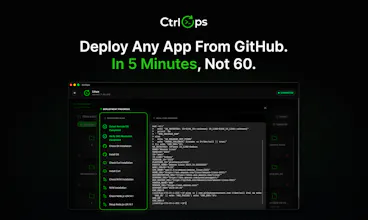
Most devs manage servers from a spreadsheet of IPs and a terminal full of commands nobody remembers. CtrlOps gives developers AI-powered server management
without DevOps expertise.
● AI terminal that generates commands with your approval
● One-click deploys from any GitHub repo
● Visual file manager
● Real-time monitoring
Because server management should not require a specialist.
100% local. Your credentials never leave your machine.
Mac. Windows. Linux.




Yeah I've done this exact thing. Wrong tab, wrong server, restarted nginx thinking I was on staging. Took down prod for an hour. The part where it shows you exactly which server you're on before anything runs is what got me.
CtrlOps
@abhikatrodiya that hour is something every developer remembers exactly. The sick feeling when you realize which server you are actually on is a very specific kind of panic.
That is honestly why we built the server context so visibly into every screen. You should never have to wonder which server you are on. It should be impossible to miss.
Glad that part landed for you.
Whenever I read about AI systems managing servers, it always scares me :) Is there no risk it could accidentally delete something?
CtrlOps
@natalia_iankovych Totally understand the hesitation, and honestly, it is the right instinct to have.
The short answer is that CtrlOps cannot delete anything on its own. The AI generates a command and then stops completely. You see exactly what it wants to run, you read it, and you decide whether to approve it or not. Nothing executes without your explicit click.
So even if the AI suggested something destructive like a delete command, it is sitting there waiting for you to approve it. That moment of human review is the entire point. We built it this way specifically because nobody should trust an AI with unilateral access to their servers.
Think of it less like an AI that manages your servers and more like a very knowledgeable colleague who tells you exactly what to type and waits for you to type it yourself.
this is exactly what i wanted last week debugging my railway worker at 11pm honestly 😭
q> does it work with hosted platforms that hide raw ssh access (railway, render, fly)? feels like that's where most indie devs are landing now instead of raw VPS. TY
CtrlOps
@damian_forzani That 11 PM Railway debugging energy is too real, and we feel that deeply.
Honest answer on the platform question: CtrlOps connects via standard SSH, so it works best in environments with direct SSH access. Raw VPS, DigitalOcean, Hetzner, AWS EC2, any server where you control the SSH keys fully.
Railway, Render, and Fly are a different story because they abstract the SSH layer away by design. Fly does give you SSH access via flyctl, so that one has a path. Railway and Render are more limited on that front.
That said, this is one of the most common things we are hearing from indie devs, and it is very much on our radar. The shift toward managed platforms is real, and we do not want CtrlOps only to make sense for people on raw VPS.
If you are on a hybrid setup where some services are on managed platforms and some on VPS, it works great for the VPS side today. Would love to stay in touch on the managed platform support as we build it out.
@parth_makwana07 Thanks for the breakdown, super clear and helpful to understand. happy to test on my railway stack when managed platform support drops. good luck with the launch 🙌
CtrlOps
@damian_forzani let me know if you want to schedule a demo with our team. I would like to talk to you!
Sipcode
Hey, went through CtrlOps's site and the AI-on-the-Linux-shell angle is what stuck with me. one thing on my mind, how do you handle destructive commands, is there a confirm gate before things like service restarts or migrations or does the agent just send it? blast radius is the part I'd want to understand here.
CtrlOps
@axlerodd Good question, and the blast radius framing is exactly the right way to think about it.
Every single command goes through a confirm gate, no exceptions. The AI generates the command, shows it to you with a clear explanation of what it will do, and waits for your explicit approval before anything runs. There is no auto-execute, no background agent sending commands, no scheduled runs. The human is always the final step.
So, for something like a service restart or a migration, the flow is the same as anything else. You see the exact command, you read it, and you click approve. The AI never has unilateral access to run anything on your server.
The other layer is that everything runs over standard SSH using your own credentials, which stay on your machine, encrypted locally. No CtrlOps agent is sitting on your server with elevated permissions waiting to receive instructions. Just your SSH session, your approval, your command.
The blast radius question really becomes about your own SSH user permissions, which you already control. If you want to limit what is possible on a particular server, you use a restricted SSH user, and CtrlOps works within whatever that user can and cannot do.
100% local and credentials never leave your machine positioning is doing a lot of trust work here and it's the right call. but i'd want to understand what happens with the AI terminal specifically. if you're generating commands with AI, is that generation happening locally with a local model or is the prompt going to an external API? because those are very different security profiles and the current description makes it sound fully local when it might not be
CtrlOps
@ansari_adin This is the right distinction to push on, and you are correct to separate the two.
The credential storage is fully local. SSH keys, server credentials, and environment variables are all encrypted on your machine with AES-256 and never leave it. That part is unambiguously local.
The AI command generation is different. CtrlOps uses your own AI API key, whether that is OpenAI, Claude, Gemini, or any compatible model. The prompt goes to whichever provider you choose using your key. So the generation itself happens via an external API call, not on your machine.
What does not leave your machine is your server credentials. The AI prompt contains your question and relevant context, but your SSH keys and server passwords are never included in what gets sent to the AI provider.
We should be clearer about this distinction in our description and appreciate you flagging it. Saying 100% local without that nuance is accurate for credentials but not for the AI generation step, and that is a meaningful difference for security-conscious teams.
If local model support matters for your use case, that is something on our roadmap. For now, the honest answer is to bring your own API key, your own provider, and your server credentials stay local regardless of which model you use.
Yeah I've done this exact thing. Wrong tab, wrong server, restarted nginx thinking I was on staging. Took down prod for an hour. The part where it shows you exactly which server you're on before anything runs is what got me.
CtrlOps
@rutvik_vaghela That hour is something every developer remembers exactly. The sick feeling when you realize which server you are actually on is a very specific kind of panic.
That is honestly why we built the server context so visibly into every screen. You should never have to wonder which server you are on. It should be impossible to miss.
Glad that part landed for you.
the fact that i dont need to install any agent on my servers sold me immediately. got it running on our staging env and already caught 2 issues before they became outages. will be moving prod over soon
CtrlOps
@srushti_vasani That is the best kind of validation, catching things before they become incidents rather than debugging them at midnight.
The no-agent decision was non-negotiable for us from the start. Anything that requires you to touch every server before you can even use the tool creates friction and a security surface you did not ask for. Standard SSH and nothing else.
Really glad staging is working well. Would love to hear how prod goes when you make the move.