
CreateFaceless
Create your first faceless YouTube Short in one click.
9 followers
Create your first faceless YouTube Short in one click.
9 followers
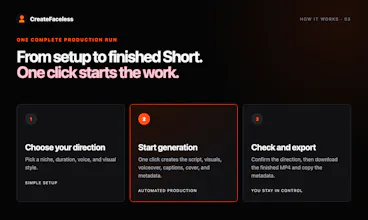
CreateFaceless is an AI faceless video generator for YouTube Shorts. Choose a niche, voice, and visual style, then start one run that creates the script, visuals, voiceover, captions, cover, metadata, and finished MP4.



Free Options
Launch Team / Built With


EneyProactive AI for Mac. Free test, 20,000 credits.
Promoted
Hi Product Hunt — I’m Yana.
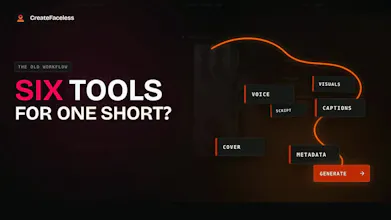
I started CreateFaceless because making one faceless Short still meant jumping between too many tools: one for the script, another for visuals, then voice, captions, a cover, and YouTube metadata.
CreateFaceless puts those steps into one flow. Pick a niche, length, voice, and visual style, then one click starts the production run. At the end, you get a vertical MP4, cover options, and metadata ready to paste into YouTube.
You can make one watermarked Short free. No credit card.
Before rendering, you can check the hook and shot plan. I added that after several sample videos reached the render stage with hooks or visuals I already wanted to change.
It does not post to your YouTube account yet. For now, you download the MP4 and upload it yourself.
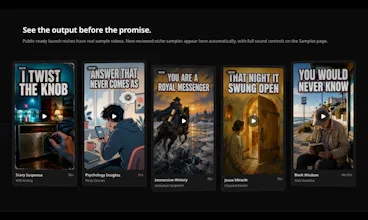
Samples: https://createfaceless.com/en/samples
I’m starting with a few niches, so I’d love to know what’s missing.What kind of faceless video would you want to make?Reply with an idea or example. If you’d rather share it privately: https://createfaceless.com/en/request-a-niche
How does the AI handle copyright on the b-roll it pulls in, especially for monetization on YouTube?
@cemraca51348 Great question. I built CreateFaceless so it doesn’t pull in third-party B-roll. Each scene visual and cover is generated specifically from the Short’s script and shot plan. I only include optional music tracks that have been checked for commercial use, and creators can also use no music or upload audio they have the rights to.
The bigger YouTube monetization risk I’m designing around isn’t AI itself, but repetitive, mass-produced content. That’s why I let creators review and adjust the hook, script, and shot plan before generation, while the visuals are created specifically for each story.I’m also planning to let paid users generate their own AI music later, with the same commercial-rights checks.
The whole pipeline actually finishing in one run caught me off guard, script and cover came out pretty usable without me touching anything. Wish the voice options were a bit more varied though.
@doankrllofe Really glad the full run surprised you — getting to a usable script and cover without babysitting the pipeline was the main thing I wanted to prove. Fair point on the voices, though. The current set is still too narrow. What kind of variation were you hoping for — more accents, tones, or character styles?
The whole pipeline actually works in one click, which I didn't expect. The captions looked clean and the cover was surprisingly on-brand for the niche I picked.