Launched this week

Buzzy
Your creative AI co-director
1.1K followers
Your creative AI co-director
1.1K followers
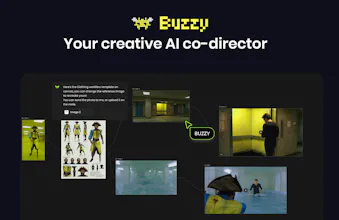
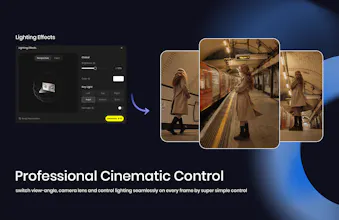
Buzzy is the first truly agentic infinite canvas for video creation. It helps you spark ideas, build moodboards, and precisely photoshop your video in one click — while creating unlimited-length blockbuster films and commercial ads, keeping unlimited subjects consistent, controlling lighting and camera angles, and precisely editing video like photoshop in one workspace.




keeping subjects consistent across an unlimited-length video is the part that usually falls apart with diffusion-based tools - a character's face or outfit drifts subtly every few cuts. is that solved with a reference embedding locked in per subject, or more of a manual touch-up step when you spot drift? if it actually holds up over a full ad length that alone would be worth the price for a lot of small studios.
Congratulations on the launch!
We're planning to produce a long-form animated series with Buzzy, but before purchasing a larger credit package we have one important question.
Is there any official documentation explaining the credit consumption for each operation?
For example:
Image generation
Video generation (8s / 10s / 15s)
Editing an existing video
Replacing part of a scene
Upscaling
Character consistency workflows
We're trying to estimate the production cost of an 8–10 minute animated short.
Could you share a credit table or documentation?
Thank you!
Making anything longer than 10 seconds coherent has been the wall for me. Curious if the co-director framing actually helps.
Supporting 70+ image and video models sounds like a huge engineering challenge. How do you decide which model to route a specific task to? Is it automatic based on the edit, or does the user have fine-grained control?
LobeHub
I've been circling the AI video space for about a year now, mostly lurking in discords and testing every new thing that drops. What kept bugging me is that every tool felt like it was built for the prompt, not for the story. You'd get a gorgeous 4-second clip and then have zero idea how to make it talk to the next clip. Reading through your page, the co-director framing clicked instantly — it's the difference between handing someone a paintbrush vs handing them a storyboard. Genuinely excited to try this over the weekend.
Buzzy
@thechaos Excited to have you try it!
The 'keep unlimited subjects consistent' claim is the part that actually matters for anything longer than a clip — consistency is where most video AI falls apart past 15 seconds. Day one, how do I set that up: upload a reference image per subject once and it holds across the whole canvas, or do I re-specify the character every shot? And when I export, do I get stitched final footage only, or an edit-ready timeline/project I can pull into a real editor?
I wonder how I can quickly find the necessary materials in a cluttered canvas. When I get to a certain stage of creation, the entire canvas becomes completely overwhelming. Could Buzzy help with this problem?~