
Bitrise is the leading mobile DevOps platform, empowering over 8,500 brands worldwide including Generali, Shopify, TripAdvisor and BuzzFeed. Bitrise provides a full-stack, vertically integrated mobile DevOps solution that unites the tools, processes and testing frameworks engineering teams need to build best-in-class mobile experiences.
This is the 3rd launch from Bitrise. View more

Bitrise Remote Dev Environments
Launched this week
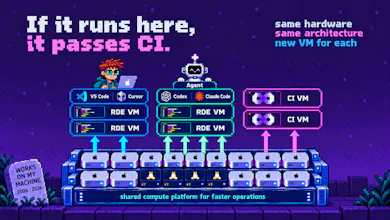
Bitrise RDE gives you cloud Macs & Linux machines that start in seconds, the same machines, stacks and caches as your CI.
Give every agent its machine and run them in parallel via MCP, or attach VS Code, Cursor or Claude Code. Archive when you stop, restore later.


Free Options
Launch Team / Built With


It seems, I don't have to upgrade my laptop anymore. Thank you! :)
Bitrise
@daniel_bodnar91 lol :) you don't have to!
Bitrise
@daniel_bodnar91 or buy 5 if you want to run 5 agents in parallel 😆
Bitrise
@daniel_bodnar91 @arpadk where would anyone put 5 laptops? you need to have a wework for that :) lol
Ecoisme 2.0
I have one follow up question: what if I archive my VM, am I paying for it?
Bitrise
@adiatlov Good question. Let me double-check it. Can't find anything on this on our pricing page
Bitrise
@adiatlov so, billing is per minute of runtime, and an archived session isn't running, so the meter stops. Storage isn't charged either at the moment.
I hope it helps 💜
ProdShort
@lisadziuba Congrats on going live! I’m wondering how easy is to to launch VMs/cloud Mac? Do I need to register account or can I can try it without registration?
Bitrise
@amraniyasser hey Amrani! Thanks for checking Bitrise Remote Dev Environments 💜
Bitrise
@amraniyasser 😀 You do need an account, there's no anonymous try-it-now mode. Signup gets you a two-week trial: 8 hours per OS, one VM at a time, and a card at signup for verification only, we don't charge it.
After that it's quick. Easiest path is the CLI, one command creates a session and drops you into it. There's also the web UI if you'd rather click through it and use the built-in terminal. You can check our Quickstart guide
Bitrise
@amraniyasser https://docs.bitrise.io/en/bitrise-rde/getting-started/quickstart
ProdShort
@lisadziuba Thanks a lot for your answers !! Amazing 🙏🚀 congrats again
Really exciting product, congrats team! The coolest feature for me is that I can start multiple agents from my 16GB macbook air without launching any iOS simulator on it.
Bitrise
Thanks for the support @ramil_yanbulatov, hope your agents enjoy RDE too!
@ramil_yanbulatov yes, ability to go in parallel with many agents is insane
Kudos on launching your product. A bit basic, but why have decided to have a mobile focus for your RDE?
Bitrise
The parts I use most:
iOS Simulators and Android Emulators – run tests, or just look at the app.
Archive (Suspend). Stop for the day and the disk state is saved with no meter running. Restore on Monday and your branch, your caches and your half-finished thoughts are all still there.
Looks interesting! How is this different from just running a cloud Linux instance with VS Code Remote? What does macOS actually get me?
Bitrise
@efpe hey Viktor, thanks for checking RDE ☺️
Bitrise
@efpe so to follow up on your question 👇
Couple ways:
it is super easy to launch a Linux VM in the cloud, it is a commodity. If you want an environment that you set up and maintain, update, change the required settings over time and “getting dirty” is not a problem (meaning you don’t need an always available clean steady starting point that is the same across your CI and Dev environments), this a solved problem and use Linux cloud VMs.
However, if you want a regularly updated (security + tooling + dependency) Dev environment that you can customize maybe just by a few scripts and otherwise no need to worry about it, and you want this for both Linux and macOS, Bitrise RDE is likely unbeatable today. (I'm biased obviously 😃)
On macOS, you get a full macOS VM, plus all the iOS simulators, devices preinstalled, all the tooling to run software dev tasks and you can choose from many Xcode and macOS versions on demand. (Test older macOS/older Xcode, without reinstalling your laptop.)
And the coolest thing is you can run a single or multiple AI agents in parallel working/coding/debugging, launching them just by a click/CLI/MCP/API call. This, especially in the macOS world, has been an unsolved problem until today.