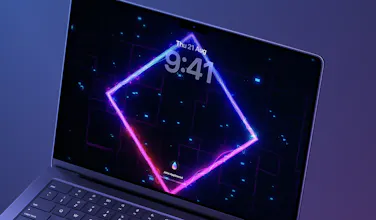
I got to beta-test the new lock screen feature and it's been an absolute delight to open my laptop to dancing frogs, falling leaves, or any number of cosy options. The performance is excellent and not even noticeable.
Oskar is also great at interacting with users in Discord and providing quick updates despite being a solo dev. Great work! 🎉




Sensei
Hey, Product Hunt! 👋
I'm Oskar, a solo indie developer from Stockholm, Sweden, and the maker behind Mac apps like Sensei and Trim Enabler.
I love my Mac, and love customising my desktop experience to make it more productive, creative or just personal. But I've been frustrated that while Apple added wallpapers that animate on the Lock Screen, they never let us use our own. So, I decided to build the solution myself.
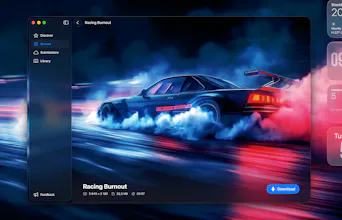
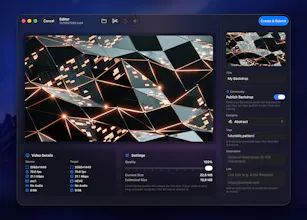
I'm super excited to launch Backdrop as the first and only app that lets you put your own custom video wallpapers right on your Mac Lock Screen, and even keep them playing on your Desktop after you log in. You can make your own video wallpaper our browse the community collection of 1000+ backdrops. This opens up so much more opportunities for customising your Mac experience!
Key Features:
🎬 Custom Lock Screen Videos: Finally, bring your Lock Screen to life with your own videos.
⚡️ Exceptional Performance: A custom-built video engine ensures near-zero CPU impact.
💎 Liquid Glass Design: A gorgeous new translucent UI that feels perfectly at home on the latest macOS.
🚀 Community-Powered: Browse, download, and share thousands of amazing wallpapers with other users.
As a special thank you to the Product Hunt community, I'm offering a 25% launch discount on the lifetime license with code LAUNCH25.
I'll be here all day to answer every question and would love to hear your feedback. Thanks for checking out Backdrop!
Paste
Congrats on the launch! The lock screen video support is a really nice touch. Curious, how does performance hold up with multiple external displays?
Sensei
@dobk Thanks! Backdrop uses a custom video encoding process made to maximise performance for Apple platforms, so the resource usage is extremely low (even on multiple displays)! Of course, if you prefer to have a still background while logged in, you can just pause Backdrop and it'll keep playing just on the Lock Screen.
I got to beta-test the new lock screen feature and it's been an absolute delight to open my laptop to dancing frogs, falling leaves, or any number of cosy options. The performance is excellent and not even noticeable.
Oskar is also great at interacting with users in Discord and providing quick updates despite being a solo dev. Great work! 🎉
Low CPU and 4K screen quality impress me! I love cool dynamic screens, but I also struggle with the performance required to run them. The appearance of Backdrop is my benefit!
@oskargroth Ubuntu users 👍
minimalist phone: reduce your screentime
One of the most aesthetic galleries for Mac I have ever seen :)
Sensei
@busmark_w_nika Thanks Nika! 🙏
Content Writing Jobs
Congrats on the launch. Really clean and cool landing page.
Sensei
@tomaslau Thanks Tomas! I spent a lot of time on the landing page, so I'm glad you like it.