According to the 2025 @Stack Overflow Developer Survey (49,000+ participants), @VS Code and @Visual Studio remain the most used dev environments, despite the rise of subscription-based, AI-enabled code editors @Cursor and @Windsurf among others. Both maintain their top spots relying on extensions as optional, paid AI services like @Github Copilot and @Kilo Code.
Curious which IDE the Product Hunt community uses the most?
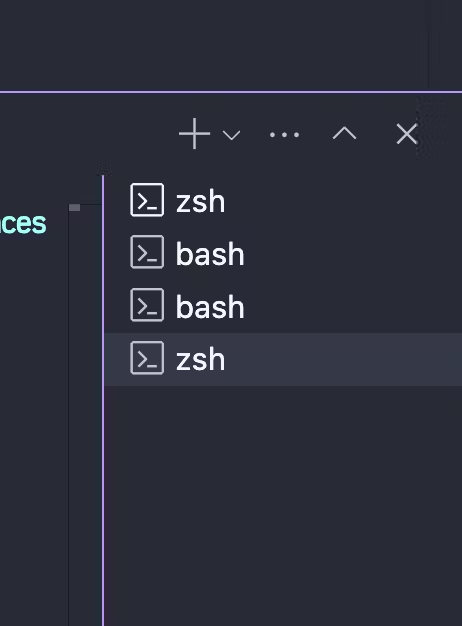
I often find myself having a few tabs / terminals open in the "terminal pane", how do i cycle between them in the keyboard?
I would really love for each terminal to be another "file" that I can navigate to by normal means, but barring that I would be happy with a keyboard shortcut for cycling those lower tabs! also any other shortcuts you use an unreasonable amount that you feel like people dont know?
Reviewers largely see VS Code as a fast, lightweight editor that still feels powerful enough for daily work across web, Python, data science, DevOps, and remote development. The most repeated praise is its huge extension ecosystem, strong Git and terminal integration, customization, and useful IntelliSense and debugging. Founders of Kilo Code, GitHubTree, and Any2K: Anything to Kindle also highlight its extensibility and growing AI workflow support. Main caveats: debugging and code navigation can lag fuller IDEs, too many extensions may slow it down, and some remote or terminal behavior feels clunky.
VS Code + Copilot agent mode is how I built Chinilla solo. Plan, try, iterate, rollback, repeat until the architecture was tight. Copilot handled the boilerplate, I handled the judgment calls. Multi-file edits, inline terminal, TypeScript intelligence, and an extensions ecosystem nothing else touches. It's the full workshop, not just an editor.
VS Code is an exceptional code editor that strikes the perfect balance between performance, flexibility, and ease of use. Whether you’re working with JavaScript, Python, C++, or any other language, VS Code offers powerful built-in features and a vast extensions marketplace to enhance productivity.
The customization options are impressive, allowing developers to tweak themes, keyboard shortcuts, and settings for a personalized workflow. The Git integration and debugging tools are some of the best in any editor. The Live Share feature makes pair programming and real-time collaboration incredibly smooth.
Sometimes, it can feel sluggish when running too many extensions, but overall, it’s still the best free editor available. Whether for web development, software engineering, or data science, VS Code is an essential tool for every developer.
Really great, we moved our team over to VSCode from Eclipse and we're all very happy with it.
The third party app library is very extensive and we've found quality plugins for what we need pretty much every time.
It integrates very well with all our tech stack and has helped us speed up development with sensible shortcuts, great search/find capability.
The only bug bear is debugging, the debugger is great, but we're struggling to be able to make the debugger listen for multiple processes that wish to attach to it. If there's a VSCode python debugging guru out there that can straighten this out, then this review might get an extra star.