Launching today

Audimate
AI assistant that works right in the apps you already use
36 followers
AI assistant that works right in the apps you already use
36 followers
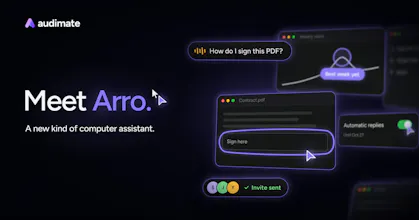
Meet Arro, the AI assistant that does the busywork. Arro works right in the apps you already use. Point at something and ask, and it shows you each step on your screen or does the work for you. Show it a task once and it writes a playbook you can read and edit, then repeats it whenever you ask or on a schedule. Ready to use out of the box. No technical setup required. Free for Windows and Mac.



Free
Launch Team / Built With


Dropbox SignSimple, secure eSignatures for the way your team works.
Promoted
Congratulations on the launch Gordon and team. Can it perform multiple tasks at the same time??
@sohan_patil Thanks Sohan! Yes! Arro can perform several tasks in the background so you can continue to use your computer while Arro works. We also provide a task board for you to organize all of your tasks. If you want Arro to work on something all you need to do is move the task from the inbox to the work queue and Arro will pick it up💪
The part where Arro writes a playbook you can read and edit after watching you do a task once is really smart. If the app you recorded it in changes its layout a bit, does Arro notice that a step no longer matches and stop to ask, or does it try to find the new button on its own? Congrats on the launch, Gordon and Kenny!
@neerajnathany Thanks Neeraj! Arro definitely adapts. If a button moves or the layout changes, it finds the new way to do that step on its own and keeps going. Arro also updates the playbook to match, so the steps you read will always stay in sync with how the app looks.
That was a big reason we built it, most how-to docs go stale the first time an app changes and nobody has the time to fix them. We wanted playbooks that keep themselves up to date.
We just posted a video explaining this as well.
@klampz Thanks for the detailed answer, Kenny! A playbook that rewrites its own steps when the app changes means the written steps always match what's on the screen. When Arro changes a step on its own, does it tell you which step it changed, so you can look over the new version? :)
@klampz @neerajnathany Hi Neeraj, yes, after a run with steps changed, Arro will let you know how the steps are different (e.g. the export button is now under the more menu). The user can choose to update at the end of the run.