
Argos
The AI that acts as you, right in your browser
110 followers
The AI that acts as you, right in your browser
110 followers
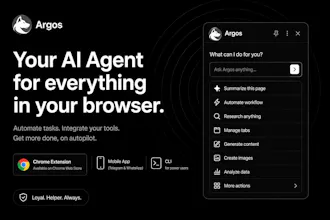
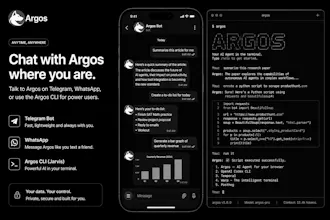
Most AI just tells you what to do. Argos does it. It works right inside your browser using your own logged-in accounts — clicking, typing, filling forms, and finishing real tasks. Ask it in the sidebar or text it on Telegram/WhatsApp, and it runs live or in the background, then hands you the result. Native in Gmail, Docs and Sheets. Connects GitHub, Slack, Notion and more. Your data stays on your device. Free to start.



Lyto
Google hasn’t verified this app
The app is requesting access to sensitive info in your Google Account. Until the developer (gleb.babichev007@gmail.com) verifies this app with Google, you shouldn't use it.
Lyto
@danny_donovan Good catch, and thanks for flagging it. That warning is standard for any app requesting Gmail/Docs/Sheets access before Google finishes reviewing it — we've submitted for verification and it's in progress. In the meantime the app is safe to use; if the warning gives you pause, feel free to hold off until verification clears, should be soon.
Lyto
Quick note on naming: Argos is a modified, rebranded version of a past project — same team, same underlying product, new name and a refreshed direction. You'll still see "Lyto" in a few places (like the Chrome Web Store listing) while we finish rolling the rebrand out everywhere — that update is coming soon.
You can install it here: Lyto AI (Argos) — Chrome Web Store
Argos
Nice to see some new worthy products!
Lyto
@gleb_babichev Thank you! Means a lot, especially on launch day. Let us know if you end up trying it out — always looking for feedback.