
TabTasker
Zero servers. Total privacy. Your new favorite toolbox.
420 followers
Zero servers. Total privacy. Your new favorite toolbox.
420 followers
A free web toolbox running 100% offline in your browser. We built TabTasker so you can edit PDFs, process images, transcribe audio, and access 50+ utilities without uploading a single file. Lastly, it is free to use.



Free
Launch Team / Built With


Klaussy ReviewTop Ranked AI Code Review Agent on ReviewBench
Promoted
Hi Product Hunt 👋
We are building TabTasker because we got tired of the same old problem. Every time I needed to format some JSON, convert a file, or run a quick AI prompt, I had to paste my data into a random website. It always felt a bit sketchy wondering where that information was actually going.
So, we decided to build a toolbox that completely respects your privacy.
TabTasker runs 100% locally right inside your browser. By using WebAssembly and ONNX Runtime Web, all the processing happens directly on your own machine.
What this means for your daily workflow:
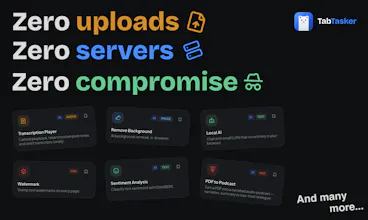
Zero uploads: Your files, code, and text stay on your device.
Instant speed: You get immediate results because there is no waiting on server traffic or queues.
Absolute privacy: Nothing is saved on our end, and your data is never sent away.
TabTasker runs entirely on your own device, we don’t have massive server bills. That means we can keep this toolbox 100% free with no paywalls or sign-ups.
It is just a simple, honest digital workbench for the tasks you do every day. For your sensitive documents of photos, TabTasker is ready to support you with ultimate privacy.
@caglar_su "Every time I needed to format some JSON, [...] I had to paste my data into a random website." - hahaha, literally story of my life. Sounds like an amazing thing!
Running FFmpeg and transcription models entirely in the browser via WebAssembly is the real engineering lift here. Most tools skip client-side processing because WASM bundle sizes and memory limits are genuinely painful. We've hit similar tradeoffs handling sensitive data in AI pipelines where even transient server hops create compliance headaches. Is the transcription using a WASM-compiled Whisper variant, or native browser speech APIs where available?
@anand_thakkar1 Hey Anand, great question.
Transcription runs Whisper (whisper-tiny) compiled to ONNX, executed in-browser via Transformers.js on ONNX Runtime Web. It uses WebGPU when available (fp16) and falls back to WASM automatically. Not the native Web Speech API, since that streams audio to vendor servers on some browsers and breaks the "nothing leaves your tab" promise.
On FFmpeg, we actually pulled ffmpeg.wasm out for exactly the reasons you mentioned.
Net result: no backend, no server hop, audio never makes a network trip. The trust boundary is the browser tab.
the 'zero servers' claim is the one i'd want verified independently before trusting sensitive files to it. not saying it's not true, just that a lot of tools make this claim and then have analytics, error logging, or feature flagging that phones home without being obvious about it. have you had anyone audit the network requests during a typical session or is there a technical writeup somewhere about what actually stays local
@ansari_adin Hi Ansari,
Thank you for asking this. It is a really valid question.
You do not just have to take our word for it when we say TabTasker is offline and private. It is actually very easy to verify it yourself. If you open the site and check the Network tab in your browser's Inspect tool, you will see exactly what is happening. There is no communication with outside servers while you work (it only downloads the related tool if required), and we do not even have a backend to leak data to.
We tested it ourselves multiple times. Every single tool is just a static page running directly on your device. You might notice Local JS Service Workers in the Network tab, but those run entirely inside your browser. Ultimately, the very best verification is just testing it out on your own machine.
The trade-off for this strict privacy is that we have absolutely no way to track errors or see if something fails on your end. Because we cannot monitor bugs automatically, we put a feedback button on every page. We are completely relying on the community to let us know if they run into any unexpected issues.
@ansari_adin @caglar_su any chance you can open source it? Or offer a downloadable version, to run it locally?
@seppo_b Thank you for your question.
In future, we are planning an app and desktop downloadable version.
Offline-first toolbox in the browser is a genuinely useful pitch, especially for anyone working with anything they don't want sitting on someone else's servers. Two things I'd want to know before recommending it to teammates: which of the 50+ utilities actually run fully in WASM vs. just hit a local endpoint, and what the audio-transcribe model size looks like at runtime. The honest answer to both probably decides whether this is a desktop replacement or a clever side tool.
@fabriziowexare Great questions, and they get at the right distinction.
First the architecture, because it reframes the WASM-vs-endpoint question: there is no endpoint. Nothing you process gets sent to a server. Our server only hands you the static page; every tool runs inside your browser tab, so your files never leave the device. The only network traffic during use is a one-time model download from a public CDN (Hugging Face) the first time you open an AI tool, plus pdf.js fetching a font map for some PDFs. After that it is cached and works offline.
The ~50 tools fall into three buckets:
Pure JavaScript, no download, instant. All the developer tools (JSON, base64, JWT, hashing, UUID, regex, diff, cron, QR, color, passwords), the PDF structural tools (merge, split, rotate, watermark, protect/unlock, redact, compare, to-Word, to-Excel), and the audio editor (convert, trim, compress, denoise, pitch/speed via the Web Audio API plus an MP3 encoder). This is the bulk of the toolbox, zero network.
WASM codecs, bundled, no model. OCR runs on Tesseract compiled to WASM. AVIF and HEIC conversion use WASM codec builds. PDF rendering is pdf.js.
WASM or WebGPU plus a downloaded model. The dozen AI tools: speech to text and the transcription player (Whisper), sentiment, summarize, captioning, zero-shot tags (CLIP), face detection for blur (YOLOS), text to speech (SpeechT5), the PDF podcast (DistilBART plus Supertonic), local chat (SmolLM2 and Qwen2.5 0.5B), background removal (MODNet), and upscaling (on TensorFlow.js). These run through ONNX Runtime Web, defaulting to WASM and using WebGPU when you enable it, with automatic fallback. Weights download once and cache.
So to your framing: none hit an endpoint. Roughly 40 of the 52 run with no model download at all. The remaining dozen run in WASM/WebGPU but pull a model file on first use.
Despite rigorous engineering to maximize efficiency, this remains a browser-based tool. As a result, overall performance will scale with your local hardware and browser constraints.
@caglar_su @acanturgut @mfethio Love the zero-server angle — I build Chrome extensions too and the privacy-first positioning resonates. How are you handling sync across devices without a server?
@vladsf415
Thank you, that’s a great question.
For workspaces, we do not currently support cross-platform sharing because there is no export functionality. However, for workflows, we have implemented a share link button.
Here’s how it works: we hash the entire flow into the URL. When someone opens that URL, it resolves automatically and restores the workflow state, allowing them to access it as intended.
Since many people bookmark these kinds of tools anyway, this approach helps keep the workflow state always fresh.
I hope this answers your question.
Finally, there's no need to share my data anymore.
@jannnnn Absolutely, that’s exactly the idea. You shouldn’t have to share your data with multiple random tools just to get simple tasks done. Keeping everything in one trusted toolbox makes the workflow much safer and easier.
Which tools get used the most so far, is it mainly PDF editing or the image converters?
Hi, @thamibenjelloun
From what we can tell, the PDF to podcast, PDF editor, Image background remover and Local LLM are definitely the crowd favorites right now. Because everything runs strictly locally on your device for privacy, we actually can't see any deep usage details, and honestly, we are totally thrilled about that :)