
X-Pilot
Explain anything accurately, from document to video course
715 followers
Explain anything accurately, from document to video course
715 followers
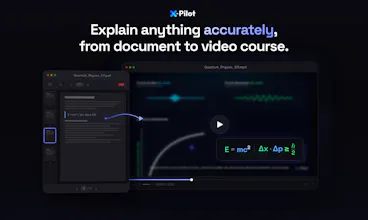
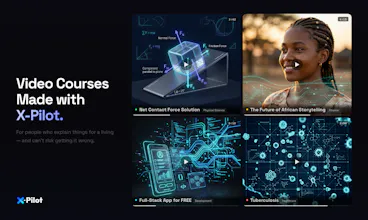
X-Pilot turns docs into video courses for people who explain anything and can't risk hallucinations. Every visual is rendered programmatically via Remotion in isolated sandboxes — deterministic, not generative. Formulas, diagrams, and code stay accurate.




Free Options
Launch Team / Built With


MailChannels Email APISend transactional email with tenant-level abuse control
Promoted
Hi Product Hunt — I’m Heshan, founder of X-Pilot.
After leaving Baidu Apollo, I built 3 edtech companies (1M+ users total) and kept seeing the same issue: the people with the deepest knowledge are often the least equipped to turn it into video. Hand a professor a video editor and everything slows down. I started calling it the “Expert Paradox.”
X-Pilot is our attempt to solve it: upload a document, and X-Pilot generates an accurate, multi-module video course—complete with a syllabus, learning objectives, and animated visuals (diagrams, rendered formulas, code walkthroughs) you can publish.
A key difference vs. HeyGen/Synthesia: those are talking-head/avatar script readers. X-Pilot focuses on knowledge visualization. Every visual is rendered programmatically via Remotion in isolated sandboxes—deterministic code, not generative visuals—so if your doc says 2+2=4, the video shows 2+2=4.
Free to start (no credit card).
I’d love feedback from anyone who’s tried to turn a document into a course: what broke for you—structuring, visuals, editing time, accuracy, or distribution?
Curious what the actual workflow looks like for a non-technical creator. Upload a doc — and then what? How many decisions do I need to make before I have something I'd actually want to publish?
@klara_minarikova
Thanks for the question — here’s what it actually looks like for a non‑technical creator.
1.Before you upload
You can set a few “defaults” up front so the first draft matches how you publish: output language, visual style, a custom Brand Kit (colors/typography/logo rules), and voice (voice model).
2.After you upload a document
The agent reads your document end‑to‑end—including images, equations, formulas, and chart/table data—and turns what’s in the doc into visual elements on the timeline (graphics, on‑screen math, charts, and other visuals) so the video reflects the source material, not just a plain narration.
3.If it’s not quite right
You don’t need to “operate software.” Just talk to it in natural language to request changes (tone, pacing, emphasis, a segment rewrite, etc.) and iterate until you’re comfortable publishing.
4.How many decisions before publish‑ready?
If your document and goal are clear, most creators reach something they’re happy to publish in about 1–3 rounds of natural‑language conversation—for example, small follow‑up tweaks to tone, pacing, emphasis, or a specific segment. You’re giving plain‑language feedback, not working through a long technical checklist.
Does it support importing multilingual documents? For example, if I upload a Chinese PDF, can it directly output a video with English audio?
@yuanhao1 you can import multilingual documents
If your source is a Chinese PDF but you want the final deliverable to be English audio + English on‑screen content, set the output language to English in the upfront video settings before generation. That tells the pipeline to produce English narration and English visuals from your document (including translation/re‑authoring as needed), rather than defaulting to the source language.
Just found the free tier – 3 minutes/month, no credit card. Uploaded a test PDF with some code snippets. The "zero hallucination" claim held up – my diagrams rendered exactly as written.
Quick question: Does the free tier include natural language editing (like "shorten the intro"), or is that locked behind paid plans?
Asking because typing edits is way faster than timeline dragging. Overall, a promising tool. Going to test more.
@wasil_abdal yes, this feature is available to all users, including the free tier.
Hey Product Hunt 👋 I’m one of the devs behind X-Pilot.
We built this because we kept hitting the same issue: AI video tools look great, but they hallucinate—especially on code, charts, and formulas. For educators and trainers, that’s a dealbreaker.
So we went a different direction. X-Pilot takes your PDF / PPT / Markdown and renders everything deterministically in a sandbox (via Remotion), instead of “imagining” the video.
That means what you write is exactly what shows up—no hallucinations, especially for technical content.
It's been a massive engineering challenge to build this rendering engine from scratch, but seeing it save course creators hours of manual editing has been incredibly rewarding for our team.
We’ve added free credits so you can try the real workflow. I’ll be around in the comments—would love feedback, ideas, or any questions.
Great idea! Is Ukrainian supported? Or only English?
@mykyta_semenov_ Currently, the video supports 9 languages. If you require support for Ukrainian, we will immediately arrange for our technical team to add it.
AI video tools usually mess up charts. Does this fully avoid that?
@lizzy_leeeee We build visuals as structured components in Remotion (code‑driven timelines), not by “guessing” a chart from a blurry screenshot. That means charts and diagrams (including things like flowcharts) are treated as first‑class UI elements: layout, labels, axes, and connections stay consistent across frames, and they’re much less likely to warp, smear, or drift the way purely generative video pipelines often do.
So it doesn’t rely on “redrawing the chart from pixels”, which is usually what breaks charts in typical AI video tools. That said, no system can promise perfection for every edge case—if the underlying data or instructions are ambiguous, you may still want a quick conversational tweak—but the approach is designed to avoid the common ‘messed‑up chart’ failure mode by keeping charts in a stable, component‑based representation end‑to‑end.