

Tipword v0.9.50 is out

Hey all, been a busy week since launch. Here's what's new if you haven't updated in a bit.
Long tooltip
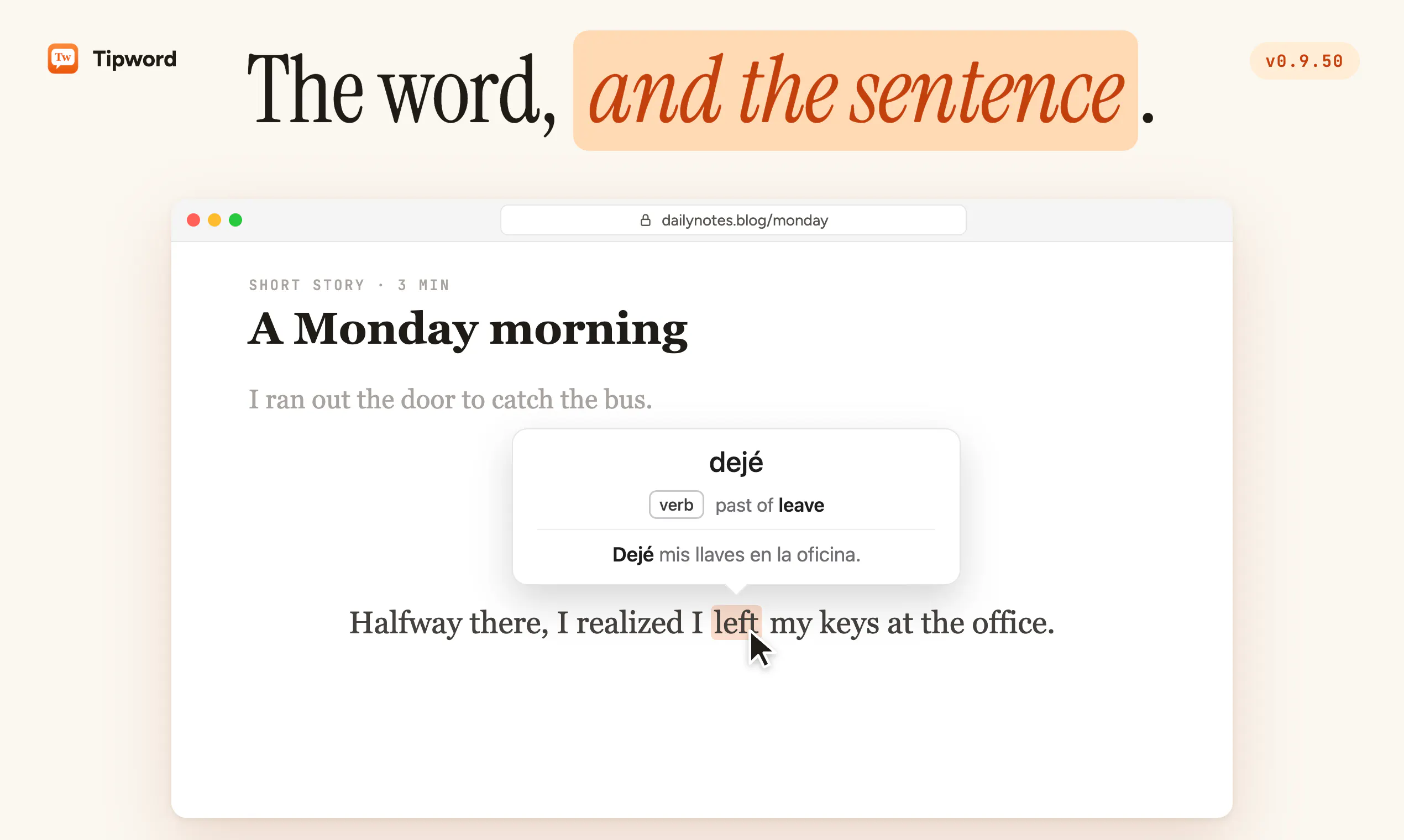
When you hover a word in a sentence, the tooltip now shows more than the word. You get the word, then a small grammar note if it's English, then the whole sentence translated with your word in bold.
So if you're learning Spanish and hover "left" in "I left my keys at the office", you get "dejé", a note that it's the past of leave, and the full sentence in Spanish. It also spots idioms, so "piece of cake" won't get translated as actual cake.
Language switcher
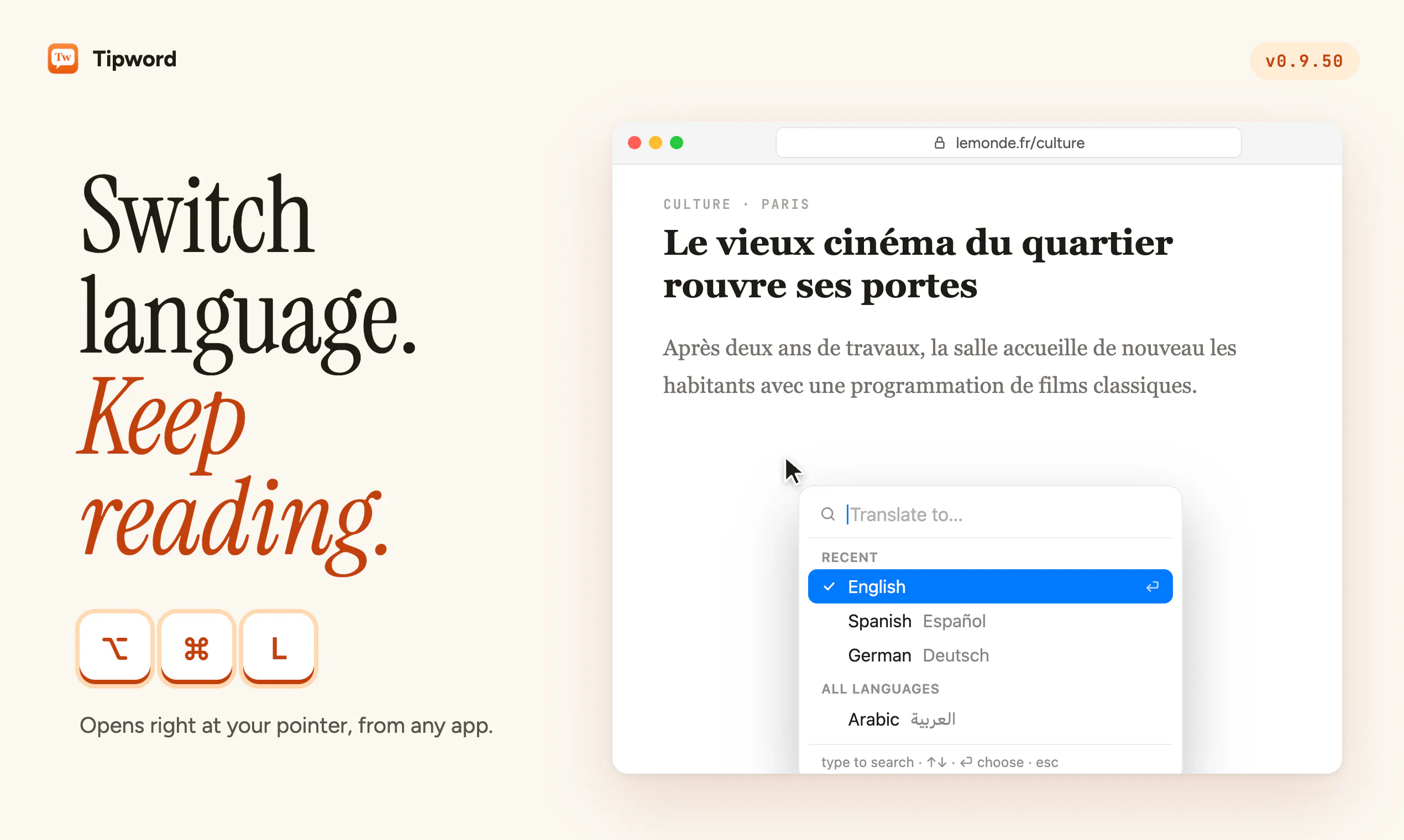
Press ⌥⌘L anywhere and a little picker opens right where your mouse is. Type a few letters, hit Return, done. Your recent languages stay at the top, and it doesn't pull you out of the app you're reading in.
Fixes
hovering in browsers sometimes stopped until you switched apps
it sometimes translated the whole sentence instead of the word you pointed at
updates opened a second copy of Tipword
the dock icon kept coming back after quitting
Mission Control got messed up while Tipword was running
hovering is faster overall
To get it now, click the Tipword icon in your menu bar and choose "Check for Updates". If anything still feels off, reply here, I read everything.
Replies