Whenever I work on a new project, I often need realistic users, products, orders, addresses, and other data.
The annoying part is that creating this data manually can take a surprising amount of time. Basic fake data is easy to generate, but realistic data that actually looks useful for testing and demos takes more effort.
I built AI Sample Data to help with this problem.
I am curious how other developers handle sample data. Do you usually:
I built Verlox, an AI terminal that isn't a black box. Every command becomes a block: output, a plain English summary, and one click next steps. Errors get a Fix this button. Deleted files land in a Recovery Vault. AI terminal you can approve, undo, and actually trust. verlox.app
The average cost of remittance worldwide is 6.2%. That's ridiculous. Bank transfers within the US have been solved, so theoretically we should be able to do worldwide also.
We're building PureFi, using stablecoins to remit money for a fraction of the cost, and giving it for free to users. We're live in early access to 100 countries. We also have interest free yield of up to 6%, so your money grows.
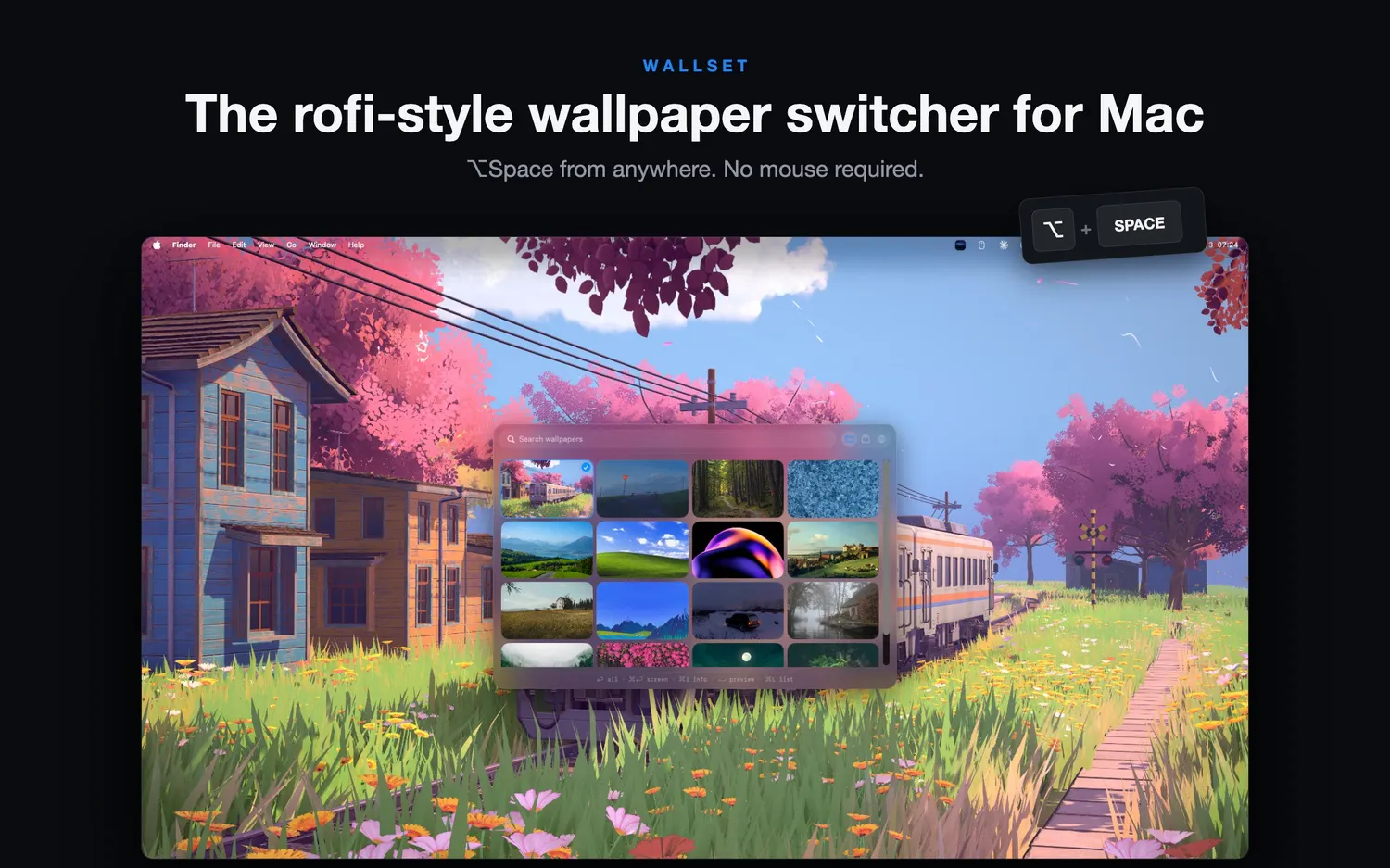
Hey everyone! I'm Fin, the solo developer behind Wallset. I've always liked the custom Rofi wallpaper switchers people create for their Linux setups: press a shortcut, get a clean visual grid and switch wallpapers without interrupting your workflow. I wanted that experience on my Mac but couldn't find anything that felt native, so I built Wallset. It's a lightweight macOS menu-bar app that lets you:
Open a visual wallpaper grid with a keyboard shortcut
Use your existing local collections
Browse wallpapers from four sources
Switch with smooth native transitions
The core app is free, with an optional one-time Pro upgrade and no subscription. It's also my first Mac App Store release. Wallset launches here on Product Hunt tomorrow, July 22. I'd genuinely appreciate feedback: does the "Rofi-style wallpaper switching for Mac" idea make sense even if you haven't used Linux? More information, videos and a interactive demo on the website: https://wallset.app
My main purpose of building [ airespaker ] is displaying AI responses in beautiful format. Please help me archieving this goal by posting screenshot of AI response, URI to access it and feedback on its format into [ this post or that post ]. You can also just share screenshot of AI response which is good for you.
Hi I built a fun spa called www.1000songs.co.uk it works on lookups from iTunes. One feature is a name that tune feature I have fairly niche tastes so I also built a "create collection" import where you can paste in in the format year, artist, song and play the games!
Built NotePin a feedback widget that looks like a sticky note pinned to the corner of your site. One script tag, no dashboard, no account needed. Would love feedback on the concept and the demo: mamdouh52.gumroad.com/l/sxklol What would make you actually use something like this on your own site?
A pattern I keep seeing with short-form video: creators batch-film on the weekend, then still post everything manually because they assume TikTok has no scheduler. It has one, but it's gated twice.
Gate 1: account type. Only Business and Creator accounts get the native Video Scheduler. Personal accounts never see it. Switching is free; most solo creators should pick Creator, because Business accounts trade the full music library for commercial-licensed sounds only.
Gate 2: surface. Scheduling lives on the desktop upload page and TikTok Studio. The mobile app has no scheduling at all. The window runs 15 minutes to 10 days ahead.
Every 30 days, over 1 billion people open Google Translate to translate text, documents, or screenshots.
The problem? Context and accuracy.
Even for basic text, legacy tools regularly make critical errors. You end up having to proofread the translation, but if you don't actually know the target language, you're stuck hoping for the best.
With documents, the layout might look fine, but the meaning is often broken.
I recently built DocuPDF, a free online PDF toolkit designed to make everyday document tasks faster and easier.
You can use it to merge, split, compress, convert, rotate, organize, protect, repair, OCR, translate, and summarize PDF documents all from your browser.
Some of the tools I'm currently working on include: