

Steal any photo's color grade with Kumoo — then apply it to yours in a few clicks
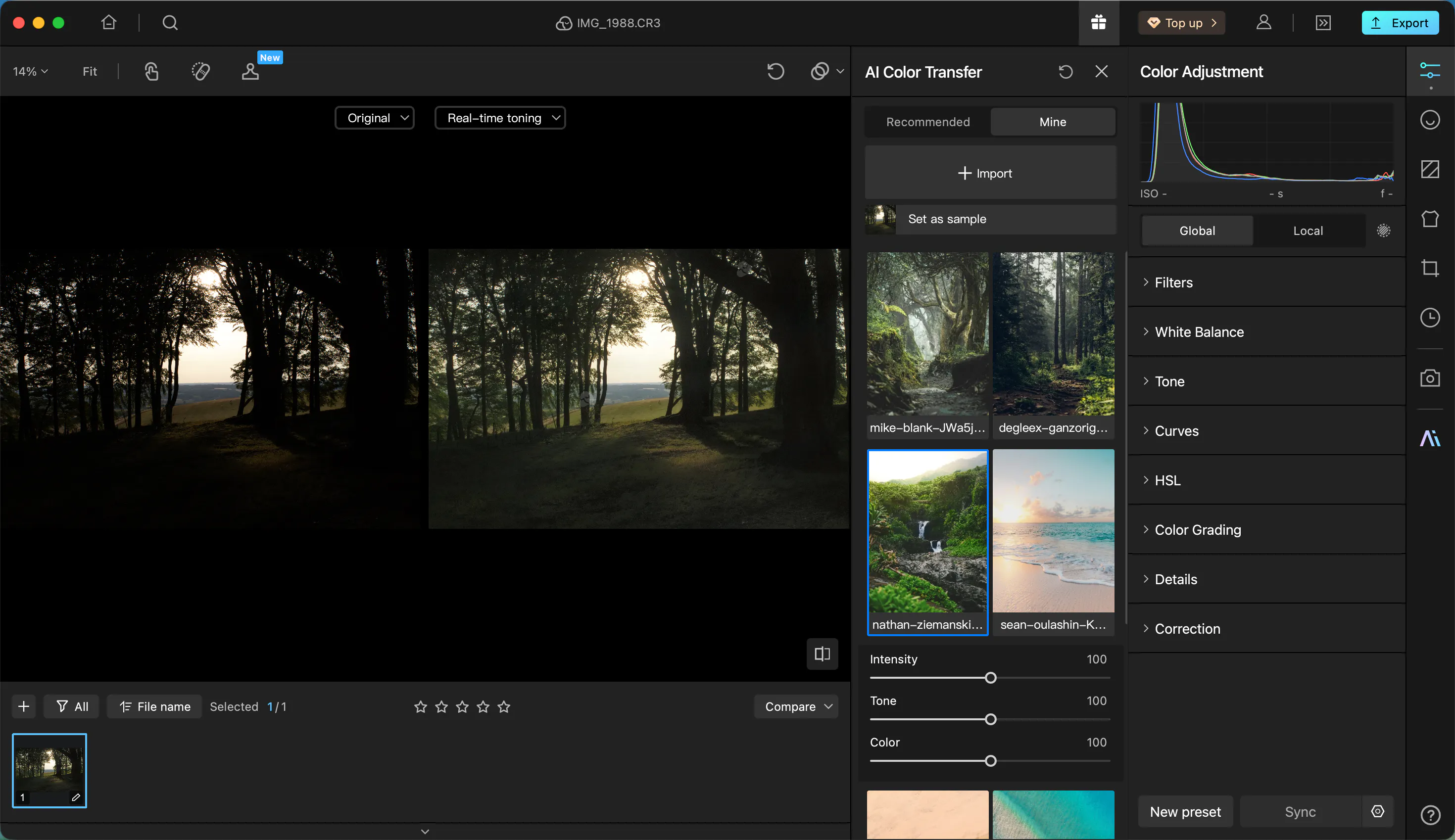
Hey everyone — we've been building Kumoo, an AI retouching + batch editing tool for photographers and studios, and wanted to share the feature we're most excited about: AI Color Transfer.
The idea: you find a photo — a movie still, someone else's edit, a Pinterest mood board pic, whatever — and Kumoo lets you "steal" its color grading and apply it straight to your own RAW photos. No manual curve-matching, no guessing at LUTs. A few clicks and your photo has that vibe.
Beyond that, Kumoo also does:
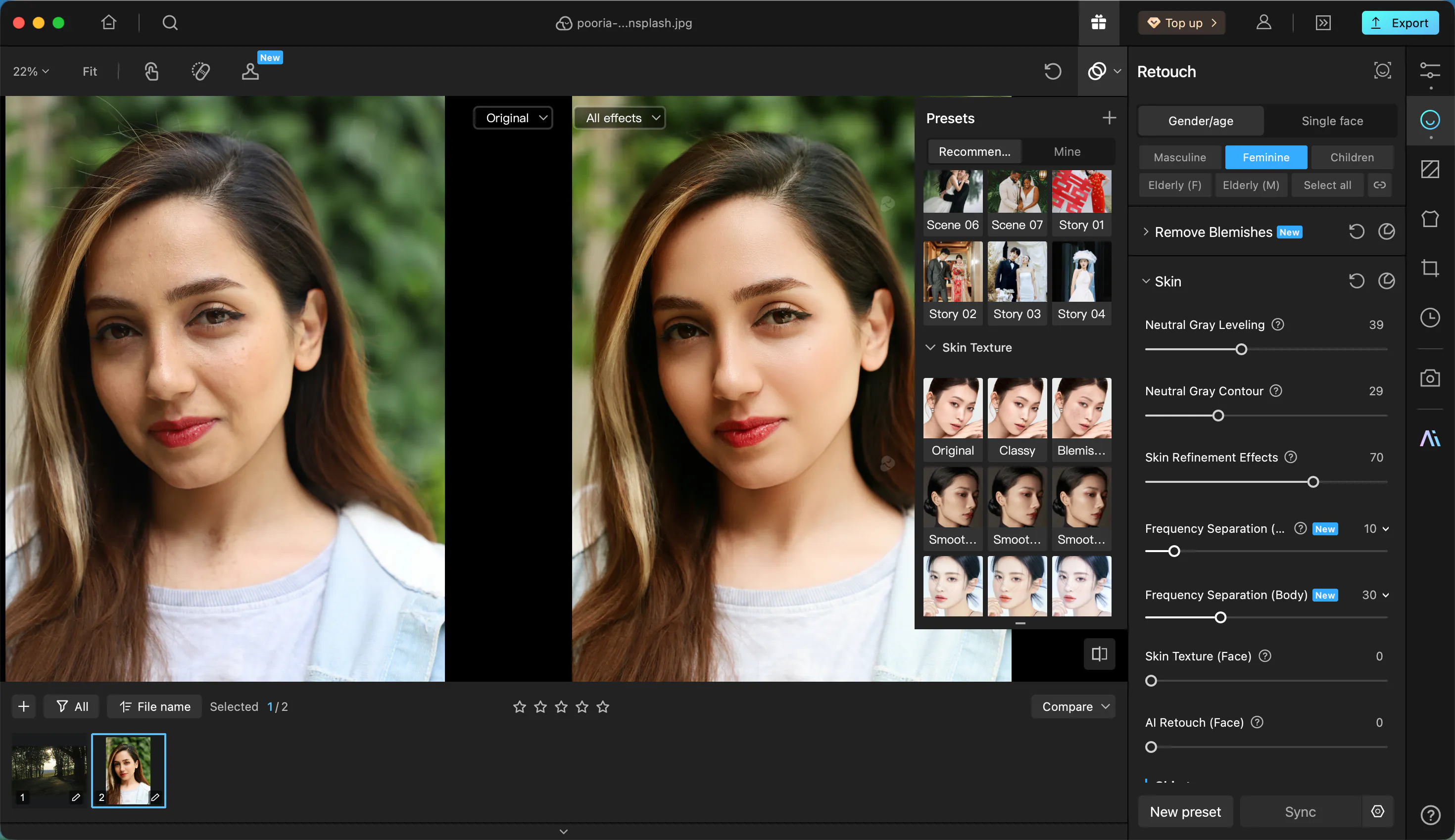
Auto Portrait retouching for different skin tones(Dodge&burn, remove blemishes & wrinkles, body reshape, remove glasses glare, add makeups, teeth whitening, tattoo removal etc.)
AI auto-grading for fast first-passes
Tethered shooting (shoot + review live)
Batch editing for high-volume studio work
Background clean-up
Most of the standard retouching toolkit, but built to be faster than the usual workflow
It's on PC and iPad now.
We built this mainly for pro photographers/studios doing high-volume retouching, but honestly the color transfer feature makes it useful even if you have zero retouching skills — you're basically borrowing someone else's eye.
Curious what this community thinks — especially if you've dealt with the "I love this photo's color grade but can't replicate it" problem before. Would love feedback (or brutal honesty) on where this is useful vs. not.
Curious to try it? Free download here: https://kumoo.ai/download (comes with 5 free photo credits to test it out)
Replies