

Big update for RotorCrypt X-Files (1.2.5.2) — Password Vault, tree view, Italian
👋 Hey Product Hunt!
We just shipped RotorCrypt X-Files v1.2.5.2 and wanted to share what's new with this community.
RotorCrypt X-Files is a local file & folder encryption tool — drag files into a vault, up to four independent encryption layers (AES-256-GCM, ChaCha20, and an optional mechanical rotor-based layer), and you never need a password to use the vault itself. Fully offline, no data collection.
What's new in 1.2.5.2:
🌳 Tree view — subfolders are now collapsed by default and only expand when you click the arrow, icon, or name. No more scrolling through everything at once.
✏️ Rename contacts — right-click a contact in the sidebar to change its display name, without touching the underlying encryption.
🔐 Password Vault — a dedicated section to securely store your passwords, with a built-in password generator (uppercase/lowercase/numbers/special characters, adjustable length, "easy to read" / "easy to type" / "mixed" modes).
🖼️ Change Avatar — right-click a contact to update their avatar image and name in one step.
🇮🇹 Italian added — now supporting 13 languages.
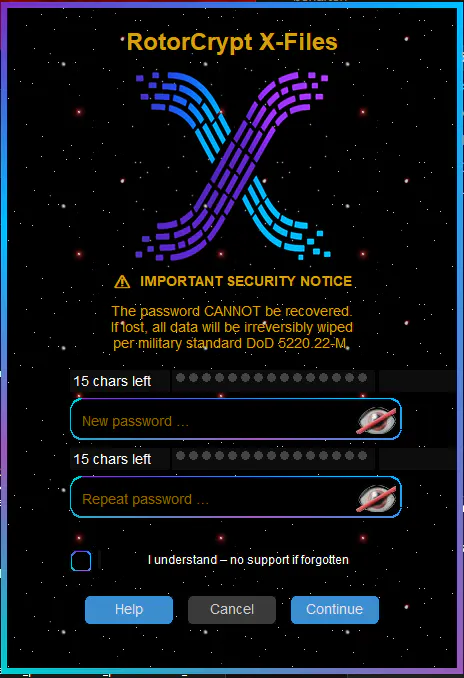
⚡ Simplified password setup on first launch.
Bug fixes:
Fixed files with identical names in different folders (e.g. 001.jpg in separate year/month folders) being wrongly flagged as duplicates and auto-renamed
Fixed unreliable keyboard deletion (Delete key) for folders
Fixed a leftover contact name showing in the dropdown after deleting all contacts
Fixed a bug preventing users from decrypting their own encrypted messages
Fixed scaling-related display issues
Would love to hear your feedback and answer any questions in the comments! 🙌
Replies
Be the first to reply
Have a question or a thought to share? Add a comment above to start the conversation.