

Screenify Studio 2.0 — record two or three devices in one cinematic shot

Hey everyone 👋
Just shipped Screenify Studio 2.0, our biggest release yet, and I wanted to share it here first.
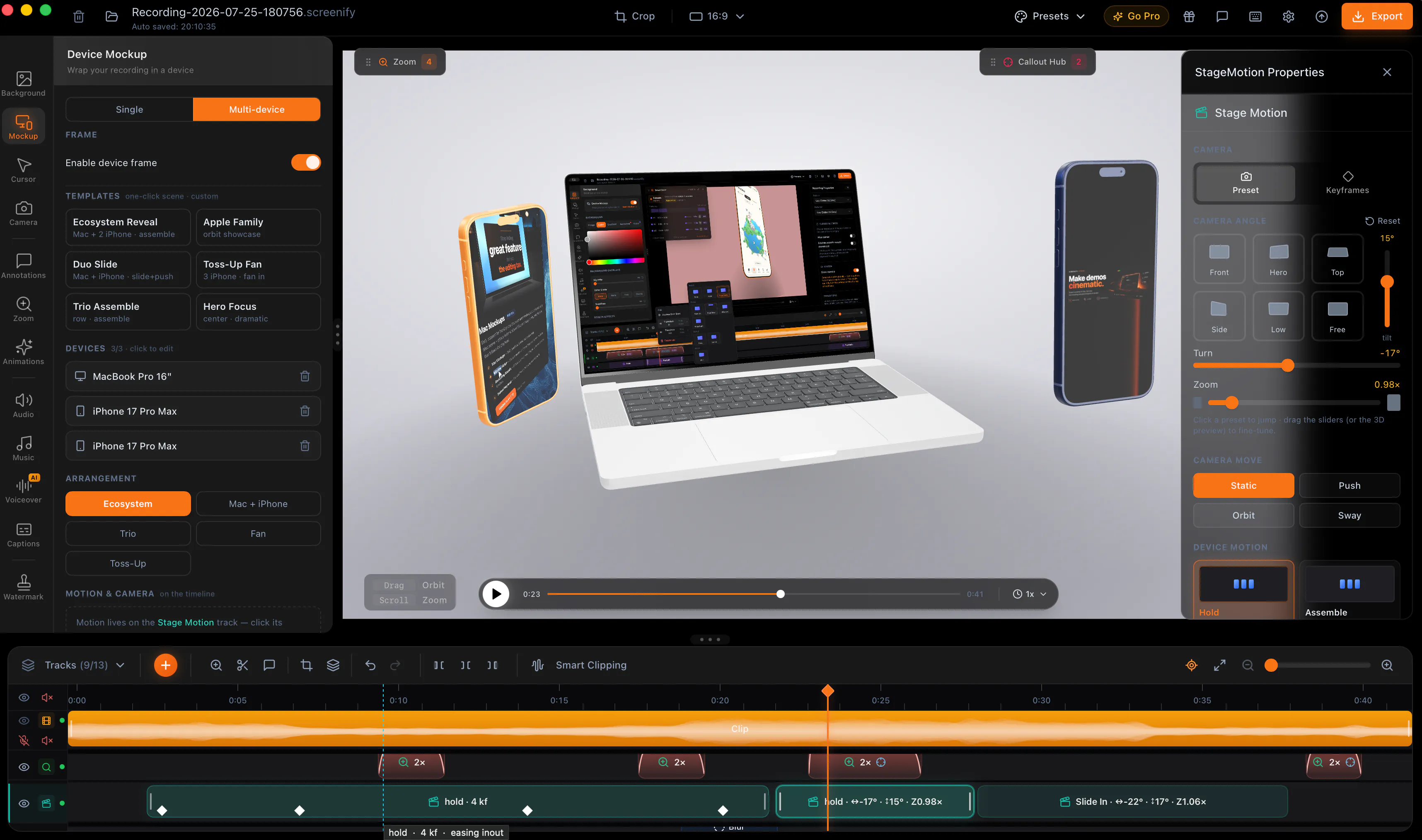
Recording a demo takes five minutes; making it look good is where the hours go. 2.0 pushes that further — you can now stage two or three devices together in a single 3D scene, move one camera across all of them, and record the real thing without leaving the app.
What's new:
🎬 Multi-Device Mockups — Place two or three iPhones and Macs together in one "ecosystem" scene. Each device holds its own content: record live on the main device, and drop a video or image onto the others. Perfect for showing your app on phone + desktop in a single frame.
🎥 Cinematic stage camera — Add keyframes to glide one camera across the whole arrangement (position, angle, zoom at each point) while the devices hold their places. Start from a motion template and make it yours.
💡 Environment lighting & backdrops — Light the scene with a real-world environment — the devices pick up its reflections, and you can show it as the backdrop. Pick a shadow style to ground everything.
🎞️ Keyframed camera for single-device mockups too — Set distance, tilt, and turn at each point and the camera animates between them. Every device now zooms in up to 5×.
🎨 True-to-preview colors — Recolored iPhone and Mac mockups (deep blue, silver, Space Black, the MacBook colorways) now match exactly what you see in the preview — real metal and glass in every export.
🖱️ Real cursor & clicks inside device screens — What you preview is what you export.
The part I'm proudest of: this is a mockup studio built into a real recorder. Every screen in the shot can be a different real recording from the same session — not a stock clip dragged in afterward.
Mac (Apple Silicon), free to start. I'd genuinely love your feedback — what feels great, what's clunky, what you'd want next. I'm around all day reading everything 🙏
— Brjan
Replies