

Six terminal tabs and not one of them has made a brew
Hello Product Hunt, I'm Rich, the developer behind Rig.
Quick scene setting. It's Monday morning. You open your laptop to carry on with a project. Dev server in one tab. Database in another. A queue worker in a third, which it turns out died about an hour ago and told nobody. Tab four is you running lsof again because something is sitting on port 3000 and you have no idea what. Tab five is a log you're tailing. Tab six is the one you forgot about entirely.
By the time it's all running, the tea's gone cold.
I've been building software for 22 years and I've done that dance more times than I'd like to admit. So I built Rig to stop it.
WHAT RIG IS
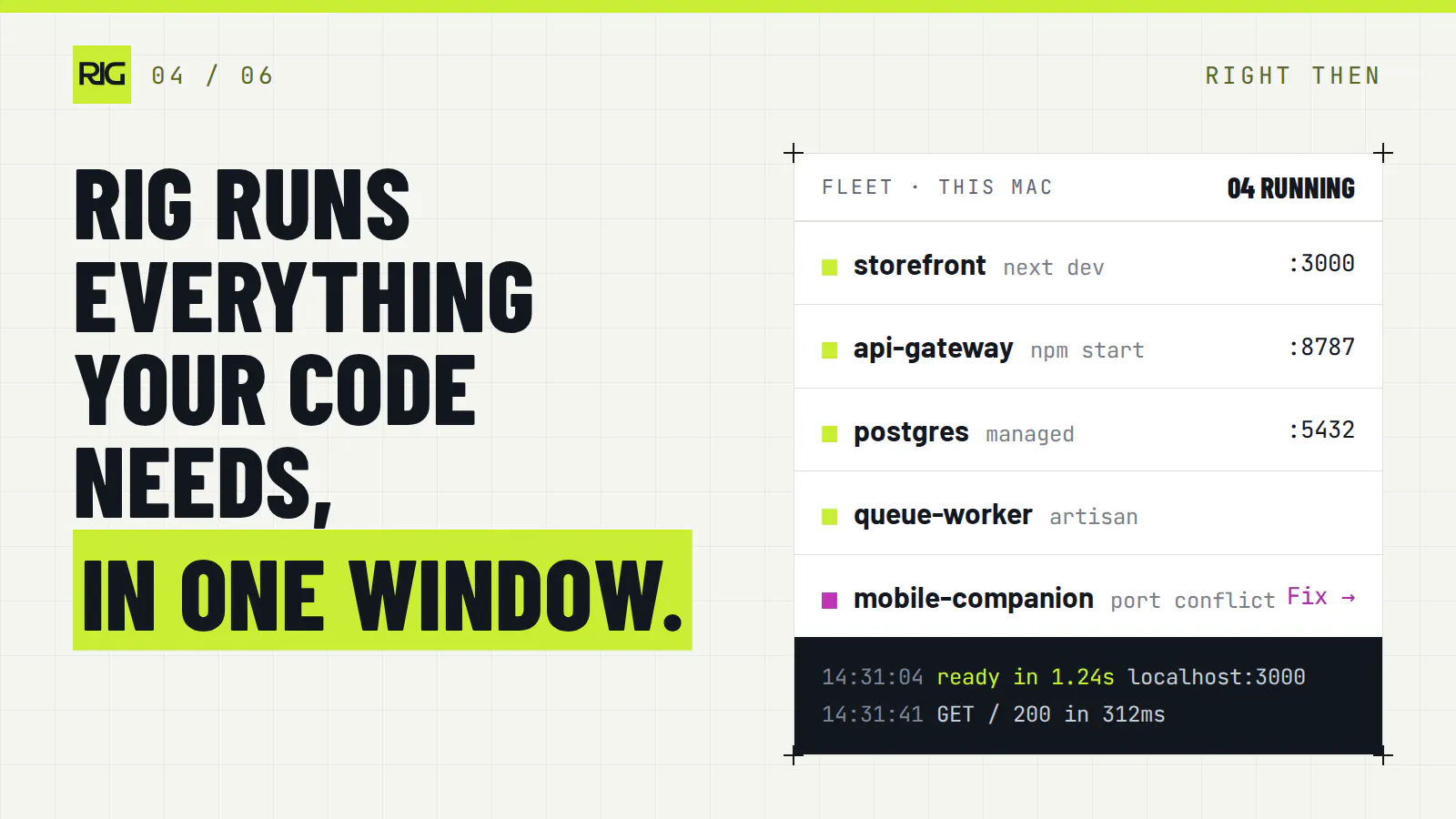
Rig runs everything your code needs, in one window, on your Mac.
Websites, apps and APIs, with their servers, databases and logs, started together. When something breaks, you see why, and so does your AI assistant.
WHAT IT ACTUALLY DOES
It finds your project's processes: scripts, Procfiles, Laravel artisan workers and databases, and starts them in the right order with one click.
It merges every log into one stream, so the error doesn't scroll off into the void while you're making a brew.
It owns your ports. It knows which service is holding which port and frees them when they're stuck. Port 3000 is no longer a mystery.
When something crashes, it reads the error and tells you what probably went wrong, which is more than most colleagues manage.
THE AI BIT
Rig has a built in MCP hub, so Claude, Cursor, Codex, Windsurf and VS Code can see your running app. Your assistant can check what's running, read the logs and restart a service. You confirm before anything changes, because nobody wants their AI getting creative with a database at 4pm on a Friday.
Ask "why is checkout failing?" and instead of guessing, it can look, and tell you Postgres stopped after your last restart. Finally, a colleague who actually reads the logs.
YOUR OTHER MACS
Mesh gives your Macs a private network. Wake the Mac at home from the office, peek at its screen, or move a live project from your laptop to your desktop and carry on where you left off.
WHAT IT COSTS
Everything on your Mac is free, forever: process control, logs, ports, databases, SSL, local domains and the AI connection. That makes it cheaper than a meal deal.
Mesh is the paid part, because running a network costs money. There's a free tier for one machine, and paid plans start at $15 a month.
Your code never leaves your Mac. Rig isn't a cloud IDE or a remote VM. It works alongside what you already use, including Laravel Herd and Valet.
WHO BUILT IT
Just me. One developer in the UK, building it in evenings and weekends around a full time job, fuelled by tea and stubbornness. No funding, no growth team, no 40 slide deck. If something's broken, you're talking to the person who'll fix it.
WHAT I'D LOVE FROM YOU
Honest feedback, the blunter the better. In particular:
What does your local setup look like, and would Rig handle it?
What would make you trust your AI assistant to restart things for you?
What's the most tabs you've ever had open just to get a project running? The record to beat is currently mine, and it's embarrassing.
I'll be in the comments all day answering everything. Kettle's on.
Rich
Replies
Be the first to reply
Have a question or a thought to share? Add a comment above to start the conversation.