

See AI optimization results about 50% sooner
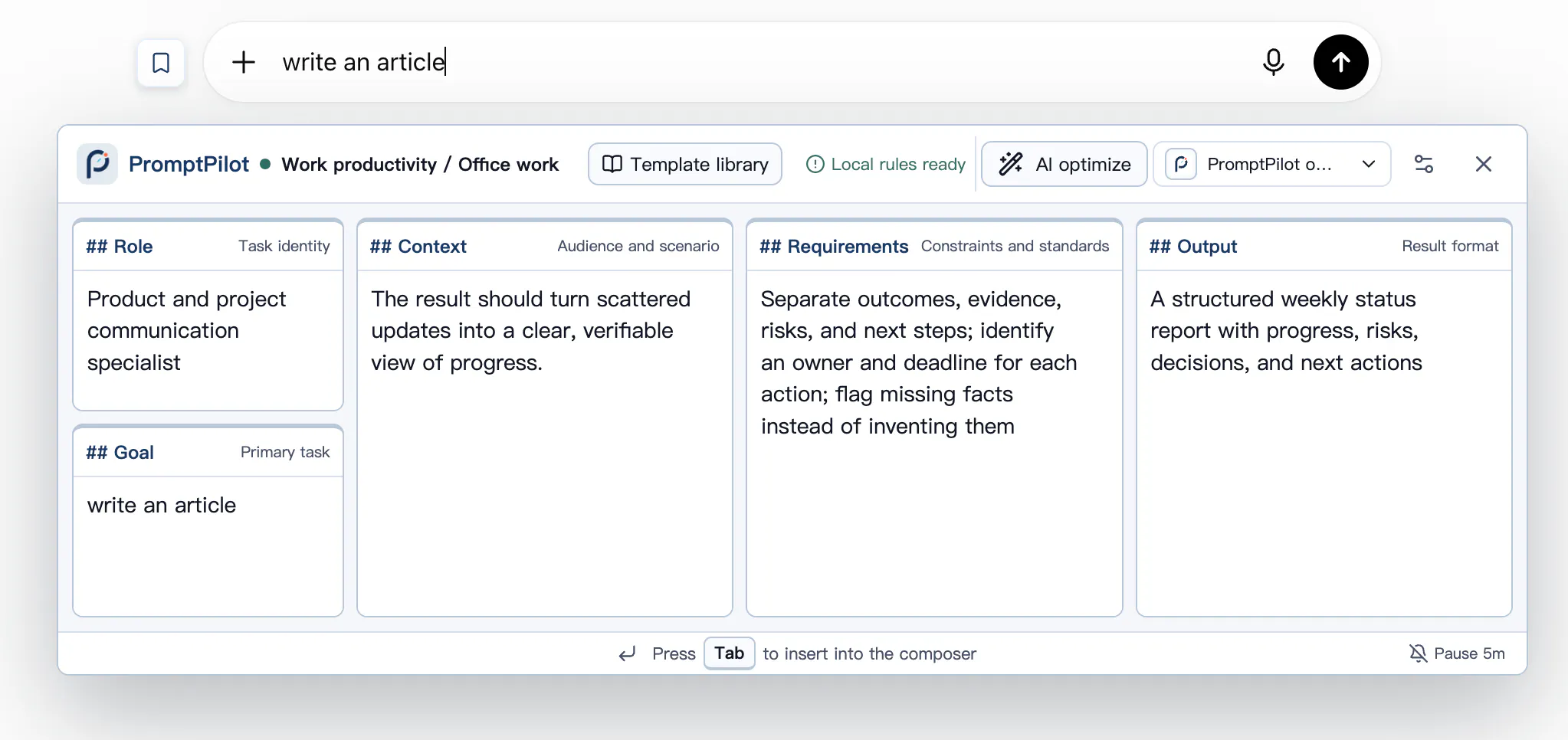
PromptPilot Tab 1.0.1 changes what happens after you press AI optimize.
The previous version waited for the full optimization before showing anything. Now, each completed and validated module appears as soon as it is ready. In my comparison with the previous version, the first visible result appears about 50% sooner.
That number measures time to the first visible optimized module, not total completion time. The practical difference is simple: you can start reading and checking the result earlier instead of looking at an empty preview.
I also expanded the English path. The interface can follow your selected or system language, and the English route now includes English AI optimization prompts and an English public prompt catalog.
The core workflow has not changed. You review the result, edit any module, and press Tab to insert it into the active AI chat. PromptPilot Tab never sends the message automatically.
The release is still Chinese-first, but the English path now covers the interface, AI optimization prompts, and public prompt catalog.
If you try version 1.0.1, I would like to know two things:
- Does the streamed feedback make the wait feel clearer?
- Where does the English wording still feel unnatural?
Chrome and Edge versions are live:
https://promptpilot-tab.com
Replies
Be the first to reply
Have a question or a thought to share? Add a comment above to start the conversation.