

octoscope 0.26.0 — and the docs it should have had a while ago

The big one first: octoscope has a real guide now. Ten pages at its own address — Getting started, Authentication, The tabs, Drill-ins & scan, Live & reliable, Themes, Configuration, Scripting, plus a reference pair for every CLI flag and every keybind. https://gfazioli.github.io/octoscope/guide/
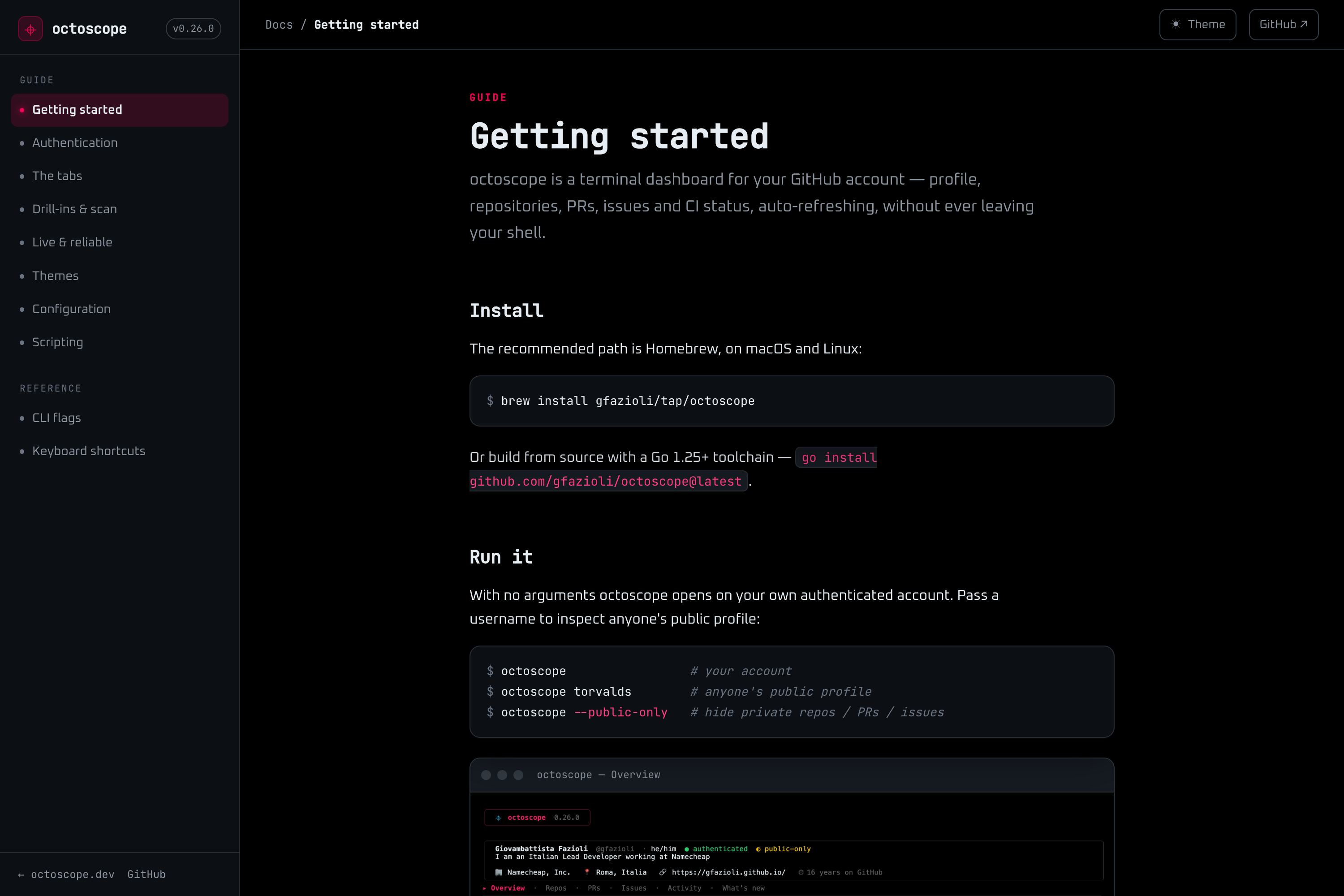
The octoscope guide
Writing it was its own bug hunt. Plenty of what octoscope does was documented nowhere: the order it searches for your token and the scopes each kind needs, the work filters on the Repos tab, the full config key list with valid values, what the rate-limit chip is actually telling you. The home page got shorter in the same pass — it had been re-explaining the tabs and drill-ins in duplicate, and had drifted a version behind as a result.
Then the release itself, which is about a smaller kind of honesty. Before it: a repo running 30 CI checks showed you 8 of them, with nothing on screen admitting the other 22 existed. A partial integrity scan looked exactly like a clean one. And the footer cheerfully advertised hotkeys that did nothing in the modal you had open.
Now: press c in any repo or PR drill-in and the Checks section expands in place — every check on the branch tip, failures floated to the top — then c again to collapse it. A scan that couldn't cover everything says so in the report. The footer lists only the keys that work where you're actually standing.
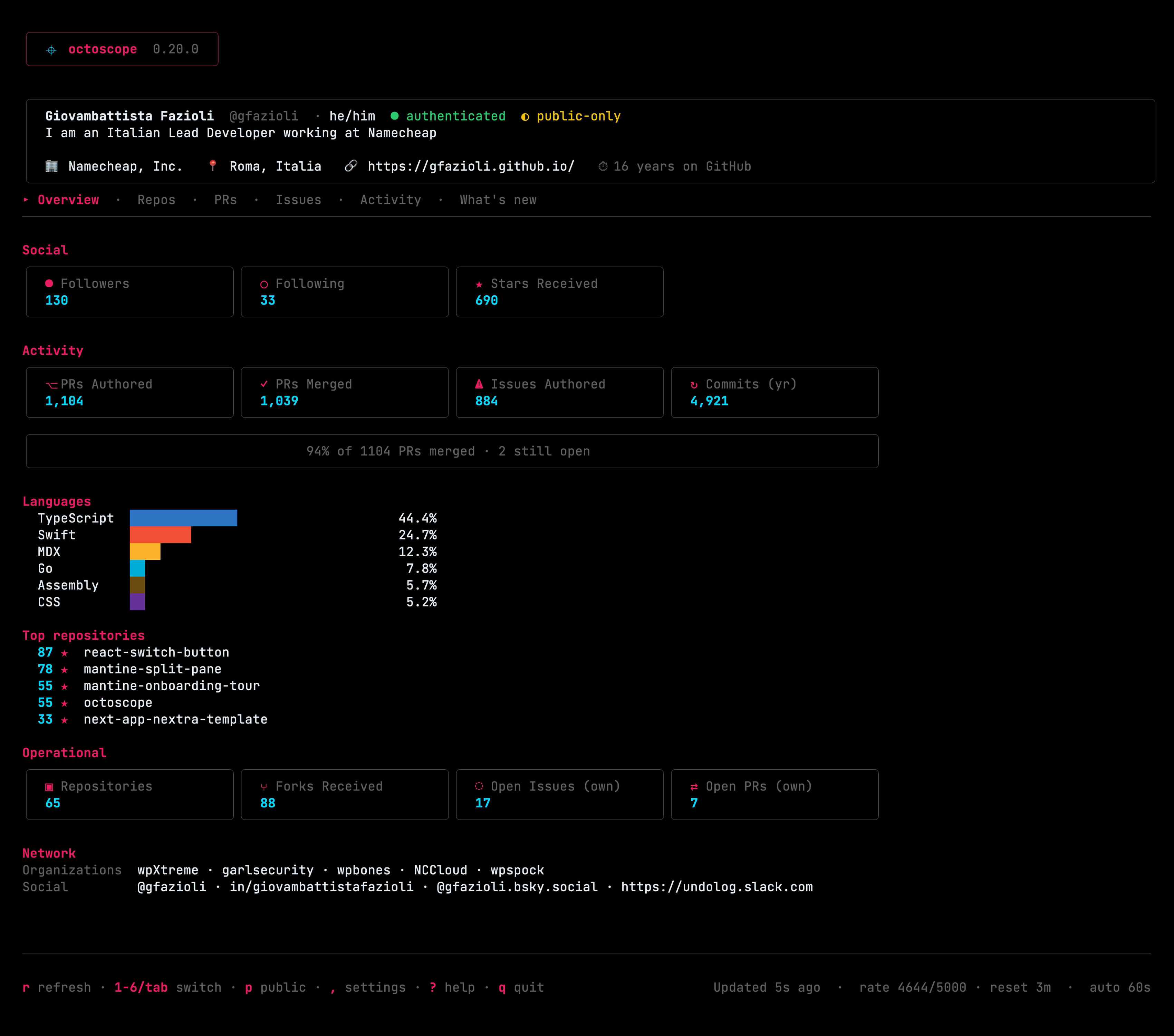
octoscope
Two things worth trying while you're in there: octoscope --theme list prints all seven palettes with a colour swatch each, so you pick one without relaunching to guess — and it honours NO_COLOR by printing the names alone. And the settings panel (,) now edits accent_color and the sponsor splash, which were the last two config keys you had to open a file to change.
The detail I enjoyed getting right: the empty state. Filter a PR list down to nothing and it used to leave you staring at a blank pane, wondering whether the fetch had broken. Now it tells you the filter is what's hiding them, and which key clears it. Zero results is a state, not an error — it just had to say which one.
brew upgrade gfazioli/tap/octoscopeEleven backlog items in this one, all of them things people actually hit. So: how do you check CI across all your repos today — a browser tab, or has something in your terminal earned that job? And if you go through the new guide, tell me what's missing from it — that's the feedback I want most right now.
https://gfazioli.github.io/octoscope
Replies