

Filter code just got a big upgrade, and you don't need to code to use it

Hey everyone, if you've ever wanted more out of filter code, this one's for you.
1. Filter code now speaks modern JavaScript
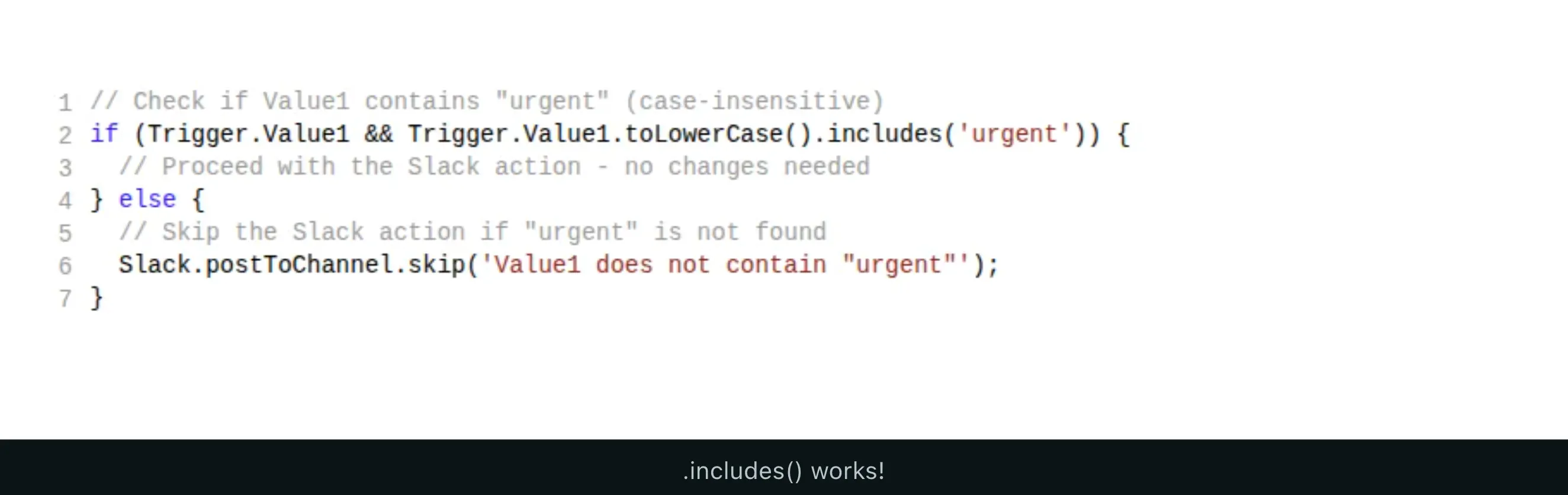
For years, filter code ran on a 2018-era version of JavaScript. As of this week it understands modern syntax, so the code you write (or paste in from somewhere) is shorter and easier to read:
String and array helpers like:
.includes(), .startsWith(), and .endsWith()Newer array methods like:
.find(), .flat(), and .toSorted()Optional chaining :
(?.) and nullish coalescing (??)The best part: nothing you already built breaks. Every existing filter keeps running exactly as it did, so there's nothing you need to go back and change.
2. Don't know how to code? Ask AI to write it for you
This is the one we think is a real game changer. You can now connect IFTTT to your AI assistant through our new MCP connection. MCP (short for Model Context Protocol) is just a standard way to plug an assistant like Claude or ChatGPT into a tool like IFTTT, so it can actually build things for you instead of only talking about them.
Once it's connected, you describe what you want in plain English and the assistant writes the filter code and adds it to your Applet for you.
"Only notify me between 9am and 5pm on weekdays."
"Skip this post unless the title mentions rain."
"Round the temperature and add a degree symbol before it's sent."
No syntax to learn, no copy-pasting from random forums, no guessing. You get working filter code plus a plain-English explanation of what it does, and you stay in control of what actually gets saved.'
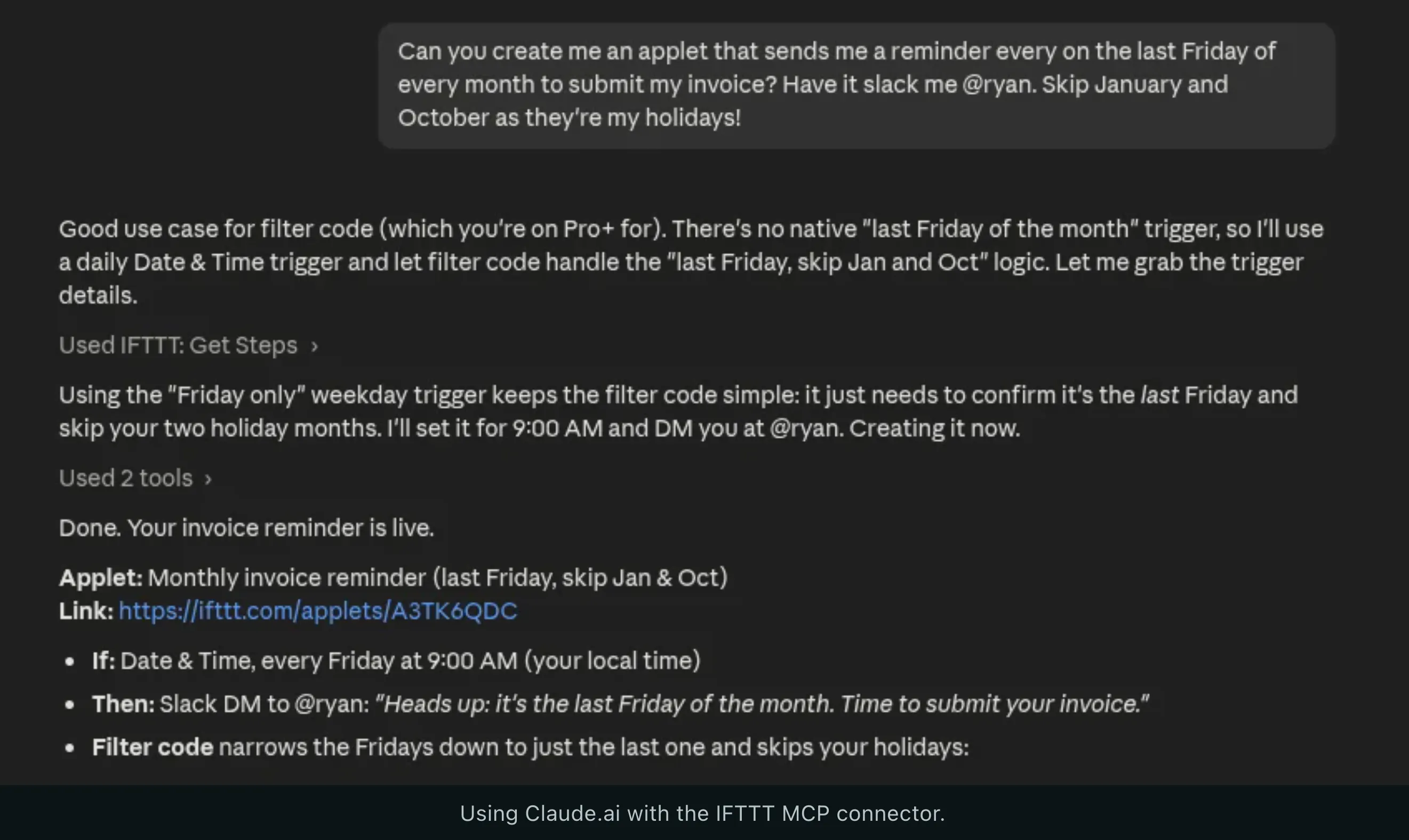
We'd love to see what you build with this. If you wire up something clever, or the AI writes something that makes you go "huh, didn't know you could do that," drop it in the comments.
Replies
Be the first to reply
Have a question or a thought to share? Add a comment above to start the conversation.