

Make Your Product Videos Easier to Follow with Callouts
by•
We’ve been working on making Doculigent videos easier to understand without making the editing process more complicated.
One thing that kept coming up was: “How do I make it obvious what I’m talking about on screen?”
That’s where Callouts came in.
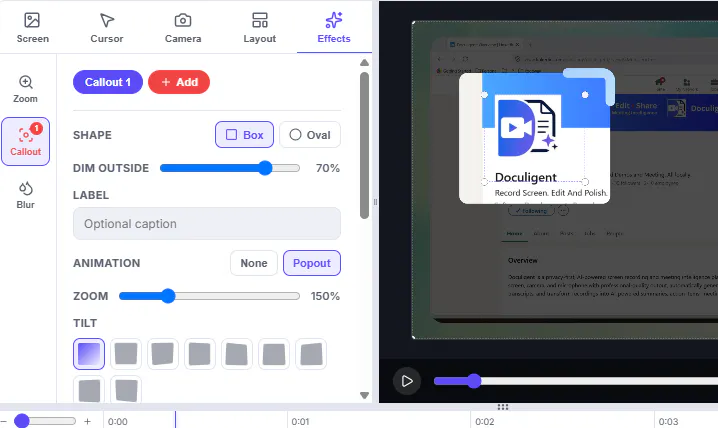
You can now highlight specific parts of your screen while editing — a button, field, feature, or anything else you want the viewer to notice.
It’s a small addition, but it makes product demos and walkthroughs feel much more natural. Instead of explaining where something is, you can simply point it out.
Would love to hear how you currently handle this in your screen recordings.
1 view
Replies
Be the first to reply
Have a question or a thought to share? Add a comment above to start the conversation.