I look at my GitHub profile and sometimes wonder if I'm doing this wrong
Here's what I currently maintain, solo:
WP Bones a Laravel-like framework for WordPress plugins. PHP, Composer, Blade templates. 169 stars, v2.0.3, active since 2018.
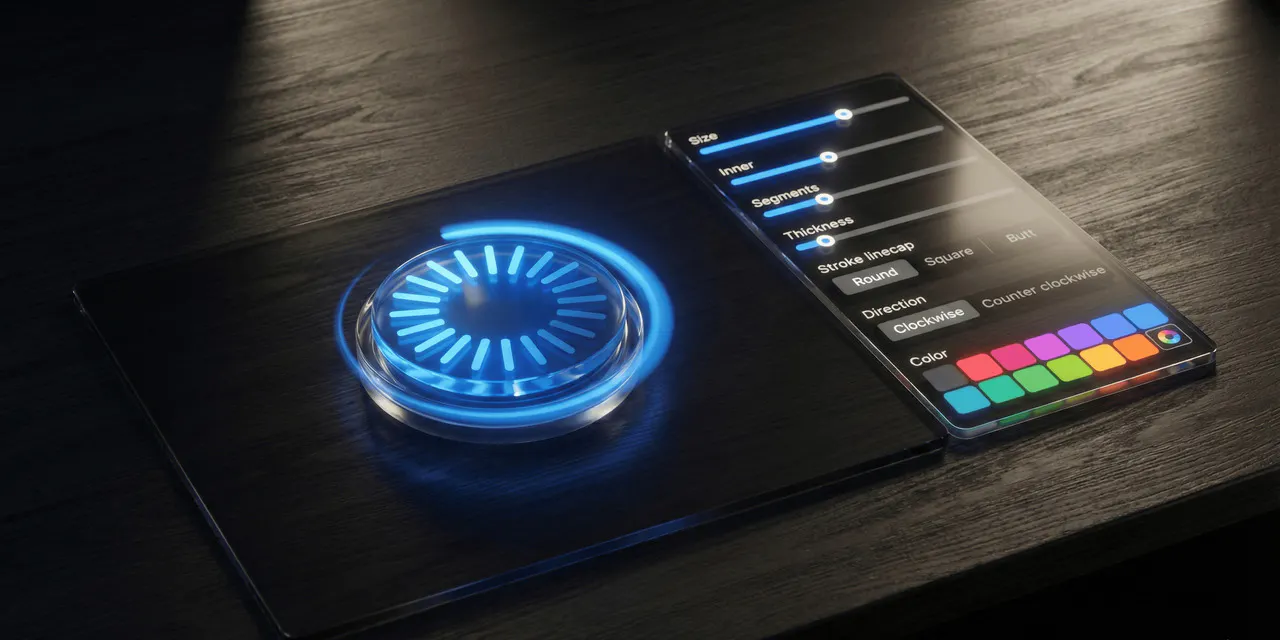
20+ Mantine UI Extensions React components for Mantine: Parallax (Apple TV card effect), Split Pane, Window (draggable/resizable), Rings Progress (Apple Watch style), QR Code, Onboarding Tour, and more. TypeScript, published on npm.
FinderGit a native macOS app that turns Finder into a Git-aware file browser. SwiftUI, no Electron, with inline diffs, Git actions, and AI commit messages. Free, in public beta.
octoscope a terminal dashboard for GitHub. Go + BubbleTea, with 7 themes (including a CRT phosphor mode), single binary via Homebrew.
Four languages. Four ecosystems. Four very different user bases. One person.
Mantine ListViewTable is a Finder-style list view for Mantine 9 with sorting, column reordering, column resizing, sticky columns, row selection, keyboard navigation, and context menus. In v4 the column reorder system is rebuilt around a single pointer-event codepath. Mouse, touch, and pen now share the same code no more HTML5 drag-and-drop on the table headers. The result is reliable column reordering on iOS Safari and Android, where the previous implementation often broke. Highlights: Touch double-tap on the resize handle now auto-fits a column to its content gesture parity with the desktop double-click. New useDoubleTap hook is exported for anyone who needs touch double-tap detection elsewhere. Drop a column before the first or after the last column and it actually commits now. The previous version silently did nothing at the table edges because elementFromPoint returns null outside the header row. Press Escape during a drag to cancel without committing the reorder. While dragging, the document body locks user-select: none and cursor: grabbing so swipe gestures on mobile no longer trigger a text selection mid-drag. React Strict Mode safe the v3 implementation accidentally applied the reorder twice when StrictMode replayed setState updaters for purity checks. Multi-table pages work correctly. The previous version queried the DOM globally to clone the source header for the ghost element, which picked up the wrong table when several ListViewTable instances on the same page shared column keys. Breaking change: useColumnReorder collapses six handlers into one handleColumnDragStart now accepts a React.PointerEvent and is wired on the drag handle's onPointerDown. The ListViewTable component API is unchanged, so most apps upgrade without code changes. There is a dedicated Upgrade guide tab in the docs with before/after snippets for direct hook consumers. Install:
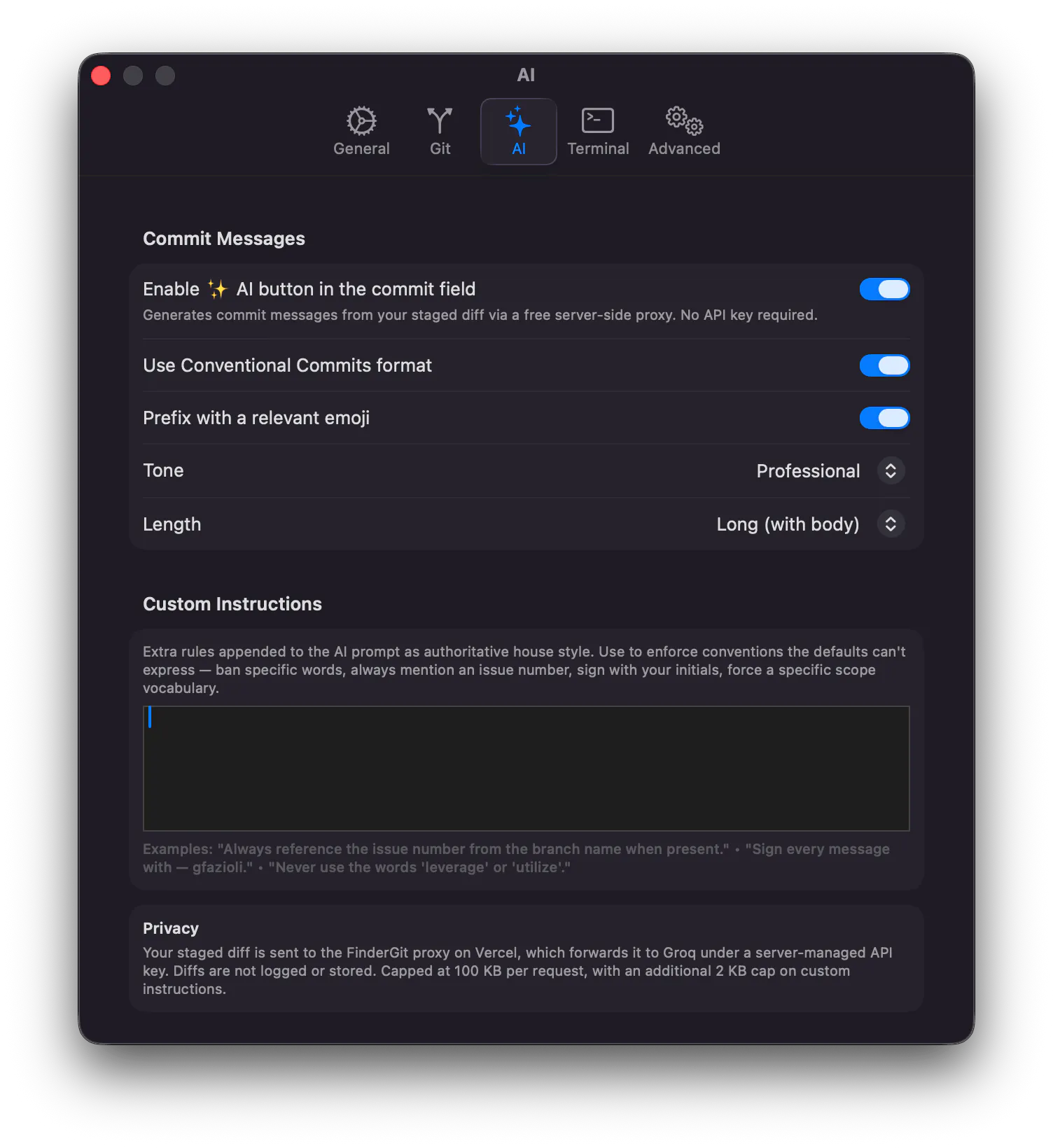
If you've ever stared at the "Commit message " field at 11 pm wondering how to summarize 14 file changes into a coherent line, this one's for you. FinderGit 0.5.0 ships with native AI commit-message generation click AI next to the commit field, get a properly-formatted message back in about a second.
Quick update on octoscope, the terminal dashboard for your GitHub account. v0.9.0 just shipped and it's the biggest visual release since launch.
What's new:
7 built-in themes octoscope (default), high-contrast, terminal (matches your iTerm / Alacritty / kitty ANSI palette), monochrome, stranger-things, phosphor (80s CRT green), amber (IBM 5151 / WordStar). Switch via --theme NAME, the theme key in config.toml, or live with / in the in-app settings panel instant, no reload.
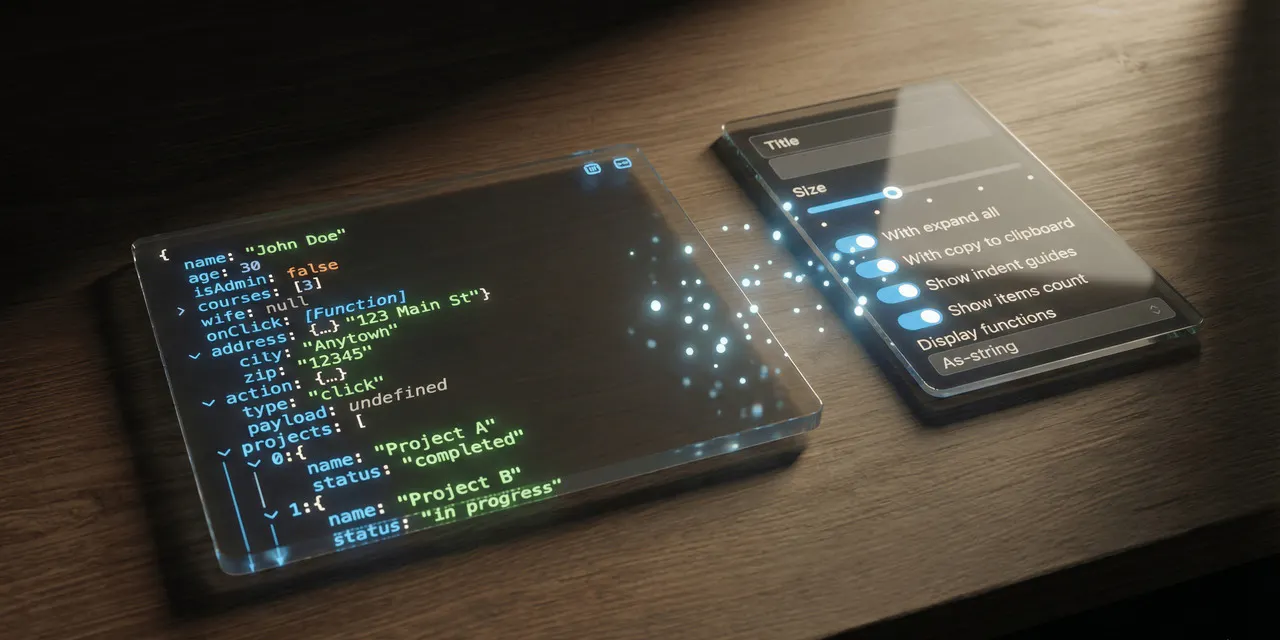
Mantine JsonTree is an interactive JSON viewer for React with syntax highlighting, collapsible nodes, search, copy-to-clipboard, and rich type support (Date, RegExp, Map, Set, BigInt, Symbol, React elements, and more).
Small but meaningful update: starting today, FinderGit is signed with Apple Developer ID and notarized by Apple.
If you tried earlier versions, you'll remember the awkward first-launch dance: right-click Open, click through the Gatekeeper warning, hope macOS lets you in. That's gone. Just download, drag, and double-click the way any Mac app should behave.
What changes for you:
- Zero-friction first launch Gatekeeper trusts the binary out of the box, even offline
FinderGit is the macOS-native file browser that knows about Git. Think Finder, but every folder shows you its branch, sync status, and pending changes without ever opening a terminal or a heavyweight Git client.
I've been shipping updates every couple of weeks, and v0.4.0 is the one where the app starts behaving like a real macOS citizen on tight screens.
I just shipped Mantine Scene v2.1 a React component library that lets you compose decorative animated backgrounds out of stackable layers: gradients, glows, mesh gradients, particles, weather effects, parallax waves, and more. Built on top of Mantine 9, runs in any React 19 app.
This release is all about richer atmospheric effects and performance under real-world conditions.
octoscope is configurable now. v0.8 lands the configuration story we've been building toward split across two patches but one product idea: octoscope should adapt to your habits, not the other way around.
- Repos tab every owned non-fork repository in one sortable, searchable list. Language, stars, forks, open issues, last push. Press s to cycle sort, / to filter by substring. Viewport scrolls so a 100-repo account stays navigable.
Hey! Just shipped FinderGit 0.3.0 The biggest focus of this release was making the app feel more like a real Finder companion less "Git-aware directory list", more "place where you actually live when working with repos".
v0.6.0 is out. octoscope, the GitHub TUI dashboard, just grew a proper navigation surface.
Tabs Overview Repos PRs Issues Activity. Jump with number keys 1 5 or cycle with tab / shift+tab. Your banner and profile stay pinned; only the body swaps.
Activity tab contribution heatmap. Your last ~52 weeks of contributions rendered on an accent-pink gradient, month labels above, and a summary line below: total, current streak, longest streak, busiest day with its date.
Crosshair glyph in the top banner ( ) small thing, echoes the logo on the landing page, reads as signature rather than decoration.
The [Overview] tab is the same five-section dashboard you know from 0.5.x, so if you just open-and-glance, nothing changes. The other three tabs ([Repos], [PRs], [Issues]) are placeholders today drill-in views ship in v0.7.0.
Octoscope is a native terminal dashboard that pulls your GitHub profile, activity, repo health, and network from the GraphQL API — and keeps everything auto-refreshed every 60 seconds. See PRs, issues, commits, languages, stars, followers, and org memberships at a glance. Works for your own account or any public profile: octoscope torvalds. Built in Go with BubbleTea. Open source, MIT-licensed. Install via Homebrew or go install.
Hey everyone! WPBones v2.0 just dropped the biggest release since the framework launched. Here s the short version:
The old build pipeline is gone. No more Gulp, no more run-s, no more per-plugin build scripts that drift over time. v2 replaces everything with a single webpack.config.js that auto-discovers your entries from resources/assets/. Drop a .tsx file, webpack picks it up. That s it.
Hey everyone! Just shipped FinderGit v0.2.0 here s what s new:
Universal binary one DMG now runs on both Apple Silicon and Intel Macs. Intel support is experimental in this first release, so if you hit anything weird please let me know.
Ahead/behind counter the status badge now shows N, N, or N M when your branch has unpushed commits, commits to pull, or both. Hover for a plain-English tooltip like 3 commits behind upstream pull to sync.
Auto-fetch on interval optional background git fetch on all your watched repos at a schedule you choose. Settings Git Fetch interval. Off by default.
FinderGit brings Git intelligence to your file browser. No terminal-hopping, no heavy GUIs — just one window showing every repo's branch, status, and changes in real time.
• Live status: branch, clean/dirty/unpushed — updated instantly
• Inline diffs with line numbers for any modified file
• Git actions: stage, commit, push, pull, fetch, switch branch
• Search, filter, and "Git Only" toggle
• Markdown preview with GitHub-style rendering
100% native SwiftUI. No Electron. Free. macOS 15+.
A shared library for Commodore Amiga written in Motorola 68020 assembly. 50+ functions across 7 modules: memory management, file I/O, graphics/bitplane ops, string processing, IFF/AIFF parsing, math conversions, Intuition/GadTools UI, and a custom windowing system (REI). Compatible with KickStart 3.0+. Full C interface with SAS/C pragmas included. Public Domain — use it however you want. Built by someone who still writes assembly in 2026.
Stop wasting time on WordPress housekeeping. Scotty gives you a single dashboard to clean trash and orphaned data, find duplicate entries across meta tables, optimize your database, and manage cron jobs visually. It also unlocks 22+ hidden WordPress settings covering security hardening, performance tuning, and media control — things normally buried in code. Free, open-source, and built with a modern React UI. Works with WordPress 6.2–6.9 and PHP 8.1+. Download it from WordPress.org.


 octoscope