

Willow is an AI-powered voice dictation tool that lets you write anywhere on your computer using your voice. Speak naturally, and Willow automatically formats your text, corrects mistakes, and removes filler words. Thousands of people use Willow every day to replace up to 90% of their typing for emails, Slack messages, brainstorming, prompting AI tools, and more.
This is the 2nd launch from Willow Voice. View more
Willow on IOS
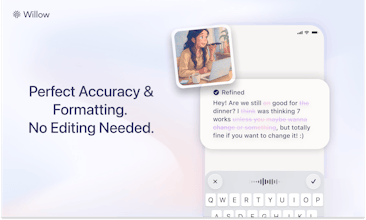
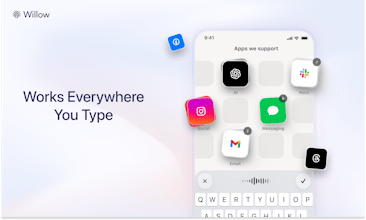
Willow for iOS is a full custom keyboard that lets you dictate anywhere on your iPhone. Instant speech-to-text with auto-format, full letter keyboard access, auto-correct, custom dictionary, AI rewrite, and context-aware style-matching. Willow is 3× more accurate and faster than Apple's built-in dictation.
Willow is now cross-platform between Mac and iOS. You can redeem our limited-time Product Hunt discount code in the Mac app and use the same account on iOS.



Free Options
Launch Team

Hello Allan,
It appears that I have to keep my finger on the function button while talking to you. That's an interesting thing I suppose. That will help with the ADD and not losing focus. There's one less hand to start painting walls or I don't know, crocheting a scarf.
Anyway, I sent you an email yesterday, probably wordy and probably horribly dictated because I wasn't using Willow at the time...No, kind of couldn't it just not be playing ball and there wasn't any help site for iOS . As you can tell, I've got it working. There were interesting things that weren't logical to me to get it that way, but we got there. Yes, it's so much more accurate at dictation, even with my British voice, and I haven't noticed a British setting yet for pronouncing words like "tomato" or "tomato." I know that won't work what I just said anyway (Just imagine courgette versus zucchini here and you'll kind of get the idea).
Clearly you're growing like topsy. Good luck! I love the concept, and my friends will probably love you even more due to my appalling typing or dictation.
EG I told a team of electricians working on my smart home that" we can look forward to anal on Tuesday". As a member of the Gay Society, or whatever the current PC term is (practicing homosexual is just a ridiculous term), I've already had to be gently cautious with the tradesmen, or tradies as we say in Australia, who, somehow when they're in your house, you can tell there's a frisson of nervousness. But sending them that email has just jumped them well beyond frisson. ............. It's a shame, as it would have been excitement from telling them as I've talked the local AC system expert *Anil* into joining us on site.
Ooh, I already like holding the function key down. It focuses me on getting the talking bit done and you don't accidentally get distracted, start making a cup of tea and discover you've accidentally karaoke'd the entire lyrics to something You wouldn't want people knowing it's on your song list.
I've yet to discover the hey Willow function, which sounds a lot of fun. But I should pace myself. On iOS, I've got it going but it kept jumping out after a couple of seconds when it looked like it was in the 'I'm listening' mode and going back to your Willow app. I assumed that was because I'd run out of free time, but looking at my profile now, I haven't, so there are a couple of bugs in there still.But hey, you've got to subscribe early out of it.
I'll shut up now. Julian.
I've been using Willow on my Mac for a few weeks and it has been game changing for me. I've saved so much time (400 minutes according to the dashboard) that I cannot go back to typing myself now. The UX is simply incredible. I'm a huge fan of only pressing fn; the text comes almost instantly and the experience is just seamless. I hope you'll succeed in bringing this seamless experience to the iPhone as well. Good luck, and congrats on the launch!
Integral
Been using and paying for @Willow Voice for months now thru a referral from a friend. I can't live without it at this point I use it super heavily for prompting claude code first and foremost, but generally for self reflection too sometimes (talk for 3-4 minutes in apple notes thru willow and let it take note, if im having a bad day or something). great product, highly recommend it
I first discovered Willow Voice for iOS about a week after the initial launch, and have been having a great time with it over the last few days. This is very quickly edging out a competitor's product that I've used for about six months. The iOS version works flawlessly with Microsoft OneNote on my iPhone, where a competitor's product has an annoying compatibility problem. Excellent product for my needs!
I would love to download and start trying it, but getting the major run around trying to get it working. I downloaded it, then I get stuck in a loop of how to create an account.
can I use this on my iphone, laptop and desktop with 1 account or do I need to pay for 3 subscriptions... If so, i'm out.