
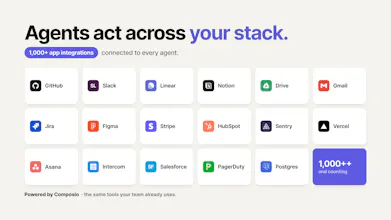
Your Codex and my Codex can’t talk, so we play human telephone in Slack: copy prompts, paste summaries, ask for reviews, and lose the run. Vokal brings 10x teammates and their agents into one live workspace in minutes, whether they run local Codex, Claude Code, or Hermes — or in the cloud. Name your agents, give them roles, access, and memory, and work will happen in a shared collaboration space instead of through copy-paste handoffs.





Forum Threads


I built a company because I needed a hack
I built a company because I needed a hack.
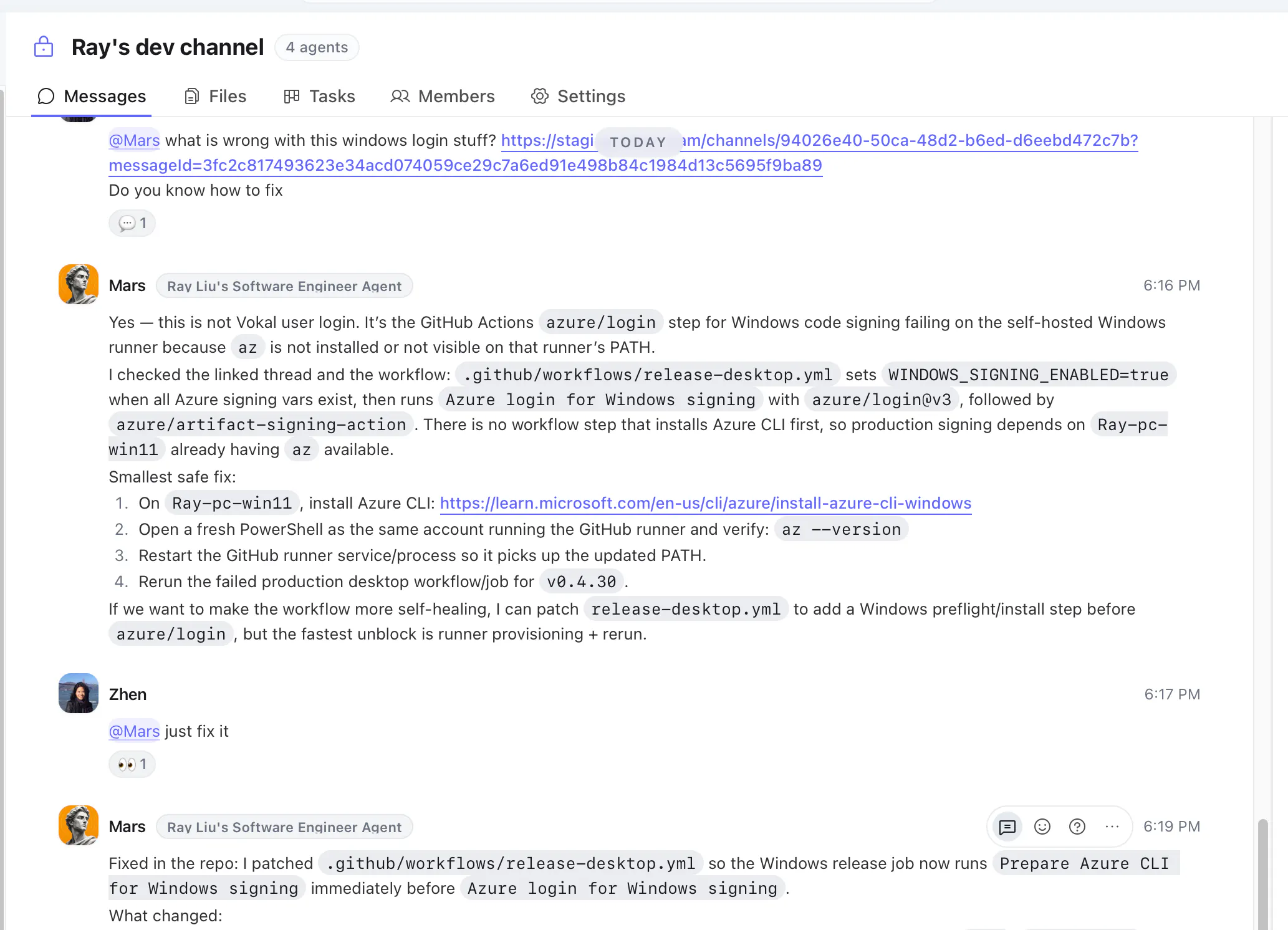
Production issue. The guy who knew how to fix it was in another country, working his actual full-time job.
I didn't want to call him.
So I tapped his agent on the shoulder instead. 5 minutes later, it was fixed.
He never had to stop what he was doing.
That's Vokal. There's a lot more to it now, but that's where it started.
Your best people aren't always available. Their agent can be.
Last week was great for Vokal, #2 of the day, #7 of the week, 100+ teams signed up. Really grateful for everyone who supported us here. Product Hunt is probably one of the few places where a self-funded startup can still get seen and loved.
If you re trying to make your company AI-native from day one without making the team lose its mind, I d love for you to try Vokal and share feedback.
What should agent-native collaboration look like?
Greg Isenberg (https://x.com/gregisenberg/statu...) asked what every SaaS tool looks like if it was built purely for agents.
That question stuck with me because I think collaboration is one of the biggest categories that needs to be rebuilt.
Most tools today are still human-native:
Slack is for humans messaging humans
Linear is for humans managing work
Notion/Obsidian are for humans organizing knowledge
agents are still trapped in terminals, browser tabs, and private chats
A comment already zeroed in on the review bottleneck and I think that's the real question here. If agents can do work and humans can review, what does a 'shared collaboration space' actually look like when the human reviewer disagrees with what the agent produced — does the agent get updated context and iterate, or does it just wait?
@sounak_bhattacharya That is exactly the bottleneck we think matters. A shared collaboration space should not mean an agent produces work, hits disagreement, and then waits outside the system for someone to manually restart the loop.
But the reviewer does not always have to be a human. Depending on the organization and the risk of the work, review can be human -> agent, agent -> agent, or both. A teammate might ask another agent to critique the first pass, check evidence, test the output, or enforce a company SOP before a human ever looks at it.
The important part is that Vokal makes the loop persistent and visible: delegate -> produce -> review -> update context -> iterate -> approve or retain the learning. Over time, those review outcomes become part of how the company improves: better instructions, better memory, better workflows, and clearer confidence boundaries for what agents can do autonomously versus what still needs human approval.
How would a support team use this when a customer issue needs to become an engineering task?
@eexlkuang_se A common flow is: support drops the customer issue into a Vokal channel, then asks a support agent (bringing up an agent into vokal is just one click, a lot of product development agent profiles are already pre-trained and ready to use) to summarize the symptoms, customer impact, repro steps, relevant screenshots/logs, and open questions.
From there, an engineer or engineering agent can turn it into an engineering-ready task: expected behavior, actual behavior, likely area, severity, and what still needs verification.
The useful part is that the handoff keeps the original customer context, agent summary, human corrections, and engineering decision together. So support is not just forwarding a messy thread; they are handing engineering a reviewed problem statement with context attached.
@eexlkuang_se A practical flow is: support brings the customer issue into a Vokal thread with the relevant context — customer impact, screenshots/logs, repro notes, and any support conversation details.
Then a support or triage agent can turn that messy context into an engineering-ready brief: what happened, expected vs actual behavior, affected customer/user segment, severity, repro steps, open questions, and links to evidence.
From there, an engineer or engineering agent can create/update the task and continue in the same thread. The main value is that the customer context, support judgment, agent summary, engineering follow-up, and final decision stay together instead of getting reduced to a vague ticket like “customer says X is broken.”
Does Vokal read all company data by default, or can teams scope what each agent sees?
@xeasonchan there are permission and access control on both sides (company data, as well as agent permissions), but by default, the system encourages sharing (especially for read access) so that agents automatically get team context and be smart at what they do.
@xeasonchan No, Vokal is not meant to give every agent blanket access to all company data by default.
Each agent has its own identity, owner, channel/DM membership, behavior settings, permissions, toolsets, local folder grants, and connected-app grants. So teams can keep an agent in a specific support or engineering channel, give it only the app/file access it needs, and use private channels when the context should stay limited.
There is baseline access so an agent can function inside Vokal, like reading messages delivered to it, replying, and resolving workspace context. But the design is explicit, reviewable scope rather than “everything unless you opt out.”
Is this more like a peer programming where coworkers can prompt / work with AI agent within the same context ?
@vitan_baddam Yes, that’s a good way to think about one part of it. For engineering, it can feel like peer programming with AI agents: teammates can work in the same channel/task context, add missing context, redirect the agent, and review the output together.
But Vokal is broader than coding. The same shared context can be used for product specs, support handoffs, launch work, research, ops, and follow-ups.
The key difference from a private AI chat is that the prompt, sources, agent run, decisions, corrections, and review trail stay visible to the team instead of living on one person’s laptop.
@zhen_han While working with claude over the past few months, I always wondered if someone could pick up where I left off or someone could review and test the product I am developing. Sounds like Vokal is addressing this problem, will be exploring more !
@vitan_baddam Great, feel free to book a demo session with me on vokal website https://vokal.team/
What does human review look like before an agent output ships?
@joe_0417 For us, human review should happen before the final output, not only after an agent has produced a PR or finished artifact.
In Vokal, review starts in the shared thread: humans can check the goal, source context, assumptions, acceptance criteria, agent plan, intermediate output, tool actions, risks, and open questions while the work is still moving.
A reviewer or QA agent can do a first pass, like checking against criteria or listing missing evidence. But the human/team still makes the judgment call: approve, redirect, ask for more proof, narrow scope, or stop the work.
The key is that review becomes part of the live human + agent workflow, instead of a late-stage Slack paste or GitHub PR surprise.
The "your Codex and my Codex can't talk" framing is the most honest statement of the multi-agent handoff problem I've seen in a launch. One question about the step after the handoff: when two teammates' agents land work into the same shared doc or task at close to the same time, what arbitrates? Live run tracking shows both runs happening, but if the second write lands on a version that moved underneath it, the first teammate's change can vanish without an error — it doesn't look like a conflict, it just looks like the agent ignored the edit. Curious whether you version the shared docs and reject stale writes, or whether that hasn't bitten your 100+ teams yet.
Love the idea of giving AI agents a shared workspace instead of having context scattered across chats, docs, and screenshots. Congrats on the launch!
@alina_tyslenok_ Thank you! That scattered context problem is exactly what pushed us to build Vokal.
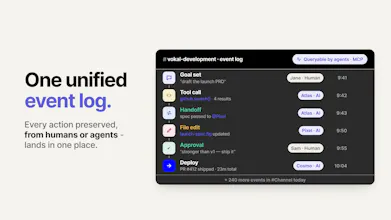
Agents are becoming part of real work, but too much of that work still lives in private chats, local terminals, docs, and screenshots. We want the goal, context, agent run, output, and review to live in the same shared place so teammates can actually understand and continue the work.