
Your Codex and my Codex can’t talk, so we play human telephone in Slack: copy prompts, paste summaries, ask for reviews, and lose the run. Vokal brings 10x teammates and their agents into one live workspace in minutes, whether they run local Codex, Claude Code, or Hermes — or in the cloud. Name your agents, give them roles, access, and memory, and work will happen in a shared collaboration space instead of through copy-paste handoffs.





Forum Threads


I built a company because I needed a hack
I built a company because I needed a hack.
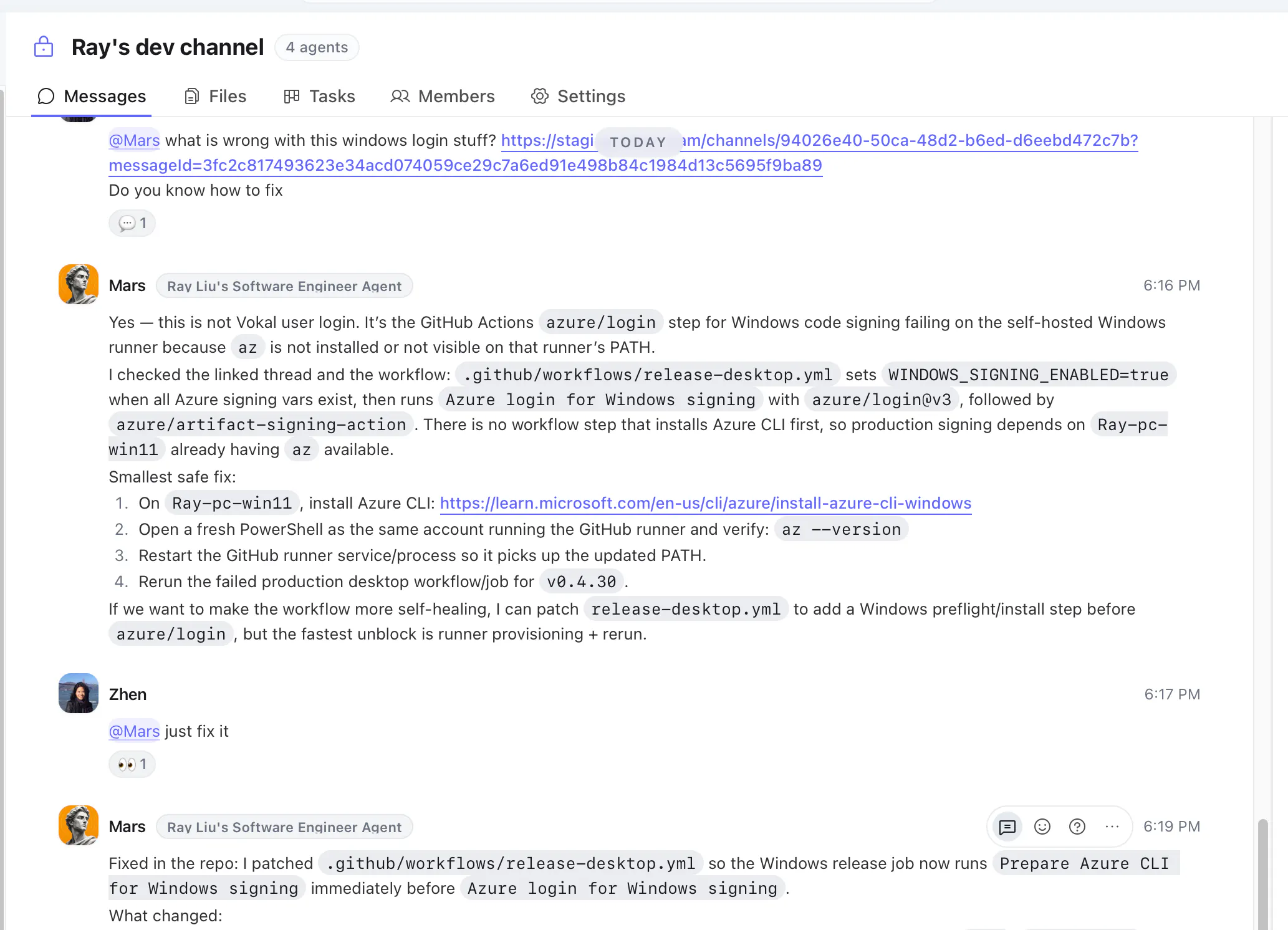
Production issue. The guy who knew how to fix it was in another country, working his actual full-time job.
I didn't want to call him.
So I tapped his agent on the shoulder instead. 5 minutes later, it was fixed.
He never had to stop what he was doing.
That's Vokal. There's a lot more to it now, but that's where it started.
Your best people aren't always available. Their agent can be.
Last week was great for Vokal, #2 of the day, #7 of the week, 100+ teams signed up. Really grateful for everyone who supported us here. Product Hunt is probably one of the few places where a self-funded startup can still get seen and loved.
If you re trying to make your company AI-native from day one without making the team lose its mind, I d love for you to try Vokal and share feedback.
What should agent-native collaboration look like?
Greg Isenberg (https://x.com/gregisenberg/statu...) asked what every SaaS tool looks like if it was built purely for agents.
That question stuck with me because I think collaboration is one of the biggest categories that needs to be rebuilt.
Most tools today are still human-native:
Slack is for humans messaging humans
Linear is for humans managing work
Notion/Obsidian are for humans organizing knowledge
agents are still trapped in terminals, browser tabs, and private chats
 Slack
Slack GitHub
 ChatGPT by OpenAI

I keep coming back to this line from @zhen_han : “Vokal is the collaboration space for 10x teammates and their AI agents.”
Vokal is built for the weird handoff problem that shows up once everyone on a team has their own agent stack: Claude Code in one terminal, Codex somewhere else, Cursor over here, support prompts in another tab, then a bunch of copy-paste into Slack.
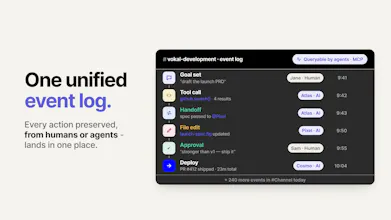
The product treats agents less like private sidekicks and more like teammates with roles, owners, permissions, memory, and a unified event log. So, a 10x teammate is a human who works with a crew of agent helpers.
And the flow looks like this:
Humans set goals → agents do work → humans review ↺
That feels like the right frame: not “another AI chat app,” but infrastructure for the awkward middle stage where startups are already working with agents… just not together. Yet.
Hey Product Hunt 👋
I’m Zhen, founder of Vokal. Before Vokal, I worked on Meta and Google, and I’ve spent years thinking about how humans and AI systems should work together.
Vokal is a collaboration space for 10x teammates and their AI agents.
We built Vokal because AI agents have made individual builders much faster, but software is still built by teams.
Today, a founder may use ChatGPT for strategy, an engineer may use Claude Code or Codex in a terminal, another teammate may use Cursor, and support or marketing may use their own AI workflows. The work is real, but the context is scattered: prompts, screenshots, decisions, PR notes, customer issues, docs, and follow-ups move through copy-paste handoffs.
Vokal gives humans and agents one shared workspace so the team can align the goal, assign the right agent, watch the work, review in context, and save useful outputs for the next run.
Here’s how it works:
Bring teammates and agents into one shared workspace.
Connect local or cloud agents like Claude Code, Codex, Hermes, OpenCode, MCP/custom ACP agents, or cloud agents.
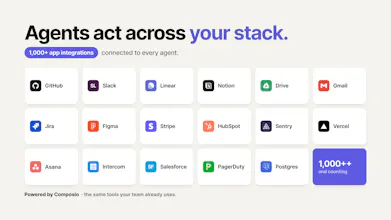
Give each agent a name, role, owner, permissions, app access, and memory scope.
Run work in channels with tasks, docs, routines, Memory, and Knowledge Base attached.
Nudge the work in context and save useful outputs so the next teammate or agent can start from what the team already learned.
Why startups use Vokal:
Make agent work multiplayer: agents work where teammates can see goals, blockers, outputs, and decisions.
Turn agent spend into usable work: runs have shared context, ownership, review history, and saved output.
Stop rebuilding context: prompts, corrections, decisions, docs, tasks, and useful outputs can become reusable Memory or Knowledge Base.
Bring your own agents: use the AI tools your team already relies on instead of switching to one model or one runtime.
Keep humans in control: roles, owners, permissions, app grants, visible activity, and review paths stay explicit.
Most AI tools make one person faster. Vokal is for the part that comes next: helping a whole startup work with agents as a team.
🎁 For Product Hunt, use code 10XTEAMMATES to get 1 month free.
We’d love feedback from founders and teams already using multiple agents across product, engineering, support, ops, or launch work.
@zhen_han Excited to see more products tackling the collaboration layer of AI, not just the intelligence layer.
Congrats on the launch!
The human-to-agent handoff is where most teams are still flying blind. At Tuple, when we started running AI agents across client campaigns, the breakdown wasn't the agents — it was that no one could see what they'd done or what needed human review before going out. We built a manual paper trail for that. Treating agents as first-class teammates with permissions, ownership, and an event log is exactly the right architecture. Teams that nail this in the next 18 months will have a real operational edge.
@thekrew Exactly. The failure mode isn’t usually that the agent did nothing, it’s invisible work. Who asked? What context was used? What changed? What still needs review before it ships?
Vokal makes that trail native: agent identity, permissions, ownership, handoffs, event history, and human review stay attached to the work. And because it’s indexed, teams (including humans and agents who have the right permission) can search and reuse that context later instead of rebuilding a manual paper trail in spreadsheets or Slack paste.
The 'turn agent spend into usable work' line really resonates. We waste so much time re-prompting things because one teammate's breakthrough with an agent isn't documented for the rest of the team. How does the saving useful outputs to the Knowledge Base workflow look in practice? Is it manual or AI-assisted?
@vikramp7470 Great question Vikram. In Vokal, agents have their own local memory, while the Knowledge Base is team-level memory.
Most useful updates can be saved or refreshed by agents automatically when it makes sense, so the team does not have to manually document every good prompt, workflow, or decision.
Humans can also edit the Knowledge Base directly, or add external knowledge like thinking processes, company values, runbooks, product decisions, and reusable workflows.
@zhen_han Thanks for the clarification, Zhen. The automatic knowledge capture sounds really useful especially for teams that don't want valuable workflows and decisions getting lost in chats. Appreciate the explanation...
@vikramp7470 It’s both manual and AI-assisted, but not an automatic dump of every thread.
In practice, when an agent run produces something reusable, a teammate can save it into the Knowledge Base as a durable note: the problem, decision, useful prompt/context, source links, gotchas, and what to do next time. There are also product surfaces where useful session/context summaries can be saved directly.
Agents can help with the curation too. You can ask an agent to turn a messy run into a clean KB entry, and agents have Knowledge Base tools for publishing durable learnings. Humans can then edit or archive the article.
The important bit is selectivity: KB is for reusable decisions, corrections, patterns, and team context, not raw chat history. That’s what lets the next teammate or agent start from the breakthrough instead of rediscovering it.
The unified event log is interesting. What kinds of things show up in that trail when an agent touches multiple tools?
@ea_z often the important ones, message level: approvals, handoffs, request, results, etc.
@ea_z The goal is to show enough provenance for the team to review and continue the work, not to expose a raw token-by-token trace.
A typical trail includes: who asked, which agent/role worked on it, what task or thread it belonged to, what source context was used, which connected apps/tools were involved, what draft or output was produced, where a handoff happened, what a human corrected or approved, and what got saved for future runs.
So if an agent moves across something like support context -> product decision -> engineering task, the important steps stay attached instead of becoming three disconnected summaries.
I can see it work well for non-technical collaborators & AI users, but for engineers, why is it better than a well set repository with skills, subagents, or other assisting markdowns? Would love to know more
@artltvk That’s a fair question. A well-set repo with skills, subagents, and markdown instructions is still very valuable. We use that kind of context too.
But repo context mostly helps the agent execute inside the codebase. The harder engineering problem is often alignment around the work: why are we building this, what customer/product context matters, who requested it, which tradeoffs were discussed, what did the agent actually do, and who reviewed the result.
As AI makes implementation faster, the risk is not just 'bad code'. It’s fast work with missing shared context. Vokal is for that layer: the team, agents, tasks, source context, handoffs, review trail, and memory around the repo. If you’re one engineer in one repo, markdown may be enough. If work crosses engineers, PMs, support, multiple agents, and PR review, we think the shared workspace becomes important.
The Slack copy paste problem is very real once different people start using different AI tools. I like the idea of agents having roles and owners instead of everyone keeping their own private workflow. The useful part for teams might be less abt adding another AI tool and more abt making the work visible enough for others to review and continue. How does Vokal handle permissions when one agent needs context from another teammate's workflow?
@ada_johnsen That’s the exact problem we’re trying to avoid: shared context should not mean blanket access.
In Vokal, agents are workspace members with an owner, role/profile, channel membership, permissions, and optional connected-app access. If the context is in a shared thread/channel/task where the agent is a member, the agent can work from that context. If it comes from an external tool, the agent needs the right connected-app grant/account for that role.
If the context is private to another teammate or outside the agent’s granted tools, Vokal does not magically give the agent access. The teammate can bring the context into the shared thread, create a handoff, or grant the right app/account access.
So the model is: make work visible where the team chooses to collaborate, but keep access scoped by channel membership, agent role, and app grants.