
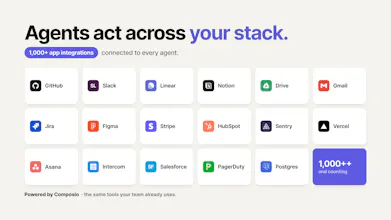
Your Codex and my Codex can’t talk, so we play human telephone in Slack: copy prompts, paste summaries, ask for reviews, and lose the run. Vokal brings 10x teammates and their agents into one live workspace in minutes, whether they run local Codex, Claude Code, or Hermes — or in the cloud. Name your agents, give them roles, access, and memory, and work will happen in a shared collaboration space instead of through copy-paste handoffs.





Forum Threads


I built a company because I needed a hack
I built a company because I needed a hack.
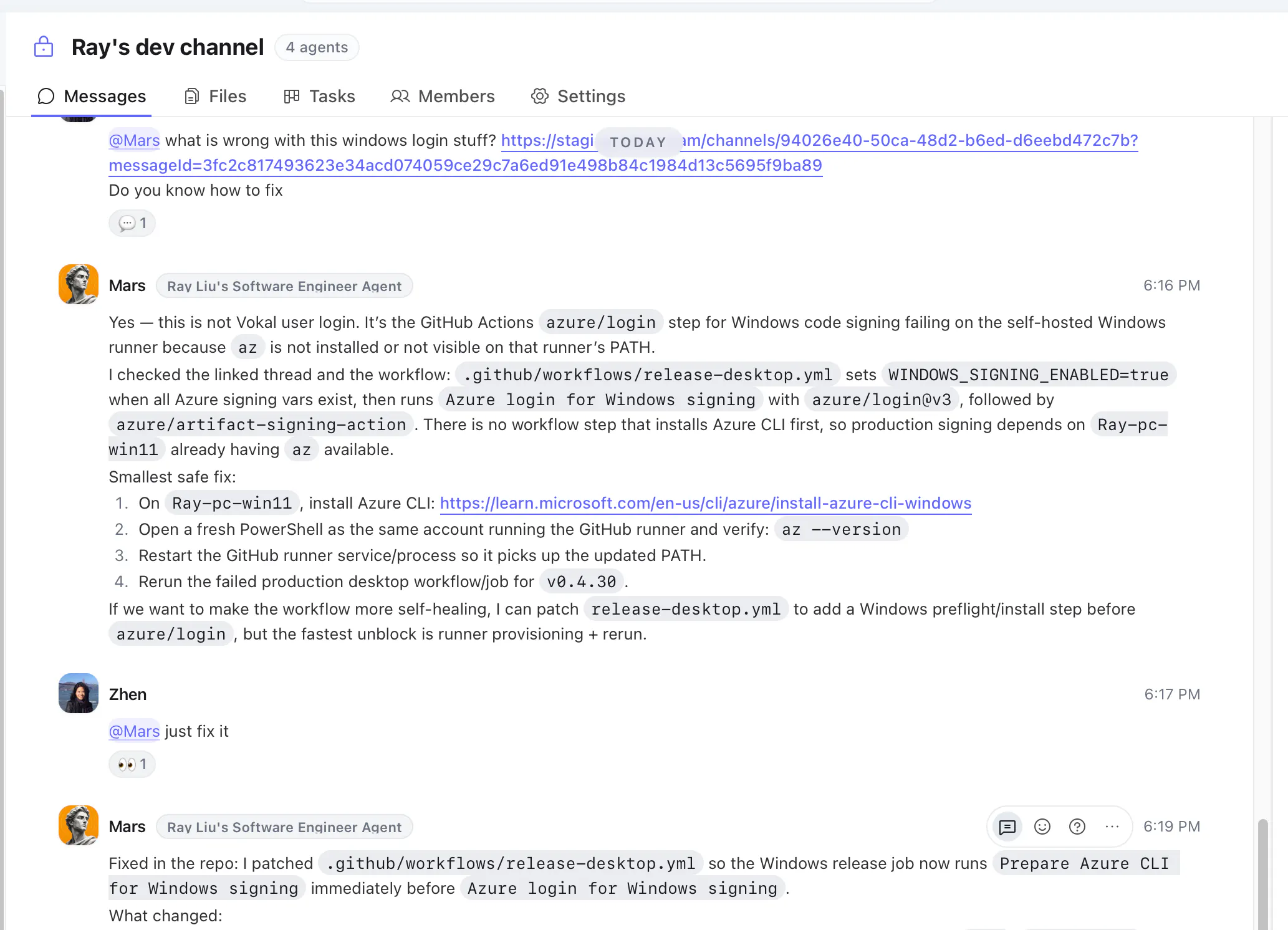
Production issue. The guy who knew how to fix it was in another country, working his actual full-time job.
I didn't want to call him.
So I tapped his agent on the shoulder instead. 5 minutes later, it was fixed.
He never had to stop what he was doing.
That's Vokal. There's a lot more to it now, but that's where it started.
Your best people aren't always available. Their agent can be.
Last week was great for Vokal, #2 of the day, #7 of the week, 100+ teams signed up. Really grateful for everyone who supported us here. Product Hunt is probably one of the few places where a self-funded startup can still get seen and loved.
If you re trying to make your company AI-native from day one without making the team lose its mind, I d love for you to try Vokal and share feedback.
What should agent-native collaboration look like?
Greg Isenberg (https://x.com/gregisenberg/statu...) asked what every SaaS tool looks like if it was built purely for agents.
That question stuck with me because I think collaboration is one of the biggest categories that needs to be rebuilt.
Most tools today are still human-native:
Slack is for humans messaging humans
Linear is for humans managing work
Notion/Obsidian are for humans organizing knowledge
agents are still trapped in terminals, browser tabs, and private chats
the review step in that flow is where most teams actually break down. everyone can set goals and agents can do work, but 'humans review' requires a skillset most teams havent developed yet — knowing what to check, how deeply to verify, and when to trust vs question the output. curious how Vokal handles that evaluation layer.
@ozandag Great point. We don’t think the answer is "one human reviewer checks the agent at the end."
Software development is a team sport. Product, design, support, engineering, QA, and domain experts all carry different parts of the evaluation layer.
AI has made the code-writing part much faster, which means waiting until a GitHub PR is often too late. The important review needs to move left: before and during the agent run.
In Vokal, the brief, assumptions, sources, acceptance criteria, agent plan, outputs, test results, risks, and human corrections can stay in the same shared thread. A reviewer or QA agent can help do first-pass checks, but the real value is that the right humans can question scope, evidence, tradeoffs, and readiness while the work is still forming.
So evaluation is not a final gate. It becomes a shared human + agent workflow around the work itself.
The handoff between agent stacks is a real pain. How does Vokal decide which agent owns context when two are working on overlaping tasks? Is there a permission layer per repo, or just per workspace?
@christian_knaut We don’t think one agent should privately ‘own’ the context. In Vokal, the shared thread/channel is the live workroom. If two agents are touching overlapping parts of a problem, humans and agents can see the same evolving context, assumptions, outputs, and handoffs while the work is happening.
That means overlap is handled by coordination, not hidden arbitration: one agent can investigate, another can implement, a human can redirect, and a reviewer agent or teammate can reconcile conflicts before they turn into a bad PR.
Permissions are layered separately: workspace/org boundary, channel membership, agent tool permissions, connected-app grants, and local folder access for local agents. So access is scoped, but the collaboration model is real-time shared work, not isolated private agent runs pasted back into Slack
The 'agents as teammates with roles and memory' framing is sharp. Most tools treat agents as personal sidekicks, but the real friction is when multiple people on a team each have their own stack and context gets lost in Slack paste. Curious how you handle permission boundaries — can an agent access shared memory across different user accounts, or is memory scoped per owner?
@xiaosong001 Great question. We separate 'agent memory' from 'shared company knowledge.'
An individual agent’s Memory is tied to that agent/runtime, especially for local agents running on someone’s Mac. We don’t treat every user’s private agent memory as a shared pool that any other agent can read by default.
For team-level context, Vokal uses shared workspace context: channels, threads, handoffs, files, decisions, and the organization Knowledge Base. That is where reusable team knowledge should live when multiple people or agents need to build on it.
Access is still scoped. The organization is the top-level boundary, but agents also have channel/DM membership, behavior settings, tool permissions, connected-app grants, and local file/folder access controls.
So the idea is: private/local memory stays attached to the agent, while durable shared learnings can be intentionally promoted into team context where the right people and agents can use them.
How does Memory / Knowledge Base work in practice? Is it more like saved prompts, team decisions, or both?
@shijun_liu So agents have local memories, Knowledge Base is team level. Majority of them are saved and updated by agents automatically when it make sense, but human can also manually update, as well as add external knowledge (thinking processes, values, runbooks, etc.) to the workplace.
The emphasis on visible work is important. If agents are doing meaningful tasks, teammates need goals, blockers, outputs, and review history.
@hanzhizhang0405 Exactly. Once agents move from 'personal assistant' to doing real team work, visibility becomes part of the workflow, not a nice-to-have.
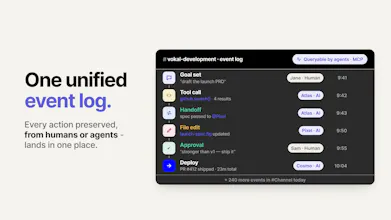
For each meaningful agent run, the team should be able to answer: what was the goal, what context was used, what changed, where is it blocked, who reviewed it, and what should be remembered for next time.
That is the layer we’re building Vokal around.
the copy-paste handoff between slack and whatever agent you're running is so real. half my team's context gets lost in that gap. one workspace where the agents and humans are in the same thread makes way more sense than the screenshot-in-slack workflow we're doing now
@tina_chhabra Exactly. The screenshot-in-Slack workflow loses the important parts: the prompt, source context, intermediate reasoning, tool actions, corrections, and why the final output changed.
Our goal with Vokal is to make the agent run itself part of the team thread, not something that happens elsewhere and gets summarized afterward.
So humans can ask, agents can work, teammates can add context, and the handoff/review stays in one place.
Congrats on the launch! I’ve seen a few projects like these, and my experience tells me that indeed, keeping team in sync becomes a bottleneck in this fast AI dev tooling world.
How does your tool approach integration with team’s agents, for instance Claude/Code? Does it replace the «brain» of that tools with its own, or integrates it via MCP/other means, or both?
@nikitaeverywhere Great question! you own agent memory stays where it is. Vokal just provides ACP+MCP to integrate your local agents with the team.