
Valossa Assistant
AI Video Assistant — Like ChatGPT, But Built for Video Work
13 followers
AI Video Assistant — Like ChatGPT, But Built for Video Work
13 followers
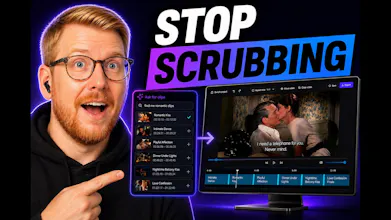
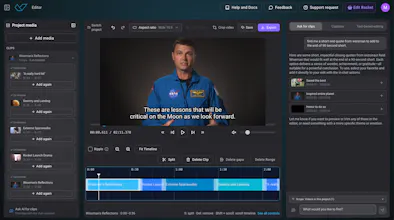
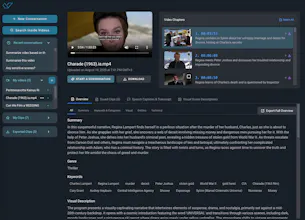
Upload any video. The AI watches it — not just the speech transcript — across 7 modalities: speech, visuals, audio, faces, moods, on-screen text, structure. Ask anything: find clips, get insights, get summaries, check content safety. Like ChatGPT, but it actually sees and hears your video. When you're ready to edit: collect clips in an Edit Basket, open a built-in timeline, ask for more clips inside your project, cut by words, remove silence, crop per clip, add subtitles. Ask first, edit second.






I tried with a short video clip captured by my own dashcam. It shows a situation where another car is running a red light and another, having a green light, is about to cut in front of it. The red light violator does an emergency braking. The viewpoint of the video is from behind the car running the red light, clearly showing the lane he is driving and his red light.
I asked what traffic safety dangers are seen and how they could have been avoided. It doesn't really catch the point that there is a car running a red light.
@timo_karjalainen Thanks for the detailed test. You’re right, if the video clearly shows a car running a red light and the Assistant didn’t catch that, it missed a key point. Valossa Assistant is a general-purpose video understanding tool rather than a dedicated dashcam analysis product, but examples like this are still very helpful for improving its reasoning. We’d be happy to review the clip or interaction if you’re open to sharing it.
@henri_huttunen Sharing is okay for me, should I pass you some code you can use to find the interaction and how should I send it to you?
@timo_karjalainen Thanks! There's no need to send anything. We found your case from the system and will take a look.
I have to upload the video from a local file, I can't give it a link to e.g. Youtube and ask something about the video there?
@timo_karjalainen We are currently adding upload supports from online services, such as Google Drive, which is coming soon. So you want to upload a video directly from your youtube account, right?
Meanwhile, you can paste direct video URLs (MP4 and other video files hosted online) — the upload dialog supports both file upload and URL input. If you have the original file of any video, just upload it directly and you're good to go. Works with most known video formats.
@mika_rautiainen Actually I was thinking of asking questions about any public Youtube video. One way to achieve this is of course to use a youtube-downloader tool to grab the video manually first.
@timo_karjalainen Valossa Assistant doesn't work with YT streaming URLs... So user's own video uploads only.
Great AI helper with my video material. I do commercial work as well as my own projects - and I have found out that Valossa AI can really speed things up.
Love it!
-Anton
@anton_kostrov We are glad to hear you have found our video analysis AI useful! What do you think is the best benefit AI automation can bring into working with videos?
@anton_kostrov what do you think is the best capability of Valossa Assistant, where it shines? And where would you like to see improvement?