TuneMyMusic

Transfer playlists between music services.

4.7
12 reviews

31 followers

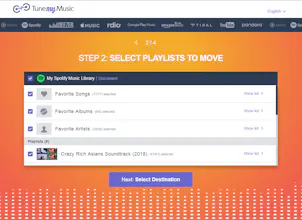
Transfer your playlists and your music library from any music platform to any other music platform. TuneMyMusic supports many music services including: Spotify, Apple Music, YouTube, Deezer, Tidal, Itunes, Nanpster, Google Play Music, Amazon Music and more.
TuneMyMusic gallery image
Launch tags:Web AppMusicSpotify
Launch Team
Intercom
Intercom
Startups get 90% off Intercom + 1 year of Fin AI Agent free
Promoted

What do you think? …

Yuval Zi
Hey Product Hunters! 👋🏻 I’m Yuval, one of the createros of TuneMyMusic. Thanks @yash for hunting us! TuneMyMusic is the best solution to Transfer your playlist and your music library from any music platform to any other music platform. TuneMyMusic supports many music services including: Spotify, Apple Music, YouTube, Deezer, Tidal, Itunes, last.fm, Nanpster, Google Play Music, Amazon Music and more. Here are TuneMyMusic’s key features: ❤️ It saves you endless work when you want to switch your music service by transferring all your music library to your new home. ❤️ Lets you get playlists from everywhere into your music platform (For example listen to Spotify great playlists while using Apple Music app) ❤️ It enables you to backup all your music library to a file ❤️ Lets you easily share your music with friends even if you don't use the same music services We have worked very hard in the last year in order to improve our tool Let me know if you have any question Best Yuval :)
Yash Bhardwaj
@yuvalzil thanks for making this awesome product, I tried searching for the makers but couldn't find, glad you're here. Best wishes towards more such innovative products.
Yash Bhardwaj
I was looking forward to shifting a YouTube playlist to Apple Music & similarly to Spotify. I was pretty sure there was a better way to doing this manually and then I found this amazing tool!
Freelancer of 2019
Musconv is the best software to migrate music files. You can download this software from musconv.com
Can Demir
This is really good and free software to transfer your music list. I have transferred my youtube liked videos to spotify. It was really successful :)
Jeff Noble

There was an issue with it not recognizing duplicate song titles (by different artists), but they quickly responded to my inquiry about the problem and implemented a fix. Great work!

Pros:

Great product, just what I needed to get a listing of my Amazon Playlists.

Cons:

Parsing the CSV export by artist & title would be handy, but certainly not a show-stopper.

Finn Andersen
Works great, very valuable service, doesnt require client app or anything
Elena Zhizhimontova
This is brilliant! I'm curious - if not a secret, how do you match catalogs between different providers?
Yuval Zi
Hi @zelena Thank you for your comment. Actually it is a great question, that many of our users ask us. We built a smart matching algorithm. Usually it is very simple, we have the name and the artist of the song and we search it with the api of the target platform. The hard part is when the name of the songs are saved in a different way in different music services. For example in YouTube you need to find the exact version of the song etc. Another problem we encountered - When we check that the result we got from the different music services we have to detect irrelevant part and ignore them (For example - "Live show Amsterdam 2017"). Of course - This is just the tip of the iceberg :)
Adam H
Awesome tool 🤘I was looking for something like this for long time. But it's missing 2 things I would like to see in the future: 1- The ability to transfer if the source and destination is the same for example to copy all my friend Spotify playlists to my Spotify account. (Not only with sharing link or CSV/TXT) 2-The ability to copy the playlists as i'm following them so I get the playlists updates (For Spotify) Great Job!!
Yuval Zi
Hi @meshoo12 Thank you for your kind comment :) Regarding your 2 questions 1) You are absolutely right. Right now there is a workaround, You can convert to CSV file and then convert again from CSV. We are planning to add it as a built in feature very soon. 2) We are working on it :) Thanks Yuval
123
•••
Next
Last