
Tooling Studio
Tools for Google Workspace • Kanban Tasks & Sales CRM
239 followers
Tools for Google Workspace • Kanban Tasks & Sales CRM
239 followers
Tooling Studio brings Kanban Tasks, Sales CRM, and MCP together inside Google Workspace. Teams can manage projects, contacts, deals, follow-ups, and task workflows directly inside Gmail, while MCP connects AI tools like ChatGPT, Claude, and Cursor to the same workspace structure, permissions, boards, and CRM data already in place.
This is the 3rd launch from Tooling Studio. View more

Tooling Studio MCP
Launching today
Your CRM has stale data. Your Kanban board is behind. Every time a call ends or an email lands, someone has to manually update the record, or it never gets done.
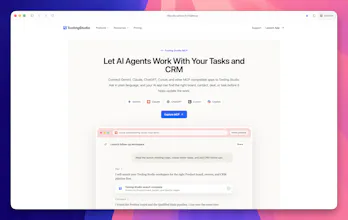
Tooling Studio MCP connects Claude, ChatGPT, Cursor, and other AI chat apps directly to your Sales CRM and Kanban Tasks inside Google Workspace. Describe what needs to happen in plain language, and your AI handles the rest. Both tools. One conversation. No new app, no migration.

Launch Team


Tooling Studio
Hey Product Hunt 👋
Nick here from Tooling Studio.
Excited to share Tooling Studio MCP today, a new way to let AI apps work directly with your CRM and task workflows inside Google Workspace. 🚀
The workflow challenge
A lot of teams already manage their work inside Gmail and Google Workspace.
Customer conversations happen in email threads, follow-ups come out of meetings, and project coordination lives across tasks, calendars, and boards. But keeping CRM records and project workflows aligned with all of that activity still requires a separate round of manual updating afterward.
As work moves faster, systems slowly drift behind the actual work.
What Tooling Studio MCP does
Tooling Studio MCP connects AI apps like ChatGPT, Claude, and Cursor directly to Sales CRM and Kanban Tasks inside Tooling Studio.
Instead of manually opening records and updating them one by one, teams can describe what needs to happen in plain language.
Examples:
• “Create follow-ups for next week”
• “Move this deal to Qualified”
• “Read these meeting notes and create tasks for the team”
How it works inside the workflow
The AI can inspect the existing workspace structure first, find the right board, contact, deal, or task, and then apply updates using the permissions and workflows already in place.
That means teams can work with the structure, contacts, pipelines, and boards they already have instead of rebuilding everything around a new system.
What mattered while building it
Maintaining visibility and control was an important part of the experience from the beginning, especially when AI is operating inside real workflows and operational systems.
We’re also opening a small launch offer for early teams trying MCP: 🎉
50% off the first 3 months with the code MCP50, limited to the first 500 redeems.
Would genuinely love to hear how people here would use something like this in their own workflow.