Reviewers describe Toki as a simple, natural scheduling assistant that quickly turns text, voice notes, screenshots, and images into calendar events, reminders, and time blocks. They repeatedly praise how easy it is to use inside familiar messaging apps, its accurate understanding of requests, and smooth calendar syncing, saying it reduces mental load and saves time. A few limits come up: conversational scheduling can be less intuitive for viewing busy date ranges, and users want features like multi-calendar iCloud support, broader Q&A help, and more customization.




Product Hunt
Toki: AI Executive Assistant
@curiouskitty Great question. The pain point we see first is usually meeting-heavy weeks and cross-calendar coordination. Once other people are involved, constantly reshuffling your own tasks only solves part of the problem. Toki treats your existing commitments and explicit preferences as constraints rather than freely moving everything around. The goal is to protect the time you care about while finding workable space around it, instead of creating surprise changes just to optimize the calendar. That balance between automation and predictability is something we’re being very intentional about.
Dial
the part that'd worry me a little is Toki emailing attendees directly on my behalf - if it misreads a reply (someone declining but phrasing it ambiguously, or a reply-all mixup) and sends a confirmed invite anyway, the damage is external and already in someone else's inbox before I see it. is there a review step before it actually sends to attendees, or does it act autonomously once you hand it the task?
Toki: AI Executive Assistant
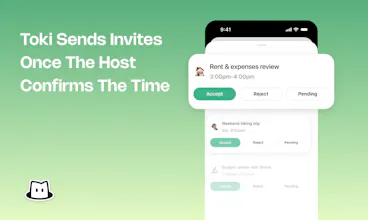
@galdayan Great point — and we agree that once Toki is communicating externally, user control becomes especially important. There is a review step before Toki sends the final invite, so you still get a chance to confirm things before anything is locked in externally. We’re also being very thoughtful about edge cases like ambiguous replies and reply-all situations as we build out the coordination flow. Really appreciate you calling this out — trust is a huge part of making an AI Executive Assistant actually useful.
Dial
@jamieg good to hear the review step is there before anything external goes out - that's the part that actually makes this safe to hand off. that plus the ambiguous-reply edge case handling is the right place to be spending the caution budget.
Scheduling is easy. Follow-ups are where most tools give up. Really like that Toki owns both sides of the meeting loop.
Toki: AI Executive Assistant
@orenr Exactly! That closed loop is a big part of what we wanted to build. Toki shouldn’t just help find a time, but actually carry the coordination through until the meeting is confirmed. Really glad that stood out 🙌
I think the strongest part of this update is the shift from “help me manage my calendar” to “handle this coordination for me.” That’s a subtle but important difference, and it feels much closer to how people would actually delegate work to a human EA.
Toki: AI Executive Assistant
@panzhenglian Exactly! This shift is really what we wanted to achieve with this release. Instead of giving you another tool to manage, Toki should feel like something you can actually delegate to and trust to move things forward. Really glad that came through 🙌