
Thinglo
Save anything from any app — AI-organized, private, instant
95 followers
Save anything from any app — AI-organized, private, instant
95 followers
Thinglo is the simplest way to save and organize everything from your phone. Found something on Instagram, Safari, TikTok, or anywhere? Tap Share → Thinglo. Done. - 🧠 AI auto-titles and categorizes everything - 📱 For You feed resurfaces forgotten saves - 🔍 Instant search + iOS Spotlight - 📝 Rich notes on any item - ⏰ AI-powered smart reminders - 📷 Document scanner with OCR - 🔒 100% private — Face ID, on-device, no tracking Free to start. Pro unlocks unlimited saves.




@thinglo Wonderful Product. Does it work for linkedin saved articles too?
@bishwajeet0206pal Thank you so much! 🙏
Yes, absolutely! Thinglo works great with LinkedIn. You can save any LinkedIn article or post — just tap the Share button in LinkedIn and select Thinglo. It'll save the content with a thumbnail and auto-categorize it for you.
It works the same way from any app — LinkedIn, Safari, Chrome, Instagram, YouTube, WhatsApp, and more. Basically, if it has a Share button, Thinglo can save it! 🚀
Android is always a brides maid.
@jaredepicpower Haha, Android users deserve love too! It's definitely on the roadmap.
The share sheet → auto-organize flow is exactly right. Most "save it later" apps fail because they create a second inbox you never revisit. Does the AI categorization run on-device or does content get sent to a server? For a "save everything" app, the privacy model matters a lot.
@lepaulrenard Great question and you're touching on something really important to us.
The categorization itself runs on-device — content type detection, smart reminders, and organization are all local.
The only thing that goes to a server is image analysis for auto-generating titles, which uses Claude's Vision API. No personal data is sent, just the image for analysis.
Everything else stays on your device with optional iCloud sync between your own devices only. No accounts, no servers storing your data.
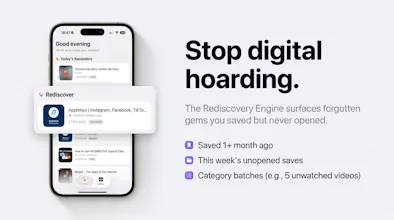
And you nailed it about the "second inbox" problem — that's exactly why we built the Rediscovery Engine. It learns your patterns and actively resurfaces content at the right time, so things don't just disappear into a folder.
Hi! This looks interesting, but I can't seem to acces sit in the iOS app store. The link on your page doesn't work.
@andrew_brodsky Thanks for letting us know! We just fixed the link. You can download it here:
https://apps.apple.com/app/id6758704769
never upvoted anything so fast in my life 🙌
@thefilips Thanks Filip, that means a lot!