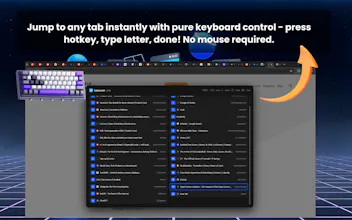
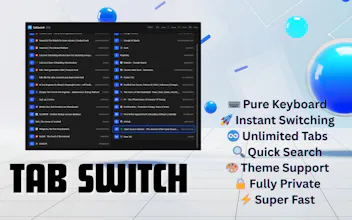
Stop clicking through tabs. TabSwitch lets you jump to ANY tab in 2 keystrokes. Press Alt+S, see letter labels (A-Z, AA, AB...), type letter, done! ⚡ Built by a frustrated developer with 80+ tabs. Tested extensively with tab groups. Features: • Unlimited tabs support • Search with / key • Arrow navigation • Auto light/dark themes • 100% local, zero tracking Perfect for developers, researchers, power users who hate breaking keyboard flow.
Framer AI AgentsDesign and publish professional sites with AI
Promoted
Maker
📌
Hey Product Hunt!
I'm thrilled to launch TabSwitch - born from pure frustration!
MY STORY:
I was totally frustrated moving to the mouse for switching tabs. Even when I learned about Chrome's keyboard shortcuts, going through all tabs sequentially felt tedious.
As a developer, I know the pain of moving back and forth between mouse and keyboard. With 80+ tabs open daily, I lost hours clicking and scrolling.
So I built TabSwitch - covering 99% of scenarios to avoid the mouse completely. No sequential tab search, no clicking through endless lists.
HOW IT WORKS:
1. Press Alt+S (customizable)
2. See all tabs with letter labels (A, B, C... AA, AB, AC...)
3. Type the letter - Jump instantly!
WHAT I'M PROUD OF:
- Tested extensively with 80+ tabs and tab groups
- 99% keyboard control achieved
- Search mode with / key
- Arrow key navigation
- Auto light/dark themes
- Zero data collection (100% local)
BUILT FOR:
Developers, researchers, power users - anyone tired of breaking keyboard flow 50 times a day.
IMPORTANT NOTE:
Sometimes other extensions' shortcuts interfere. If your hotkey doesn't work, go to chrome://extensions/shortcuts and configure it. We recommend Alt+S for best compatibility.
WHY THIS MATTERS:
This is the tool I desperately needed. I tried my best to make tab switching completely keyboard-driven.
Would love your feedback! What features would make this even better for your workflow?
- Honest words from a developer who knows your pain
Report
No reviews yetBe the first to leave a review for TabSwitch