Launched this week

Supaste
Clipboard Manager for macOS
485 followers
Clipboard Manager for macOS
485 followers
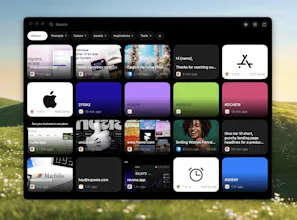
Supaste is a local-first clipboard and screenshot history app for Mac. Save copied text, links, images, files, code, colors, and screenshots in a beautiful searchable timeline.


As someone constantly juggling UTM parameters, ad copy variants, and brand hex codes, this looks like a massive lifesaver. Does Supaste allow you to pin or organize specific clippings into folders/tags for different campaigns?
Supaste
@andika_fadhilah yes, you can create your own collections/folders
@soltwagner Thanks for sharing what you've been creating! I'm looking forward to trying this app in my design work.
I'm curious about temporary storage and memory usage. If video files or sets of large images are copied to the clipboard using this app, does the summed size of the files put strain on available memory that would normally not keep more than a single item on the clipboard?
Supaste
@underuncertainty Thank you.
For copied files, videos, or large image sets, it stores the file reference/path and metadata, not the full file data again inside the app. So the files are not unnecessarily duplicated and the summed file size should not sit in memory like multiple full clipboard copies.
For visual items, Supaste may generate lightweight previews/thumbnails, but the goal is to keep memory and storage impact minimal.
@soltwagner Many thanks for this explanation. @Supaste will be saving me a lot of time and frustration!
clipboard managers live or die on how they treat the pasteboard's concealed types — password apps mark items org.nspasteboard.ConcealedType so they don't get logged. do you honor that and skip them automatically? that's the detail that decides whether i trust one.
Supaste
@qifengzheng Yes, absolutely — Supaste is designed to skip sensitive clipboard content.
It respects concealed pasteboard types such as org.nspasteboard.ConcealedType, so items from password managers should not be saved automatically.
On top of that, Supaste also has sensitive content detection for things that look like API keys, passwords, tokens, private keys, .env content, and similar data. You can also add apps to Ignored App Rules, so anything copied from those apps is never saved at all.
Local-first with a timeline that spans text, images, code, colors, and files in one searchable store is the hard part. Most clipboard managers pick one content type and add the others as an afterthought. I've hit the same mixed-type indexing tradeoffs when handling diverse data in a unified store. Do you use Core Data, SQLite, or something else for the local persistence layer?
How does it compare to the now native macOS Tahoe clipboard history? Nicely done!
Supaste
@reneandritsch more features, more actions, better UI and UX, better filters, your own collections, pins, favorites, shortcuts for pins, history, custom shortcuts for any clipboards
@soltwagner Thank you. That is a rich feature list.
@soltwagner The visual timeline approach feels like the right fix for clipboard managers that turn into unreadable text dumps after an hour of deep work.
Curious if the app-level filtering works reliably with Electron apps like Figma or VS Code, since they often report generic window titles instead of meaningful context?
That’s usually where visual clipboard tools start to lose their edge over plain lists.
the clipboard manager space has Raycast, Paste, and Maccy all doing versions of this. curious what you found lacking in those that made building Supaste worth the time. the beautiful timeline is a UX difference but is there something functional that the existing tools don't do or is this primarily a design and experience play. asking because the answer changes who this is actually for