Launching today

Sortfully
Your Outlook inbox, sorted by who sent it. Automatically.
4 followers
Your Outlook inbox, sorted by who sent it. Automatically.
4 followers
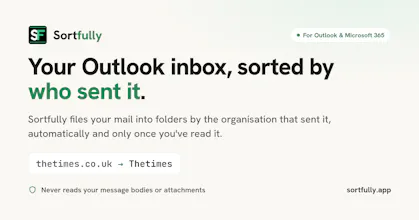
Sortfully files your Outlook and Microsoft 365 mail by the organisation that sent it, once you’ve read it. Connect a mailbox and leave it: it sorts new mail on its own. Want more control? Group domains into one folder, use coloured tags instead, pin a sender to a folder you already have, or file mail as soon as it lands. No AI, just rules you can see. It never reads message bodies or attachments, and every move can be undone.



Hi Product Hunt,
I’m Adam, and Sortfully is the first app I’ve built.
Why did I build it? I work in IT, and my inbox gets mail from a long list of vendors, services and systems. Keeping on top of it meant writing and maintaining inbox rules for every new sender, and I wanted something that would just put each sender’s mail in its own folder without me doing that by hand. Now my inbox only holds recent and unread mail, so I can see what still needs my attention while everything else organises itself into folders.
What does it do? Sortfully files your mail by the organisation that sent it. For example, everything from Slack ends up in one Slack folder without you writing any rules. You connect a mailbox and leave it running. If you want more control, you can use coloured tags instead of folders, group domains together, pin a sender to a folder you already have, or leave some senders out.
How did it change while I built it?
• Privacy came first. Giving an app access to your mailbox is a big ask, so Sortfully files by sender and routing details only. It never reads message bodies or attachments, and that’s enforced in the code. There’s no AI in it either, just plain rules you can see.
• Filing after you’ve read a message became the default. Moving mail the moment it arrived meant phone notifications could disappear, so now Sortfully waits until you’ve seen a message. It also means anything left in your inbox is something you haven’t read yet.
• A short pause before moving mail you’ve just read. On mobile Outlook, moving a message while you were replying closed the reply window, so Sortfully now waits a few minutes first. You can also keep new mail in your inbox for a set number of days before it’s filed. I personally like mine set to 7 days.
• Quiet folders. When I first cleaned up years of my own mail, I ended up with a huge number of folders, most of them from senders who’d emailed once and never again. So I added quiet folders: any folder that hasn’t had new mail for 6 months or a year moves into one QUIET SENDERS folder. Nothing is deleted, Outlook search still finds it all, and when that sender emails again their folder comes back to the top.
• It leaves your setup alone. It works alongside the folders and inbox rules you already have and never changes your rules.
It’s free for 14 days, no card needed. The trial includes a one-off cleanup of up to 2,000 older emails, and new mail is sorted with no limit. I’d really like to hear what works for you, what doesn’t, and what you’d want next. I've included a 1 month free promo on the standard monthly plan until November 25th so you can try it without the 2,000 backlog cleanup email cap.