
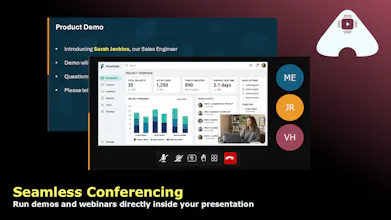
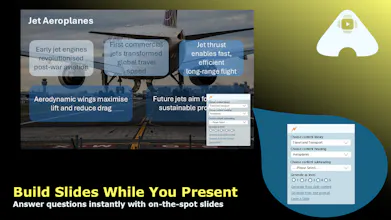
slideAcross isn’t just for building decks; it’s built for what happens in the room. Switch content layers live, generate new slides on demand, adapt to questions, and keep every audience engaged. Voice controls, integrated demos, and AI‑driven creation give presenters a real advantage. If your presentations are conversations, slideAcross is built for you.




Hi ProductHunt.
I'm Martin, the Founder of slideAcross. I spent many years working in sales & solutions in large corporate organisations. And then I left to set up my own business. Why?
The taxi rides after the presentation or pitch
I have endured many painful taxi rides back to the station after sales presentations. Where a colleague turns to me and says "So, how do you feel it went?" And I have to give an honest answer.
In many cases, I guess we delivered the slides as we rehearsed. They looked good. But we just didn't connect with the audience in the way we hoped. They had questions that we didn't anticipate. We made the wrong call deleting that process slide. They looked disengaged and we just had a linear deck.
Looking for a better way
Surely there has to be a better way. A solution for slides that doesn't leave you on a one-way street to disengagement. And, of course, not just for sales. For education, for consulting, for organisation leaders. For anyone who is looking for non-linear presentation solutions. That's why slideAcross was born.
slideAcross in a paragraph
There are loads of features, but here are my favourite three:
1) You can anticipate questions in advance and layer slides that answer them under your primary flow.
2) You can generate slides in real-time from trusted and approved resources.
3) You can use do all of this with your voice using speech recognition.
Never again should you have to follow up with further details another time. I would love for you to try out slideAcross and reimagine what it means to present with impact!
Love the look of this product, the ability to adapt in real time is fantastic. How long does it take to build out new slides whilst presenting? Also, can I upload a powerpoint or PDF document to give me a start?
@eamon_kitching Thank you - I'm glad you've found the ability to adapt in real time useful. It was always my single highest frustration when presenting using traditional tools. To answer your questions:
1) Between 2 and 3 seconds typically, unless you choose to generate an image to accompany the slide in which case it is usually 5 or 6 seconds.
2) Yes absolutely. PowerPoints are converted into presentations, whilst PDFs are parsed and used as a resource library from which slides can be created (you can create an entire presentation in one click if desired).
This looks impressive and I can imagine it would be stunning to see used live. How much control would I have over the look and feel of created slides? Also how does it manage in a room with no internet connection?
@richard_smith41 Thanks for your comment - and yes it really does impress audiences when questions are answered with a relevant slide in the moment.
In terms of look and feel, you have full control. Each presentation has branding options (colour palettes and master slides with logos and layouts) and organisation admins can control these org wide. You can also use auto backgrounds to create beautiful slides with no effort.
In terms of no Internet, once a presentation is loaded it no longer needs Internet to present, so you can load in advance. Unfortunately slide generation does require Internet access.
This is a great tool and extremely user friendly from the get go. Integration of AI is brilliant and a must these days. In my line of work, working with international teams, SlideAcross helps me build a presentation that can be relevant and more relatable to national audiences, depending on where questions are coming from. I've yet to find it, but is there an integrated translation tool?
@katherine_du_plessis Thank you for your comments - really glad it is working on an international basis. The product is currently only officially supported in English, but we know from users that it does support other languages. Some user config would be required to set up the speech recognition function in different languages (although this would be possible from the admin page). There isn't an integrated translation tool currently, it relies on browser capabilities.
The live switching sounds great, but I'd love a post-presentation recap that emails me a summary of which slides got the most engagement and what questions came up. Would make follow-ups way less painful.
@fatma147337 Thanks for your comment. The platform captures when additional content needs to be generated (based on questions etc). We could certainly look to include an email recap of that. In terms of actually capturing questions, we would most likely need to integrate with an AI note taking tool. Certainly something we will look into.
This looks like a great tool! Does it work on mobile?
@gill_morton Thanks for your comment and support. Yes it is fully mobile optimised - you can use swipe up/down to move through your slides and can beam from your phone onto a large screen. You can also edit on your phone, although it is usually easier to make significant edits from a desktop.
Isn't it difficult to anticipate all the questions?
@bev_tanner yes this is a great question and a concern that is often raised. The key is to have the right source material. These are just Word docs, pdfs, spreadsheets etc. So sales teams usually upload bid resources, policy documents, training material, case studies etc. Whilst teachers use lesson plans, research material and essays. As long as it is a structured document, slideAcross can create a slide in 2 to 3 seconds. And, if you're using the speech recognition optimisation, slideAcross will find the best source material based on your request.