
slicer.dev
Copy interactive web components as AI prompts, and restyle
157 followers
Copy interactive web components as AI prompts, and restyle
157 followers
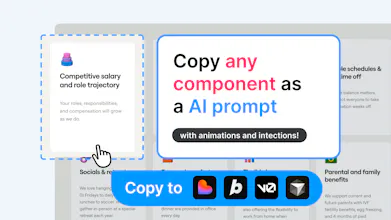
Slicer is a Chrome extension that lets you capture any component from any website and turn it into an AI-ready prompt.
Grab a section you like, restyle it to your design system in Slicer Canvas, and copy the prompt into Lovable, Cursor, Claude Code, or Bolt. Animations, interactions, and states are all included - not just the visuals.



Hi, fellow builders and vibecoders!
When we build websites, we all start with inspiration: we find website we like, we screenshot it and we forward it to our designers or paste to vibecoding tools, hoping it will be fully recreated with 100% accuracy so that we can iterate it further. But it rarely is.
A screenshot does not capture interactions, animations, states. It's impossible for AI to recreate something from a flat image.
slicer.dev solves that: it copies all the information beyond a screenshot that makes a component interactive. On top of that it gives you React code or AI prompt that will create a reusable component in your project.
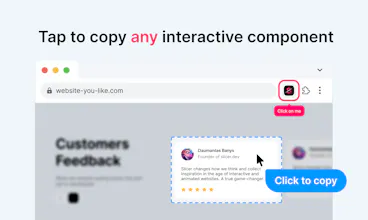
Works very simply: open browser extension → select a component → generate and copy the prompt (or a react code!)
Version 2.0 is already in works where you will be able to debrand/redesign/merge/apply style for extracted components.
Hey this is actually pretty neat!
Does it work with motion and basically all UI library components (MagicUI, React bits, etc)?
Either way, upvoted and I wish you a great launch Daumantas!
@ugo_builds thanks!
Yeah it does! Scroll animations are not supported yet, but ones that are triggered by hovers or automated works!
This fits a real gap - grabbing a component and getting a prompt that actually reproduces it is way better than describing it from scratch. Does it handle dynamic state or just the static render?
@mykola_kondratiuk capture states too!
Smart approach. The gap between "I see a component I like" and getting my agent to reproduce it is still way too big. Screenshots lose all the interactive behavior.
Does it capture state and interactions too, or mainly the visual structure?
@jarmo_tuisk2 interactions, states and animations! Also responsiveness:)
@danischenker Given I need use AI to generate code/prompt, I incur costs, so I cannot offer it for free. But you get a few exports for free to try when you sign up.
Also I'd be happy to exchange feedback for extra extractions :))
@daumantai Thanks for the answer. To be honest, I wouldn't expect it to be free. But I do expect you to communicate the pricing on the website. At least add something to the FAQ. Personally, I would never sign up to your software without that information... but maybe that's just me ;-)
@danischenker ah that’s a good point! I never got my hands to update the landing page after finishing the open beta!
@danischenker adjusted the landing page to your feedback, thanks
This solves a problem I run into all the time. I see a component on a site, screenshot it, paste it into my AI tool, and the output never quite matches. Always felt like there should be a better way than just screenshotting and hoping for the best. Bookmarked. Congrats on the launch, Daumantas!
I can not create account
@mukiwu Hi, thank you for the report! I have found and fixed the issue. Please give it another go and let me now!
@daumantai thanks, it worked!
I filmed a YouTube video introducing this website service, which is very easy to use. I look forward to future updates.
@mukiwu oh that’s so cool, thank you! Although I don’t understand a word 😄