Sketch to App Store

Sketch to App Store

Generate App Store images for all iPhone sizes from Sketch

4 followers

Sketch to App Store gallery image
Launch tags:Design ToolsSketchTech
Launch Team
Migma AI
Migma AI
Lovable for Email
Promoted

What do you think? …

Brenden Mulligan
With the new iPhones, it's now a huge pain to create screenshots for iTunes Connect. This tool was created to save a ton of time. Happy to answer any questions and please post feedback here!
Kunal Tandon
@mulligan very helpful- thanks for making this!
Brenden Mulligan
@kunaltandon thanks! please share and send feedback!
Abhi Chirimar
@mulligan Instant love! Thanks for doing this. Was, quite literally, sitting and creating these images when this popped up.
Abinash Mohanty
@mulligan This is amazing! Thanks for making this.
Adrian Le Bas
Felt emotional and almost cried (of joy) once I clicked the link! Only thing missing though...iPad!
Brenden Mulligan
@adrianleb Will be adding iPad at some point. iPhone was a bigger pain point to start with. :)
Marc Hemeon
Seriously loving this tool Brenden! killer work. here is a sample of shots from the new @Tiiny 2 coming out soon
Josh Lee
@hemeon @Tiiny {thumbsup}
Alex
this is just awesome, thank you for making this!
Brenden Mulligan
@alexmuench thank you! please send feedback!
Phone Crusher
This is great! Saving me a ton of time versioning and uploading AS images.
Brenden Mulligan
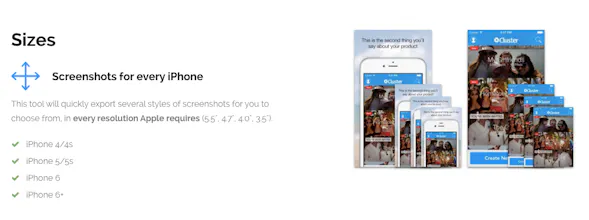
I'd love to see any sets of screenshots you guys are creating! Please post here or share on Twitter and tag @mulligan. Here's the @Cluster set.
Will Imholte
Really really cool. I have a similar workflow setup in photoshop and it took a decent amount of time to setup. Small quibble: iTunes Connect does not require jpgs, you can upload png files just fine.
Brenden Mulligan
@willimholte Maybe it's the PNGs that Sketch exports that are problematic then. But here's what iTunes does when I try to upload a PNG:
Will Imholte
@mulligan Ah ha! Yeah, didn't know sketch included alpha channels.
Tyler Howarth
@mulligan @willimholte Never had a problem with Sketch PNG exports on iTunes Connect. You probably have a background layer with some transparency or the image fill is causing some transparency issues. Also try running it through ImageOptim too.
Brenden Mulligan
@tylr @willimholte weird .. my background image is 100% opacity
Tyler Howarth
@mulligan @willimholte Looks like ImageOptim fixes it. I'm having some varying issues with sketch exports but I let them know.
123
Next
Last