
Sinain — The Ambient Intelligence
Eyes and ears for your AI agents and your teammates.
19 followers
Eyes and ears for your AI agents and your teammates.
19 followers
A private Context OS that captures your screen and audio, distilling them into a structured knowledge graph — accessible from MCP, a web UI, an invisible HUD overlay, and shareable peer-to-peer between users. MIT-licensed.




Ambient intelligence is the next frontier. How do you handle the privacy aspect of an agent that has 'eyes and ears'? Is all the processing done locally on-device?
@rivra_dev It is probably the most important question for our product.
Short answer: not always fully local by default, but it can be.
By default Sinain is local-first: context is captured and stored on your machine, and model calls can go through OpenRouter with token usage tracked.
If you want zero network at runtime, there is paranoid mode: Ollama + whisper.cpp, fully on-device.
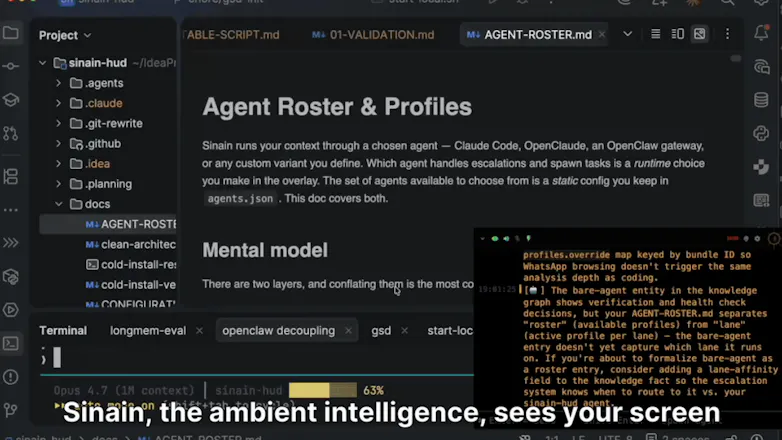
We also made the HUD overlay invisible to screen capture, so it should not appear in recordings or screen shares.
So the privacy model is: local-first by default, fully local when you choose paranoid mode.
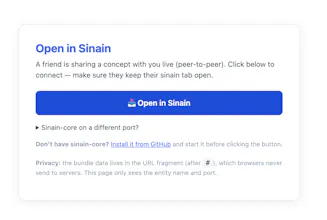
@rivra_dev Thank you — agreed, ambient intelligence is the frontier and privacy is the question that defines it. Honest answer: Default mode uses OpenRouter (cloud) for vision OCR + transcription + analysis. Paranoid mode is 100% on-device — Ollama + whisper.cpp + local embeddings + local knowledge graph. Nothing leaves your machine. A few specific privacy layers active across all modes: - Audio is transcribed in-memory only, never written to disk. Screen frames hit disk transiently as IPC — one JPEG at ~/.sinain/capture/frame.jpg, constantly overwritten as new frames arrive. Only the latest frame exists at any moment; the OCR'd text from those frames lives in-memory until distilled into your local knowledge graph. - <private> tags + regex auto-redaction strip credit cards / API keys / bearer tokens / passwords before any text leaves the client - P2P knowledge sharing via URL fragments — when you export a concept, the bundle sits in the # fragment, which browsers never send to servers - The knowledge graph lives at ~/.sinain/memory/ on your machine — SQLite, your hardware, no remote sync - The HUD overlay is invisible to screen capture/recording (macOS NSPanel.sharingType = .none) — if you screenshare in a meeting, the assistant overlay literally never appears in the captured frame Practical summary: if you want total local sovereignty, paranoid mode gives you it. If you're fine with cloud LLMs, the cloud paths are still designed so the most sensitive surfaces (HUD overlay, redactions, knowledge graph itself) never touch them.
How do you handle capturing sensitive stuff like passwords or private messages, is there a quick pause mode?
@manal_essalek1 , great question - privacy's is one of the main goals of the product, so happy to dig in.
Passwords: auto-redacted by regex (also credit cards, API keys, AWS keys, bearer tokens) before anything leaves your machine. On by default.
Private messages: if you're typing them, wrap in ... tags and Sinain skips them. For messages from others on your screen, paranoid mode handles it (see below).
Pause and full-local: PRIVACY_MODE is the main dial — set to paranoid for fully on-device (Ollama + whisper.cpp, no cloud at all), or off to stop capture entirely.
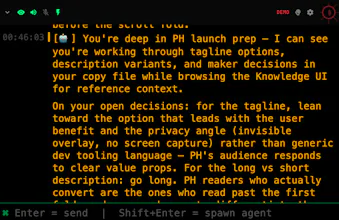
Plus a quick toggle in the HUD with separate switches for screen and audio capture, so you can pause one without touching the other.
Hope that helps!
I’m Dmitrii, also working on Sinain.
The way I think about it: better context = better agents.
A model can be very capable, but if it only sees the current prompt, it misses a lot of the real work: decisions from yesterday, rejected approaches, call context, screenshots, debugging trails, constraints that changed, etc.
But the answer is not “dump all history into the prompt” — that becomes noisy and contradictory fast.
What we’re building is the layer in between: capture more real work, distill it into structured memory, and give MCP-compatible agents the relevant context when they need it.
Still early and macOS-only, so feedback from people actually using agents every day would be super valuable.