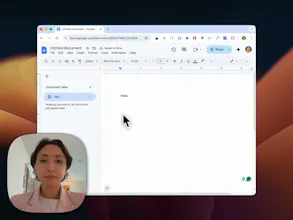
Record your screen and instantly turn raw footage into polished, presentation-ready videos with smart zoom effects, smooth motion blur, webcam overlay, background music, and a built-in editor. No complex editing tools. No subscriptions. Just clean, high-quality demos in minutes. Export in up to 4K and share videos that actually feel professional whether you're showcasing a product, onboarding users, or recording tutorials. One-time purchase. No subscription. Just ScreenCharm.
This looks useful. Does it auto-detect when to zoom based on cursor activity?
Report
Maker
@dhiraj_patel5 Hey! Yes, it works exactly like this. We track the cursor movement and event. Then transform them into smooth zoom effects
Report
Oh, is there a MacBook version? Some of these tools only work on Windows, and I'm fully invested in the Apple ecosystem!
Report
Maker
@mayarossi Hey! It works only on Mac. No windows version for now
Report
No-subscription is the part I keep saying loudly. Recording tools are like fonts: I might use one weekly and the monthly bill makes no sense. One payment + the smart zoom on click looks like the right baseline feature for builder demos. Following.
Report
Maker
@david_marko Thanks a lot! Yes, currently there is no need for subscription. But I have plans of switching the pricing model to subscription based. Don't know yet when will it happen tbh
Report
Is this not screen studio? I already paid for that. Congrats on launch!
Report
Maker
@thinkharshh Hey! Nope, it's not screen studio. Thank you!
Report
@sergei_nazarov92 it looks like screen studio except subscription part :) Congrats on the launch.
Report
Really like that this focuses on making recordings presentable without opening a full video editor. Perfect for quick demos where the details still need to look clean.
Report
Maker
@farrukh_butt1 Thank you for the kind words Farrukh! This is our main target to make creation of professional screen recording easier
Amazing product🔥, especially the vertical layouts are very cool, most screen recorders don't have that
Report
Maker
@farid_sukurov Thank you Farid! one of my differentiators from the competitors. I want to move more into the area of cool camera recording layouts instead of focusing on more polished screen recording




Build Check
Wow, Serge! It looks awesome. Needing to create demo videos so feel I can take the most of it. How about the pricing?
@german_merlo1 Hey! Thank you! Currently the pricing is a lifetime deal for $79, but there is a promo code for 30% off
This looks useful. Does it auto-detect when to zoom based on cursor activity?
@dhiraj_patel5 Hey! Yes, it works exactly like this. We track the cursor movement and event. Then transform them into smooth zoom effects
Oh, is there a MacBook version? Some of these tools only work on Windows, and I'm fully invested in the Apple ecosystem!
@mayarossi Hey! It works only on Mac. No windows version for now
No-subscription is the part I keep saying loudly. Recording tools are like fonts: I might use one weekly and the monthly bill makes no sense. One payment + the smart zoom on click looks like the right baseline feature for builder demos. Following.
@david_marko Thanks a lot! Yes, currently there is no need for subscription. But I have plans of switching the pricing model to subscription based. Don't know yet when will it happen tbh
Is this not screen studio? I already paid for that.
Congrats on launch!
@thinkharshh Hey! Nope, it's not screen studio. Thank you!
Really like that this focuses on making recordings presentable without opening a full video editor. Perfect for quick demos where the details still need to look clean.
@farrukh_butt1 Thank you for the kind words Farrukh! This is our main target to make creation of professional screen recording easier
Beep! - New Era for Collaboration⚡️
Amazing product🔥, especially the vertical layouts are very cool, most screen recorders don't have that
@farid_sukurov Thank you Farid! one of my differentiators from the competitors. I want to move more into the area of cool camera recording layouts instead of focusing on more polished screen recording