
Retina
Screen recorder w/ auto-zoom, smooth cursors, + AI graphics
220 followers
Screen recorder w/ auto-zoom, smooth cursors, + AI graphics
220 followers
Retina is a Mac screen recorder built for polished demos. Auto-zoom into the action. Cursor paths cleaned into smooth arcs. 4K export, optimized file sizes. Recordings look cinematic out of the box — no post-production needed. Built for product demos, tutorials, and feature walkthroughs that need to look professional without hours in editing. Currently in beta. Free. No watermark. Made by BlendPixel.

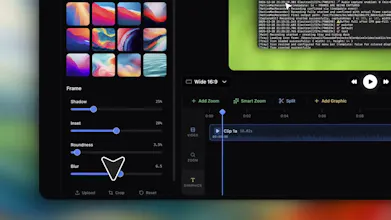
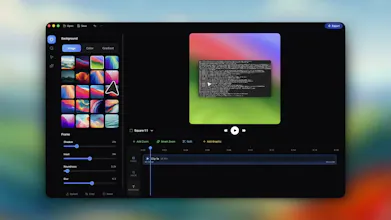


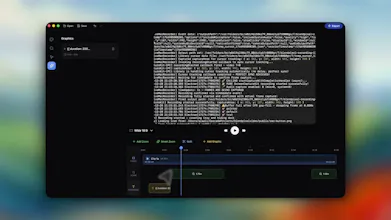


Hi Mourtaza, congrats on shipping! auto-zoom + smooth cursors is the right cut at demo-video pain, the bit that breaks every screen recording is the cursor frantically searching for the button. one question tho, smoothing redraws an idealised cursor path, but overshoots, hover-hesitation, and re-clicks-after-misclick all carry information about what the user actually did. is there a threshold where you preserve the messy original because it's the truth of the workflow? good luck!
Retina
@hiyamojo Hi Keith, thank you! Yes, that was much more challenging than I had originally expected it to be. The tension you're naming is real, and that's a big part of the reason why in Retina I ultimately decided not to do path redrawing.
After trying multiple alternatives, I landed on having the cursor run through a spring physics simulation: mass, tension, friction. The targets are your real positions. Clicks are anchors with a tension boost in the lookahead window so the cursor arrives at the exact click position on time. Drag segments (mouse held more than ~83ms) bypass the physics entirely and snap to raw position. That's the only threshold where we use and show the original cursor data.
It's far from perfect and has many limitations still. For example, friction integrates micro-jitter, so it's faithful to where you went, but not to every turn in how you got there.
I've recorded dozens of product demos and the post-production always takes 5x longer than the actual recording. Auto-zoom into the area of activity is the one feature that would save the most time — manually adding zoom keyframes in DaVinci Resolve is the most tedious part of any tutorial video.
The "cinematic out of the box, no post-production" claim is bold but that's exactly what the market needs. Screen recordings are the most common video type for SaaS demos and tutorials, yet they look amateurish 90% of the time. A tool that produces something polished enough for a Product Hunt launch video or YouTube tutorial without touching a video editor would be incredibly valuable. No watermark in beta is a smart move.
Retina
@ytubviral definitely. Retina's auto-zoom is heuristic-driven: it tracks cursor and click density to decide when to zoom, how far, and where to center. Works well for single-focus workflows (button click, form fill, submit). Where it gets less reliable: demos where the action shifts rapidly between non-adjacent regions of the screen, or where the cursor is offscreen because you're narrating over keyboard shortcuts. Give it a try and let me know.
@aza_ali That's a refreshingly honest breakdown of where it works and where it doesn't. The heuristic approach makes sense — cursor + click density is a reliable signal for most demo flows. The keyboard shortcuts edge case is interesting though, that's exactly the kind of scenario I'd run into when demoing dev tools.
Will definitely give it a try for our next feature walkthrough. If I hit any of those edge cases I'll report back with specifics.
Jellyboard
Retina
@frankramos it's one of the most important questions, but so hard to answer at this stage. Honestly, I need more user feedback to figure that out. It's free during beta.
The way I have been thinking about it: a subscription only makes sense and is fair if Retina is genuinely adding value every month: new features, better heuristics, cloud sync, something. And most importantly, do users want those things. On the other hand, a one-time purchase is the right call if Retina does what you want it to do out of the box and that's all you need (no huge future upgrades and changes or ongoing cloud services). Both pricing models work for the right product.
Since you produce demos every week, you're exactly the user I want feedback from during beta. What would make a recurring fee feel earned vs. resented for you?
@frankramos @aza_ali A one off for the occasional user and locked to the version they purchase (bug fixes excluded) I think is fair. The power user on a subscription will allow you some cashflow to continue development and respond to users requests.
The occasional user can always pay an update/upgrade fee.
Subscriptions will always turn the occasional user away from a product, they want to pay once, use it for the task at hand and maybe come back to it again later in the year, they don't want to continue paying every month for a product they don't use very often. Better for you to get a one off fee than them using another product and you lose the sale.
I would like to recommend one feature, if you could add a feature for gamers. So, gamers install retina on their device and they just push start so what the app does is clip out the best highlights of the games so these clips can be posted on their social accounts. Also launch this products for windows. This will be my recommendation.
Retina
@partha_gautam Partha, the gaming highlight use case is a great product idea but it's not one that I know well enough to build a product that gamers will love. The signals are different: combat events, audio excitement, kill notifications, score deltas. Retina reads cursor movement and click density, which is the wrong signal for a Call of Duty or Forza Horizon clip.
For what you're describing, I know NVIDIA ShadowPlay is amazing and does all of this for free, so it would be hard to compete with that.
Windows is on the roadmap but I'm hearing very useful feedback that it should be much higher priority. Thank you!
Can we expect this to be available for Linux?
Retina
@ashishkingdom It's not on the roadmap, but I'll explore the idea. Thanks for the feedback!
Why not for Windows? :((
btw. congrats!
Retina
@hsr88 I know, sorry! It's on the roadmap but not yet. The recording engine is built on Apple's ScreenCaptureKit, so a Windows port means rewriting the capture layer. It's doable but it will take some dedicated time to get it done.
Thanks for the nudge, this is helpful feedback and moves the windows release higher in my priority list!
Looks great, but my Mac wont allow it to run :(
Retina
@stuartxt thank you, today I learned about the importance of installing on a fresh machine for final testing. This is now fixed. The build wasn't yet notarized by Apple, which is what triggered that warning. Rebuilt and re-uploaded a notarized version. Re-download from the same link and it should open cleanly.
@aza_ali Such quick response !!
Up and running. Love it, Great job !!
The auto zoom works beautifully. The manual zoom gives you perfect control.
You need to practice how you want to build your demo so that your movements are smooth and precise. However I guess the edit feature will cover up my mistakes and hesitancy.