
Readalix
Offline text to speech that highlights every word
2 followers
Offline text to speech that highlights every word
2 followers
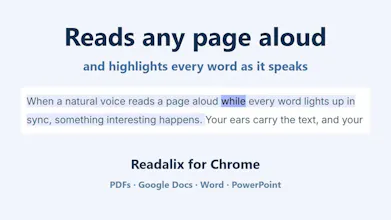
Readalix reads any page aloud and lights up the word and the sentence as it speaks, so you never lose your place. It works where other readers give up: web pages, form fields, Chrome's and Edge's PDF viewers, Google Docs, Slides, Word and PowerPoint Online. 100+ Piper, Kokoro and Supertonic voices in 30+ languages run on your device, so nothing you read leaves it. Microsoft's neural voices need no key. Bring your own Gemini or OpenAI key. No account, no sign-up, no floating buttons.


Free Options
Launch Team / Built With


AWS Activate CreditsCredits that fuel your startup’s next milestone
Promoted
Hi 👋
I’ve spent my career building read-aloud and accessibility extensions, and I’m also a heavy text-to-speech user myself. I read with my ears most days, mainly for language learning, and my brother has dyslexia. So I’ve experienced these tools from both sides, and I kept running into the same two problems.
The first is that they tend to break exactly where you need them most.
A blog post works fine. Then you open a PDF in Chrome’s own viewer and get nothing. A Google Doc? Nothing, because Docs renders its text onto a canvas as bitmap glyphs, so there’s actually no text to select. Word Online? Same story, because it uses a virtualized layout that switches between two rendering modes while you’re using it.
The second problem is that the tools that do work often take over your screen: a floating button next to every paragraph, or a popup appearing the moment you select something.
Readalix is my attempt to solve both.
Where it reads:
Web pages including form fields, shadow DOM, and iframes.
Chrome’s and Edge’s built-in PDF viewers, including scanned PDFs once Chrome has recognized the text
Google Docs, which is very challenging as it is canvas-based one, and Google Slides
Word Online and PowerPoint Online
The current word and sentence stay highlighted in sync across all of them. Pause and resume is supported.
You can enable it to integration with built-in reading in ChatGPT, Gemini, and Claude, to highlight while reading (estimated) among the other functionalities like control reading speed and scroll into being read element.
The sentence and word highlights use separate colors. It sounds like a small detail, but for someone with dyslexia it can make a big difference: the sentence highlight keeps your place, while the word highlight gives your eyes something to follow (colors are customizable)
You can start reading from the toolbar button, a keyboard shortcut, or the right-click menu. There’s also an element picker when you only want to read one specific paragraph instead of the entire page. No annoying toolbars added to the web page.
Three ways to get voices:
Your browser’s built-in voices, free and unlimited, forever.
100+ Piper, Kokoro, and Supertonic neural voices in 30+ languages, running directly on your own device. Nothing you read is sent anywhere, and once a voice is downloaded, it works completely offline.
Microsoft’s neural voices in 75 languages, with no API key and no download required.
Prefer Gemini or OpenAI voices? Add your own API key and pay them directly, with no middleman markup.
The premium voices include 20,000 characters per day for free, which works out to roughly 22 minutes of speech. After that, it’s $5 a year or $15 one-time if you want unlimited use. Browser voices never count toward the allowance.
No account. No sign-up. 👍
🔗 Install it: chromewebstore
🌐 Site and demo: readalix.com
I’d really love feedback, especially if you find a surface where it breaks that I haven’t considered 🙌